13
3 Getting Started
Make sure the tablet has sufficient power or is connected to the external power
supply (see Power Sources on page 5).
Power Up
Long press the Lock/Power button on the top right side of the tablet to switch
the unit on. The power LED will illuminate green. The system boots up and
displays the lock screen. Press and drag the inner ring to the edge of the circle
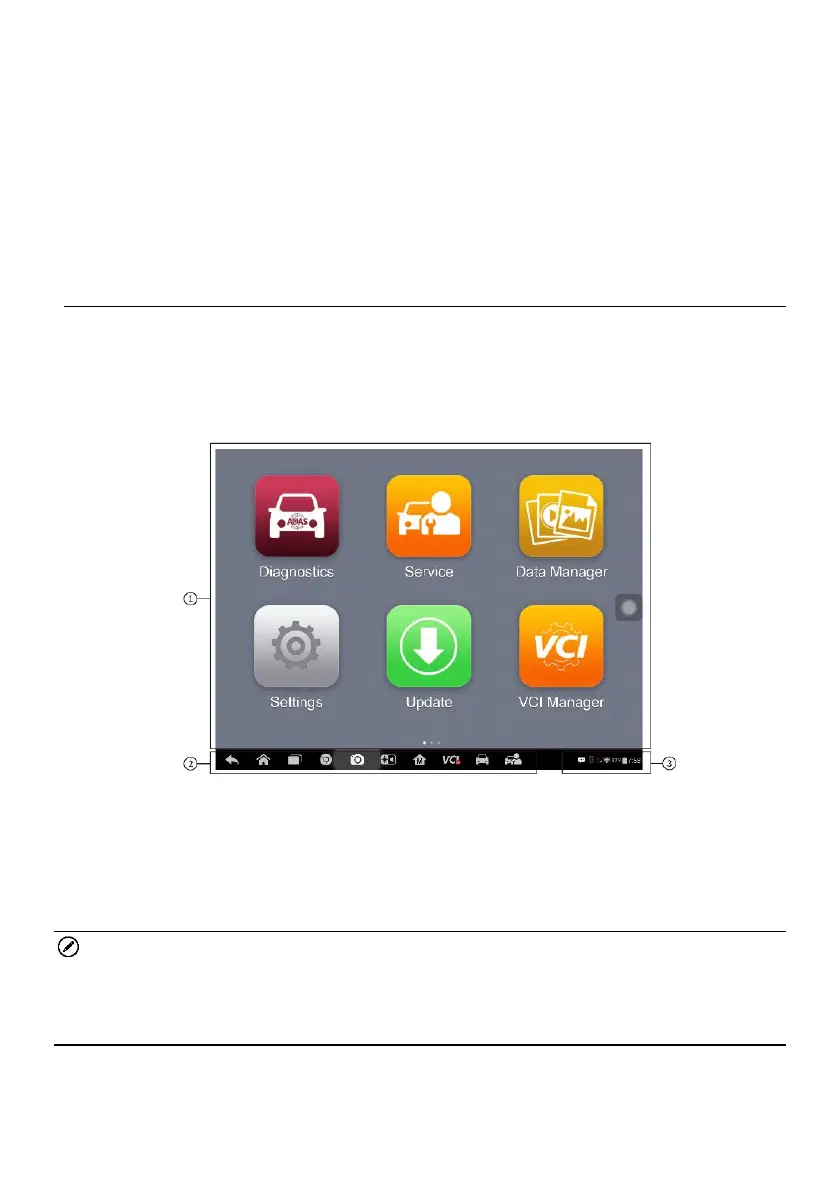
to unlock the screen; the MaxiSys Job Menu is shown.
Figure 3-1 Sample MaxiSys Job Menu
1. Application Buttons
2. Locator and Navigation Buttons
3. Status Icons
NOTE
The screen is locked by default upon startup. It is recommended to lock the
screen when not in use to protect information in the system and conserve the
power.
Almost all operations on the tablet are controlled through the touch screen.
The touch screen navigation is menu driven, which allows you to quickly locate














 To Next Page