85
Home Button – returns to the MaxiSys Job Menu.
Back – returns to the previous screen, each press takes you one step
backwards.
Forward – each press moves forward one screen until you’ve reached the
last screen visited.
Refresh – reloads and updates the screen.
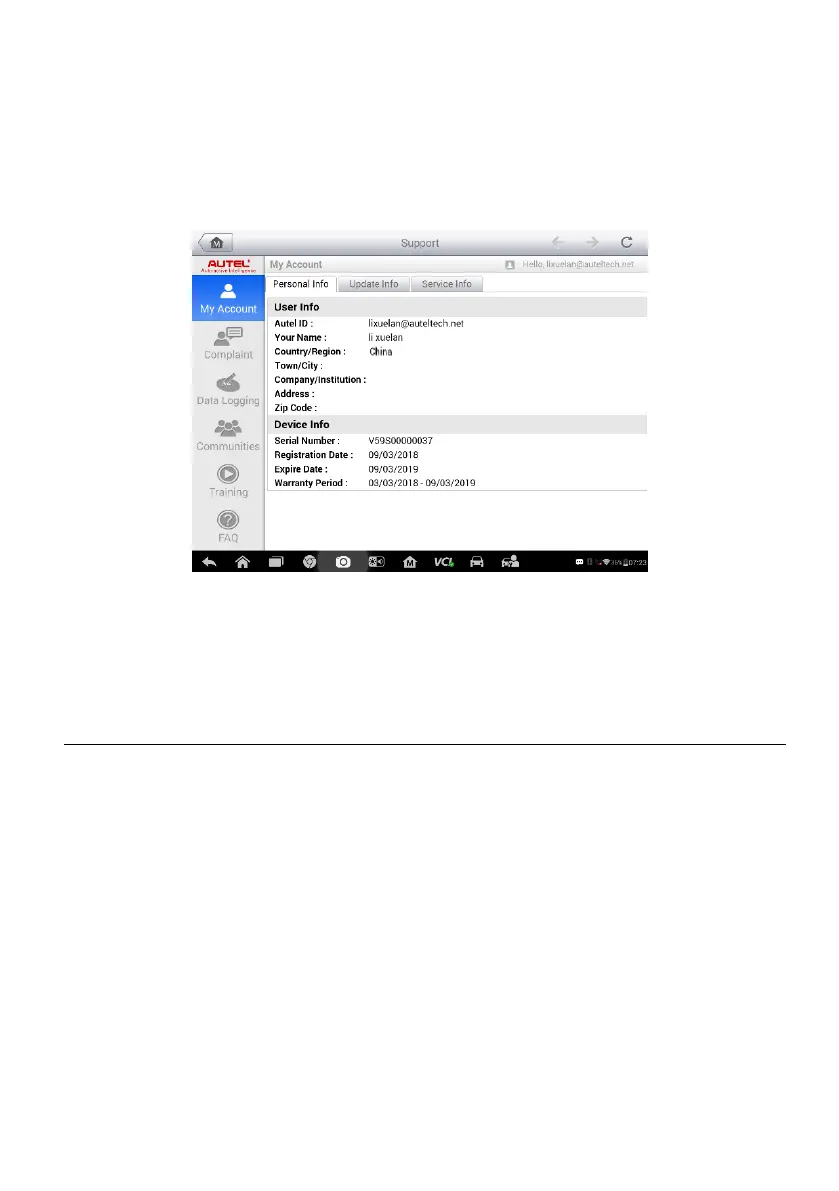
Figure 10-1 Sample Support Application Screen
The main section of the Support screen is divided into two sections. The
narrow column on the left is the main menu; selecting one subject from the
main menu displays the corresponding functional interface on the right.
My Account
The My Account screen displays the comprehensive information of the user
and the product, which is synchronized with the online registered account,
including User Info, Device Info, Update Info and Service Info.
Personal Info
The User Info and Device Info are both included under the Personal Info
section.
User Info – displays detailed information of your registered online Autel
account, such as your Autel ID, Name, Address and other contact
information.
Device Info – displays the registered product information, including the
Serial Number, Registration Date, Expire Date, and Warranty Period.














 To Next Page