5
4. Camera Flash
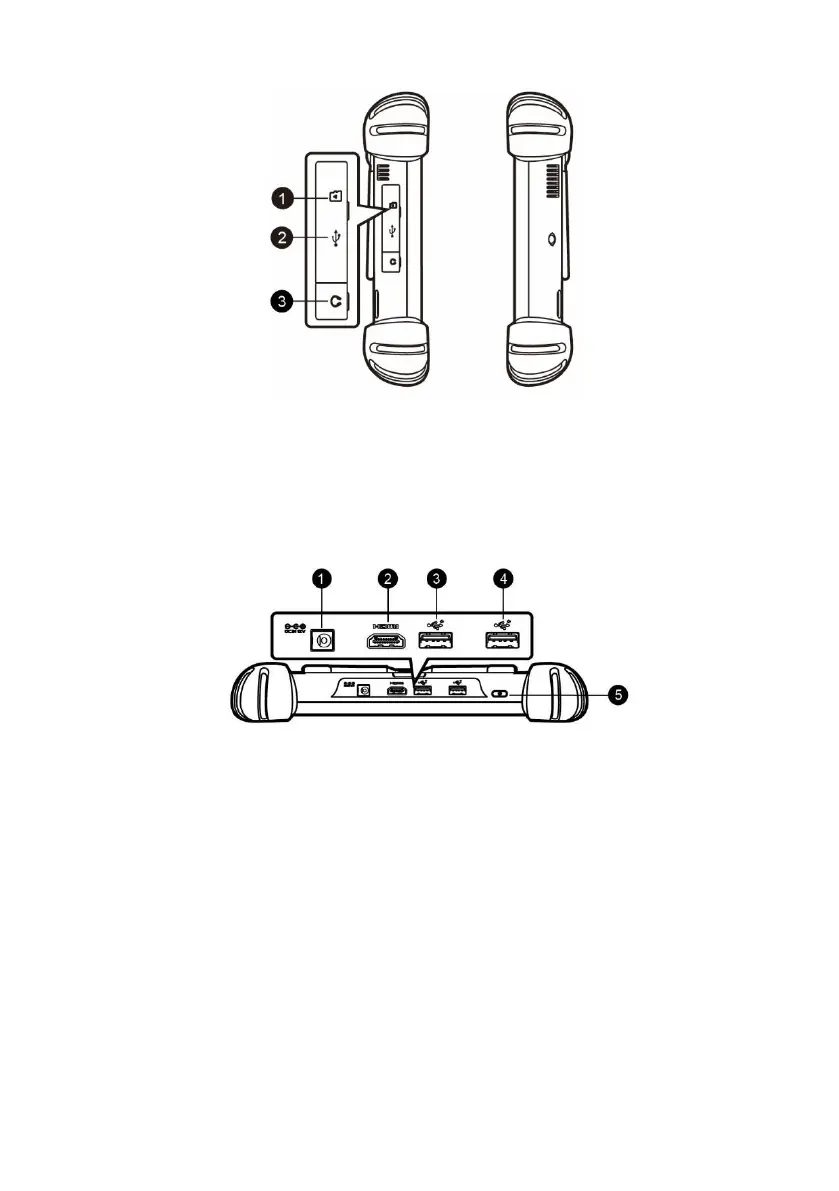
Figure 2-3 MaxiSys Tablet Left Side
1. Mini SD (Secure Digital) Card Slot
2. Mini USB (Universal Serial Bus) Port (it cannot be used at the same time
with the No. 4 USB Port in Figure 2-4 MaxiSys Tablet Top View)
3. Head Phone Jack
Figure 2-4 MaxiSys Tablet Top View
1. DC Power Supply Input Port
2. HDMI (High-Definition Multimedia Interface) Port
3. USB Port
4. USB Port (it cannot be used at the same time with the Mini USB Port in
Figure 2-3 MaxiSys Tablet Left Side)
5. Lock/Power Button – long press to turn on and off the MaxiSys tablet, or
short press to lock the screen.
Power Sources
The tablet can receive power from any of the following sources:
Internal Battery Pack














 To Next Page