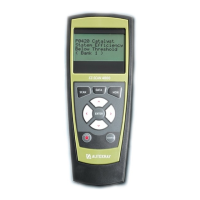
play the initial screen.
1. Press CONFIG from the initial screen.
2. Use the arrow keys to display 5-System Info on the screen,
then press
ENTER.
3. Software Version information will be displayed on the screen.
Press
ENTER to view the next screen.
4. The scanner Serial Number will be displayed on the screen.
Press
ENTER to view the next screen.
5. The scanner software ID#1 and ID#2 hex-codes will be displayed
on the screen. Press
ENTER to display the initial screen.
Set the Time Units for Capture Mode
The EZ-SCAN scanner can be set up to capture a user defined
length of time while in Capture Mode. The default setting is 1000
ms (1 sec) per frame.
1. To change the Capture Time, press CONFIG from the initial
screen.
2. Use the arrow keys until 2-System Config is
displayed, then press
ENTER.
3. Use the arrow keys to select 2-Capture Time, then press
ENTER.
4. Use the tand uarrow keys to change Capture Time to the
desired number between 500 and 5000 ms, then press
ENTER
to select the choice (or press the CONFIG Key to Cancel and
return to the initial screen).
NOTE: 500 milliseconds is one-half a second, 1000 milliseconds
is 1 second, and 5000 milliseconds is 5 seconds.
Setting Up Catpured Data
Understanding the time intervals in Capture Mode. There are a
Page 87
UPGRADE, UPDATE, SPECIFICATIONS (CONT.)



 To Next Page