Need help?
Do you have a question about the AutoXray EX-SCAN 5000 and is the answer not in the manual?
Safety guidelines for electrical components, preventing shock and damage.
Instructions for proper handling, cleaning, and maintenance of the scanner.
Guidelines for authorized service personnel and warranty considerations.
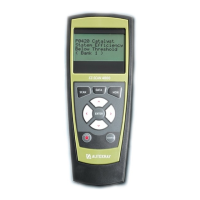
General introduction to the EZ-SCAN tool, its design, and ease of use.
Lists the functions and diagnostic capabilities of the EZ-SCAN scanner.
Details compatibility with OBD-II, Chrysler OBD-I, and Ford OBD-I systems.
Step-by-step guide for installing batteries into the scanner unit.
Process to set up the scanner for a specific vehicle make and model year.
Instructions for changing display units between SAE and Metric.
Guide to adjusting screen contrast and backlight for better visibility.
Steps for connecting the scanner to the vehicle's diagnostic port using appropriate cables.
Instructions on finding the diagnostic connector on various vehicle types.
Steps before initiating a vehicle scan, including configuration and ignition status.
Procedure for starting and executing a scan on the vehicle's computer systems.
How to interpret scan results, including MIL status and trouble codes.
How to access and view operational data, freeze frame data, and recorded information.
Procedure to retrieve and view diagnostic trouble codes stored in the vehicle's computer.
Steps to clear diagnostic trouble codes after repairs are completed.
Instructions for resetting the Engine Maintenance Reminder (EMR) light on specific Chrysler models.
Performing Key ON, Engine OFF scans for faults in Ford vehicles.
Performing Key ON, Engine Running scans for diagnostics in Ford vehicles.
Accessing live data from Ford vehicles via Data Communications Link (DCL).
Procedure for clearing trouble codes specifically for Ford vehicles.
Selecting and deselecting specific data items for viewing or capture.
Using capture mode to record intermittent problems while driving.
Performing diagnostic tests on the vehicle's oxygen sensors.
Checking the status of vehicle emission monitoring systems.
Viewing the results of various diagnostic tests performed by the scanner.
Guidance for common scanner problems like 'Fault/Trouble Code' or 'Vehicle Not Responding'.
Troubleshooting for screen contrast and battery life problems.
Procedure to reset the scanner to its default settings.
Visual representation of the scanner's menu navigation structure.
Description of standard operational data parameters for OBD-II compliant vehicles.
Details on additional data parameters via Enhanced OBD-II upgrades.
Comprehensive list and explanation of operational data items for GM vehicles.
Explanation of data items for Ford vehicles with Data Communications Link.
Description of operational data parameters for Chrysler vehicles.
Process for adding new vehicle application support via phone or internet.
Instructions for updating scanner software version using EZ-PC.
How to access and view system details like software version and serial number.
Setting the time intervals for data capture in Capture Mode.
Explanation of the On-Board Diagnostics standard for older vehicles.
Explanation of the On-Board Diagnostics standard for newer vehicles.
Description of the Controller Area Network, a modern vehicle communication protocol.
Information regarding AutoXray's product warranty coverage and limitations.
Benefits and process for registering the scanner for extended warranty and support.
Instructions on how to send the scanner back for repair services.
Overview of different EZ-SCAN scanner models and their included components.
Information on available EZ-READ code reader models.
Details on available software upgrades for EZ-SCAN and EZ-READ tools.


 To Next Page
 General