Install Multi-point Adapters
Issue 10 June 2005 129
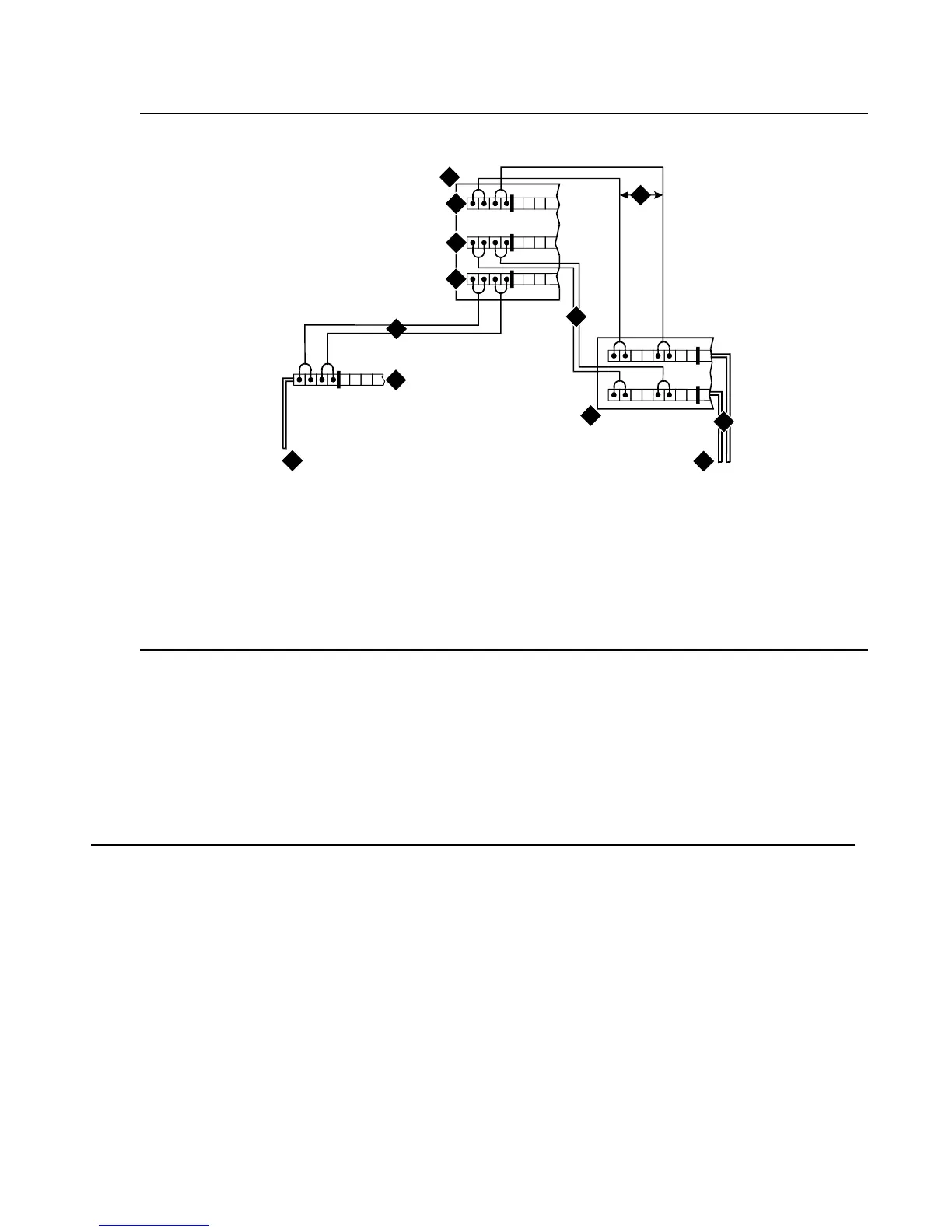
Figure 58: Typical Installation of Terminating Resistor Block
For point-to-point wiring, the top row connects to the blue station field. The pair connects from
the 110RA1-12 to the standard 4-pair circuit. Pair 1 from the 110RA1-12 is connected to Pair 1
of the station field, and Pair 2 is connected to Pair 3 of the station field.
Two terminal basic multi-point applications are accommodated by connecting row B (output) to
the second terminal common to the multi-point circuit.
Install Multi-point Adapters
Use multi-point adapters to provide signal fanout of the T-interface. BR851-B or the 367A
perform fanout at the work station. These adapters support more than 1 ISDN terminal per
horizontal 4-pair D-inside wire (DIW). To support multiple horizontal runs, a MDF with multiple
common rows performs fanout in the satellite closet. The 110RA1-12 provides fanout for two
horizontal runs and contains the 100 ohm terminating resistor. Use this for basic multi-point or
point-to-point with terminating resistor in the closet. Other fanout blocks include the
110AB1-025M and the 110AB1-050M.
Figure notes:
1. Part of terminating resistor block
2. White or purple field
3. Part of 4-pair blue field
4. From ISDN T-interface circuit (2-pair)
5. To ISDN S/T-interface terminals
6. 2-pair cross-connect
7. Basic multi-point option
8. 4-pair horizontal cables
9. Row “A”
10. Row “B”
11. Row “C”
TT1R R1
term_blk RPY 012098
3
4
5
1
6
6
2
9
11
7
8
10



 To Next Page