Installing and Cabling the Cabinets
34 Installation, Upgrades and Additions for Avaya CMC1 Media Gateways
Install the System Cabinets
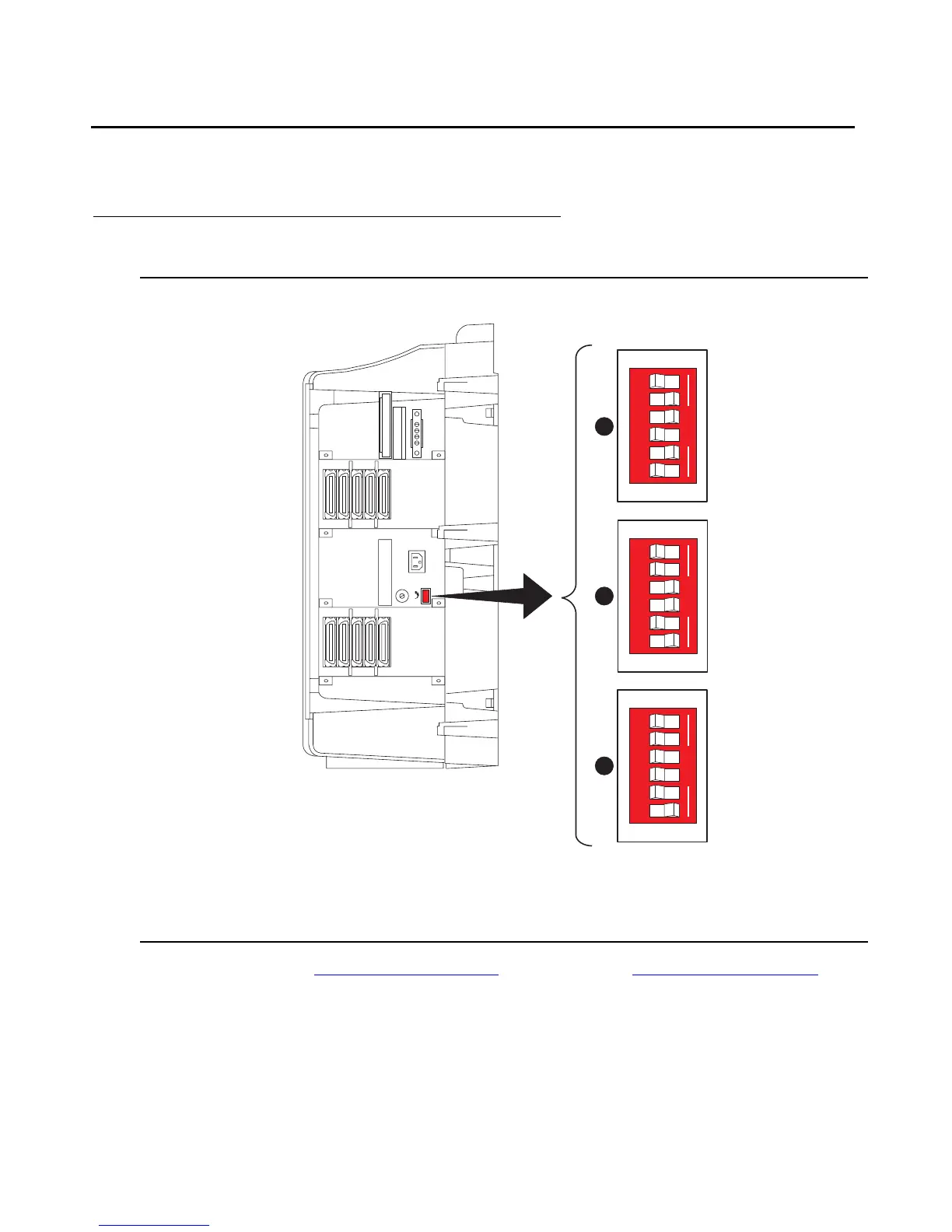
Set the Carrier Address ID — All Cabinets
Figure 2: Setting Carrier Address ID (Right Side)
1. Proceed to either Floor-Mount the Cabinet on page 35 or to Wall-Mount the Cabinets on
page 36.
Figure notes:
1. Carrier A switch settings
2. Carrier B switch settings
3. Carrier C switch settings
OFF
OPEN
123456
swdmdip KLC 082002
OPEN
123456
B
OPEN
123456
A
C



 To Next Page