Install the System Cabinets
Issue 10 June 2005 37
Install Cabinet A — Wall-Mount
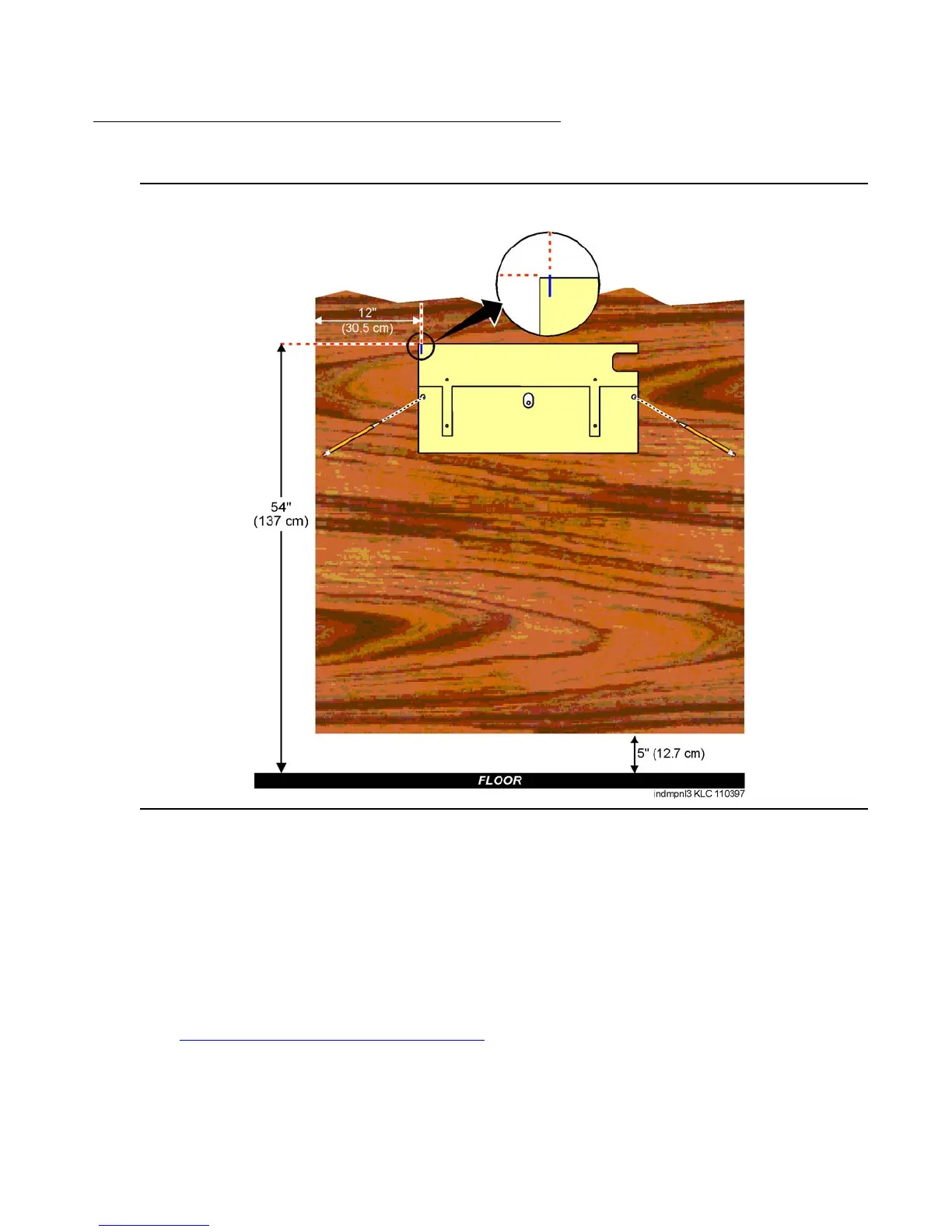
Figure 4: Left Panel Used as Mounting Template
To wall-mount cabinet A:
1. Place the template on the wall ensuring that the top surface is level.
2. Mark two 1/8-in. (0.3 cm) pilot holes in the mounting hole locations.
3. Remove the template from the wall.
4. Drill the two pilot holes.
5. Thread two #12 x 1-in. shoulder screws partially into the holes.
6. Set the cabinet onto the wall and align the slots with the shoulder screws. See
Figure 5: Typical Wall-Mount Installation
on page 38. Slide the cabinet to the left to hold it in
place. Tighten the screws securely.



 To Next Page