Install Main Distribution Frame (MDF) and External Modem
Issue 10 June 2005 55
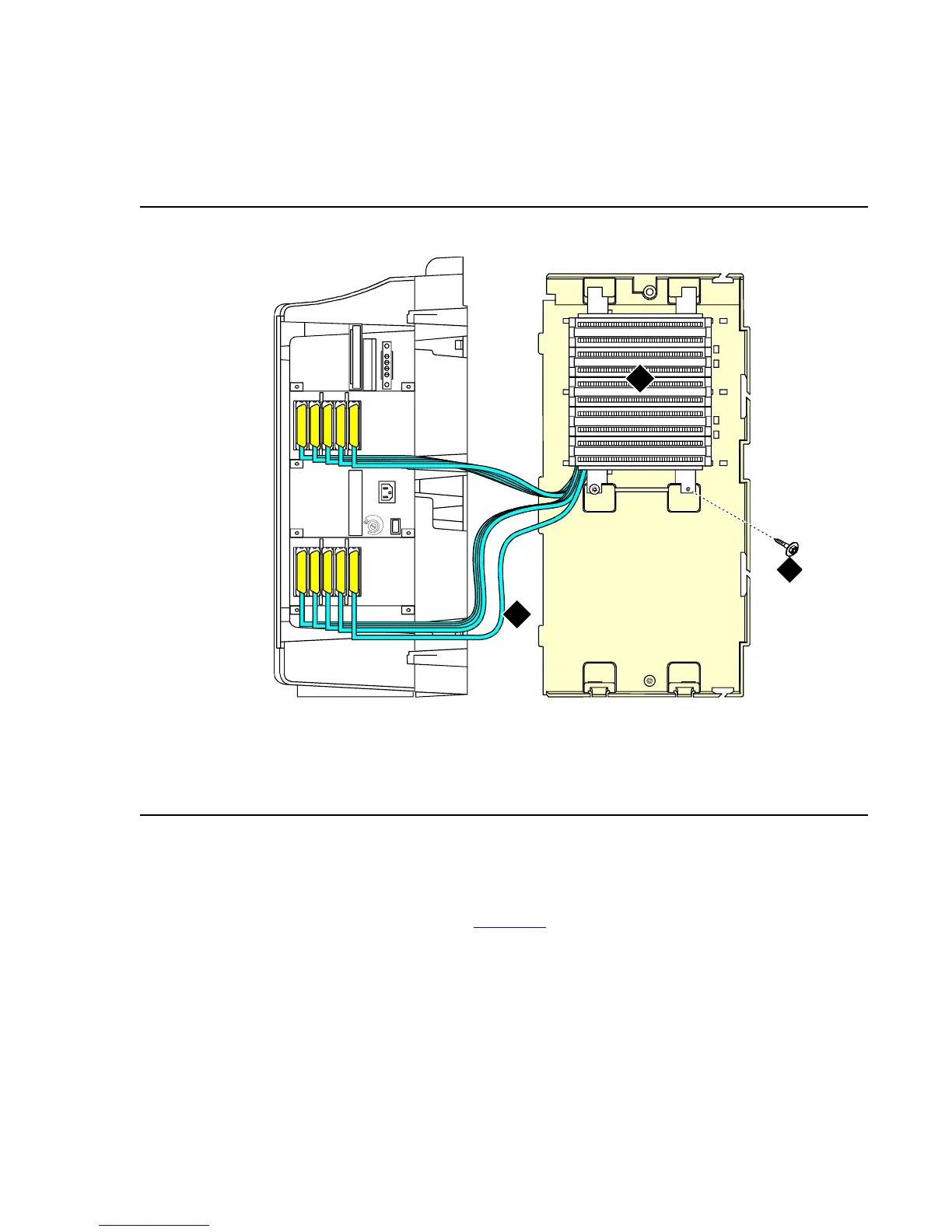
Top-Mounted MDF
Use this configuration when the cabinet is wall-mounted, and is near the floor. Do not use this
configuration for cabinet A.
Figure 17: Typical Top-Mount MDF Cable Routing
To install a top-mounted MDF:
1. On the rear of the MDF, cut the cable tie securing the top 5 cables to the MDF mounting
frame.
2. Mount the MDF to the right panel. See Figure 17
.
3. Secure all 10 cables to the bottom left bracket on the MDF with a cable tie.
Figure notes:
1. Main distribution frame (MDF)
2. Connect cable 1 to slot 1
3. #12 x 1-inch shoulder screw
cadmmdf2 KLC 070698
1
2
5
6
7
8
4
3
9
10
1
2
3
10
10
9
9
8
8
7
7
6
6
5
5
4
4
3
3
2
2
1
1



 To Next Page