Install the System Cabinets
Issue 10 June 2005 35
Floor-Mount the Cabinet
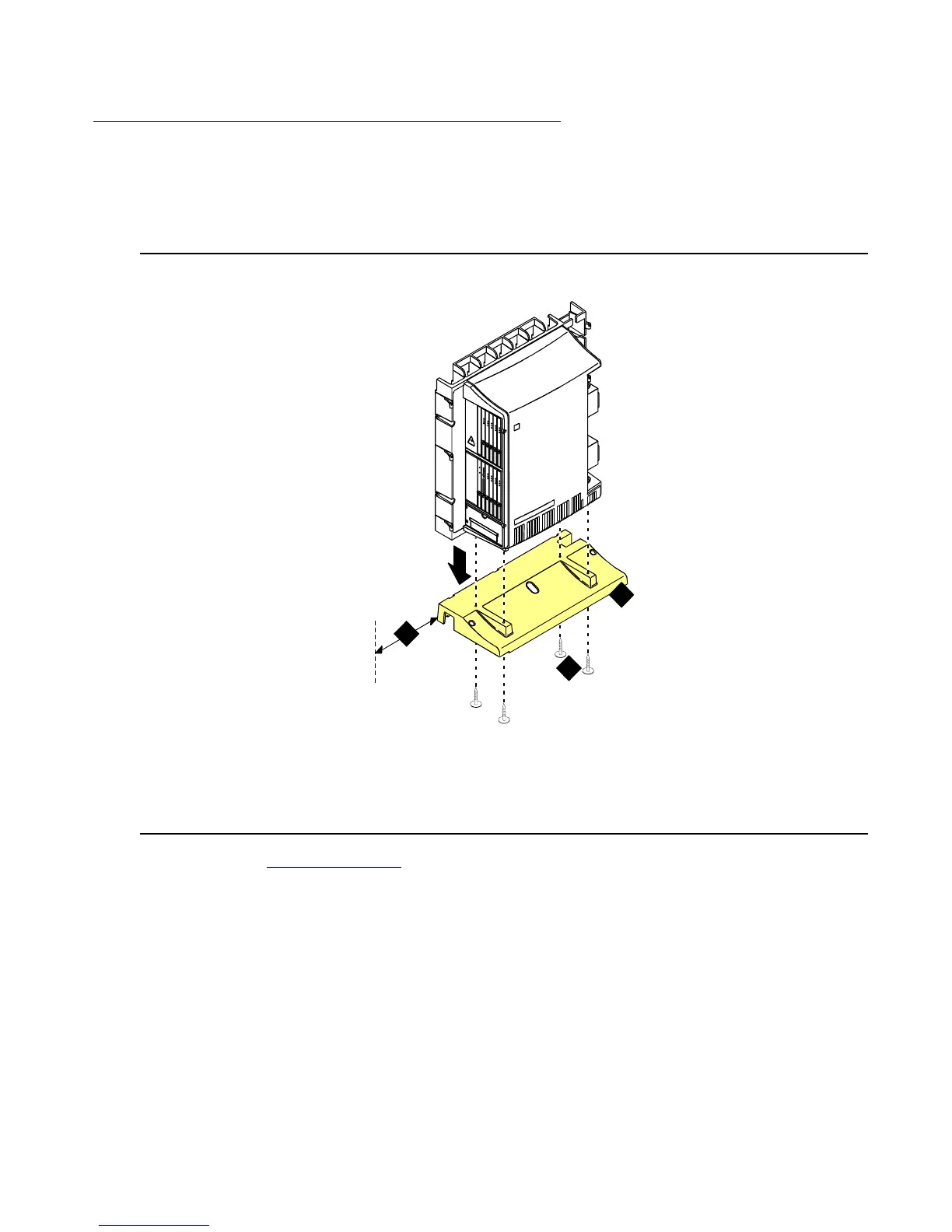
The cabinet dimensions (with floor pedestal) are 28.5 in. (72.4 cm) high, 24.5 in. (62.2 cm) wide,
and 12 in. (30.5 cm) deep. Maintain a service clearance of 12 in. (30.5 cm) on the left, right, and
front of the cabinet.
Figure 3: Typical Floor Mount Installation
1. Proceed to Cable the System on page 50.
Figure notes:
1. Left panel (floor-mount pedestal)
2. #12 x 1-in. (2.5 cm) shoulder screws
3. 12 in. (30.5 cm) minimum from nearest
object (required to service the circuit packs)
indmflor KLC 110397
1
2
3



 To Next Page