Install the System Cabinets
Issue 10 June 2005 41
Install Left and Right Panels — Wall-Mount
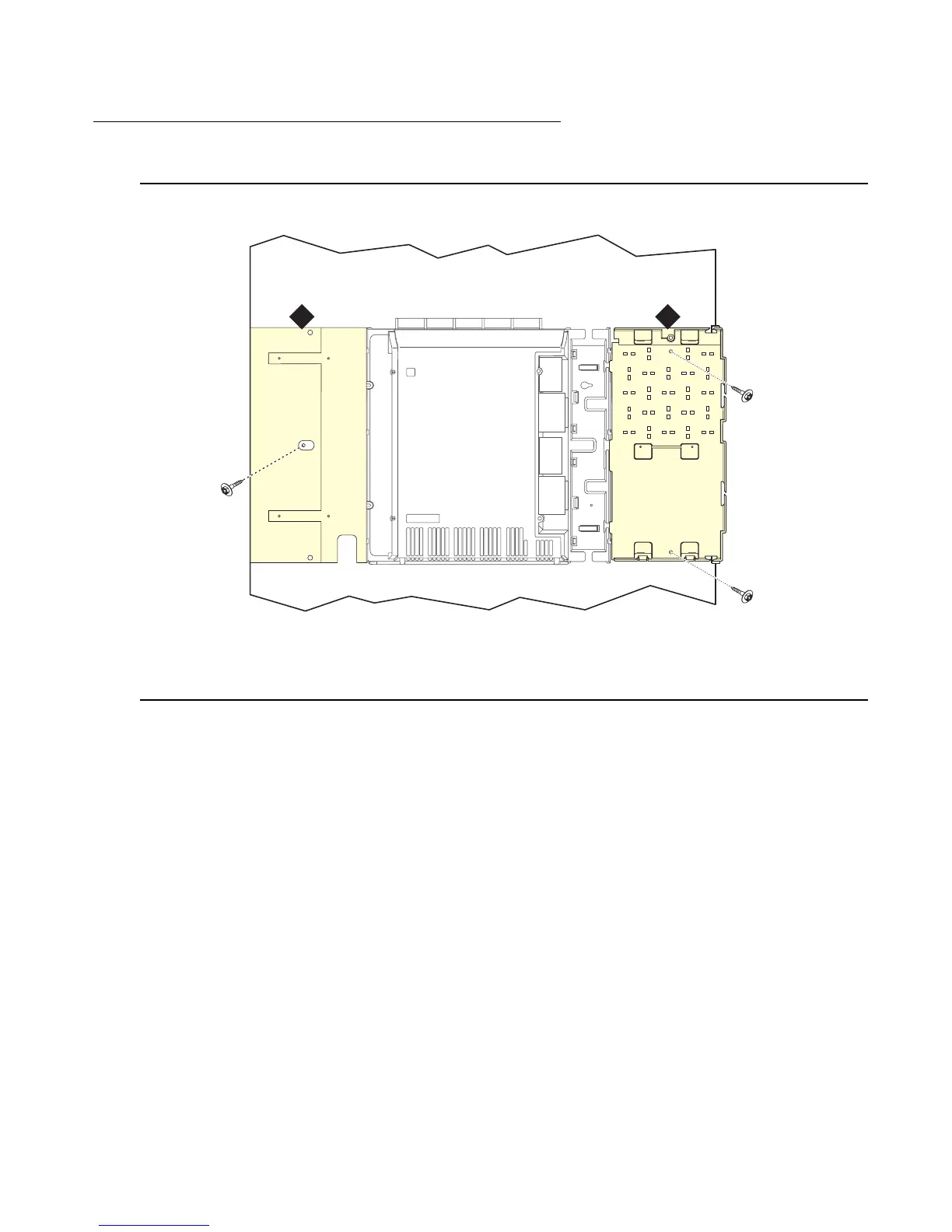
Figure 8: Left and Right Panel Installation
To wall mount the left and right panels:
1. Align the cutouts in the panels with the cabinet hinges.
2. Drill a 1/8-inch (0.3 cm) pilot hole into the wall and secure the panels with the #12 x 1-inch
shoulder screws.
Figure notes:
1. Left panel 2. Right panel
indmins3 KLC 082002
1 2



 To Next Page