Installing and Cabling the Cabinets
40 Installation, Upgrades and Additions for Avaya CMC1 Media Gateways
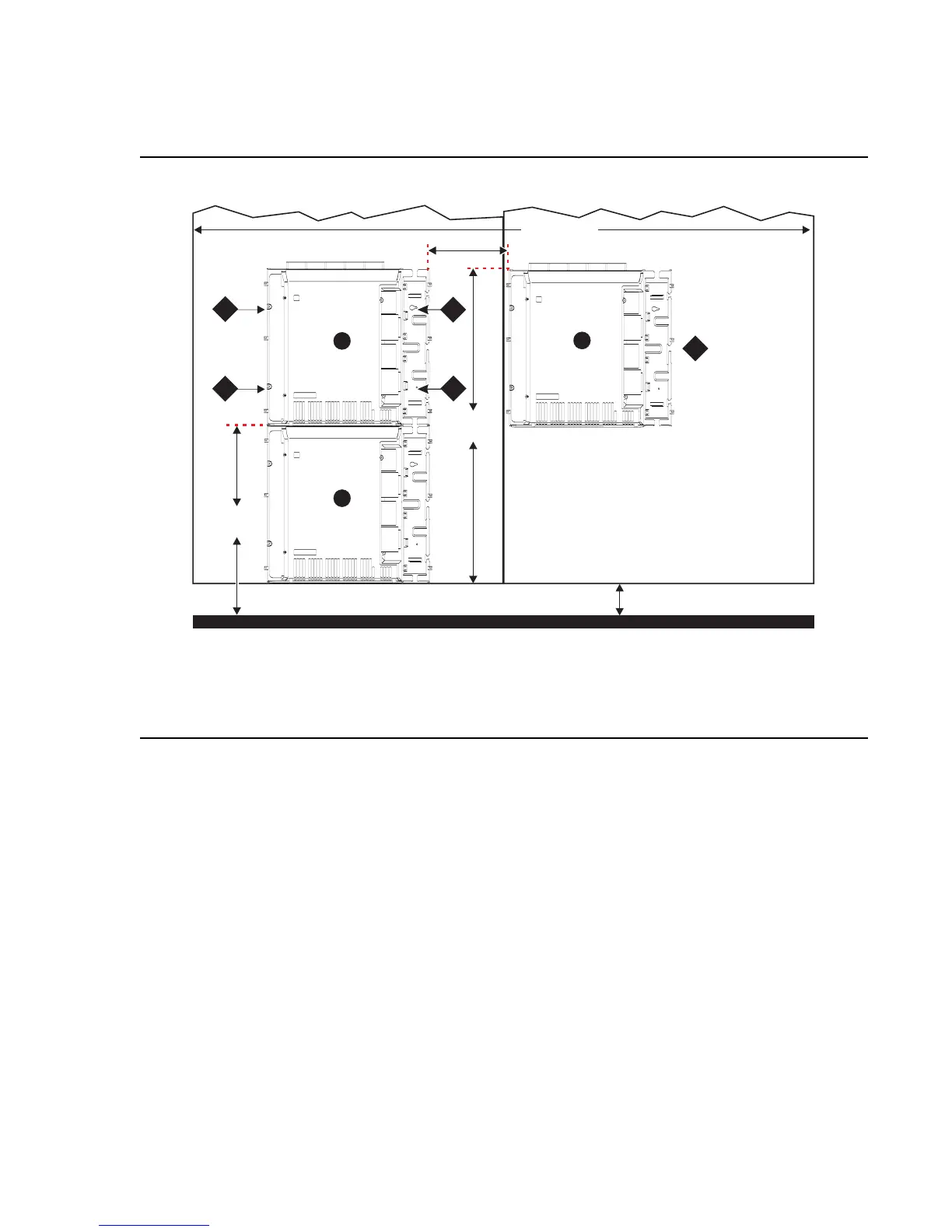
Install 2 Cabinets Vertically and 1 Cabinet Horizontally
Figure 7: Typical 3-Cabinet Installation
To install two cabinets vertically and one cabinet horizontally:
1. Securely tighten the shoulder screws and safety screws.
Figure notes:
1. #12 x 1-inch shoulder screws
2. #12 x 1-inch safety screw
3. Second sheet of
plywood
Floor
indmins9 KLC 082002
29 1/2"
(75 cm)
54"
(137 cm)
5" (12.7 cm)
12"
(30.5 cm)
96" (244 cm)
1
1
2
3
A
C
B
1



 To Next Page