Installing and Cabling the Cabinets
30 Installation, Upgrades and Additions for Avaya CMC1 Media Gateways
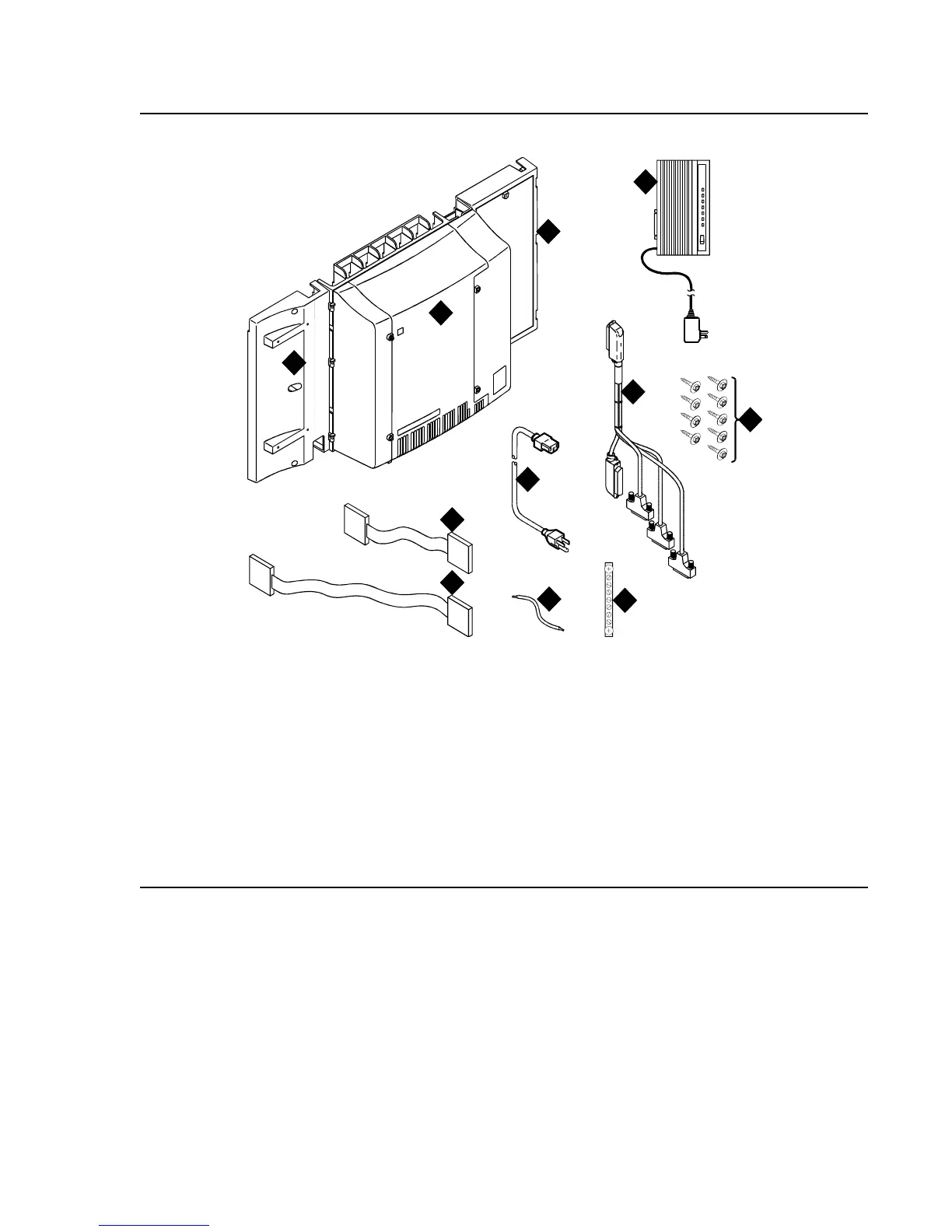
Figure 1: Equipment Packed with the Compact Modular Cabinet
Figure notes:
1. Left panel (also acts as a wall-mount
template and as a floor mount pedestal)
2. Compact modular cabinet
3. Right panel
4. U.S. Robotics external modem (not shipped
with all systems)
5. #12 x 1-inch shoulder screws
6. Processor interface cable (not shipped with
all cabinets)
7. AC power cord (NEMA 5-15P or IEC
320)
8. Vertical TDM/LAN bus cable (not
shipped with all systems)
9. Horizontal TDM/LAN bus cable (not
shipped with all systems)
10. 14-in. (35.5 cm) 6 AWG (#40)
(16 mm
2
) ground wire
11. Single-point ground block
qrdmpart KLC 011598
6
7
4
8
9
10
11
5
3
2
1



 To Next Page