Installing and Cabling the Cabinets
70 Installation, Upgrades and Additions for Avaya CMC1 Media Gateways
Connecting through a data module
If more than 50 ft (15 m) from the Avaya CMC1 Media Gateway, you can connect the PC
through a data module.
To connect a PC through a data module:
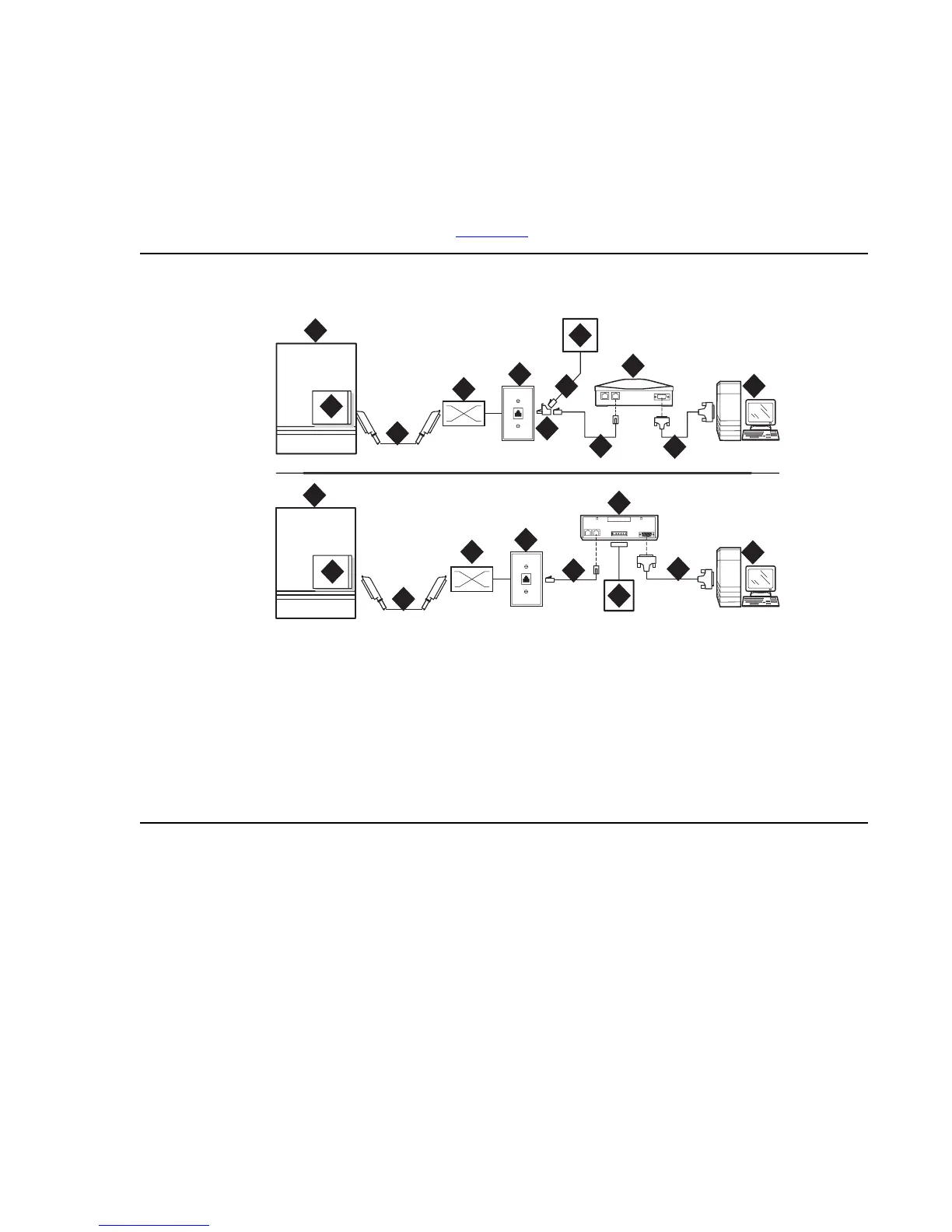
1. Connect the equipment as shown in Figure 25
.
Figure 25: A typical remote connection using an 8400B (top) or 7400B (bottom) data
module
Note: With a 7400B+ data module, use a 4-wire digital line circuit pack. With the
8400B+ data module, use a 2-wire digital line circuit pack.
2. Wire the digital line circuit pack to the wall jack as follows:
● For a 7400B+, wire to the second and third pair of the wall jack.
● For an 8400B+, wire to the first pair of the wall jack.
Figure notes:
1. Avaya CMC1 Media Gateway
2. Digital line circuit pack
3. B25A 25-pair cable
4. Main distribution frame (MDF)
5. 103A or modular wall jack
6. 400B2 adapter
7. D6AP power cord (8400B+ only)
8. Data module power supply
9. 7-ft (2-m) D8W modular cord
10. Data module (8400B+ [top] or 7400B+
[bottom])
11. 50-ft (15-m) M25A cable (RS-232)
12. Computer with Avaya Site
Administration
cydfdr08 LJK 101701
3
3
4
4
8
5
5
1
2
9
1
2
6
7
8
9
10
10
11
11
12
12



 To Next Page