105
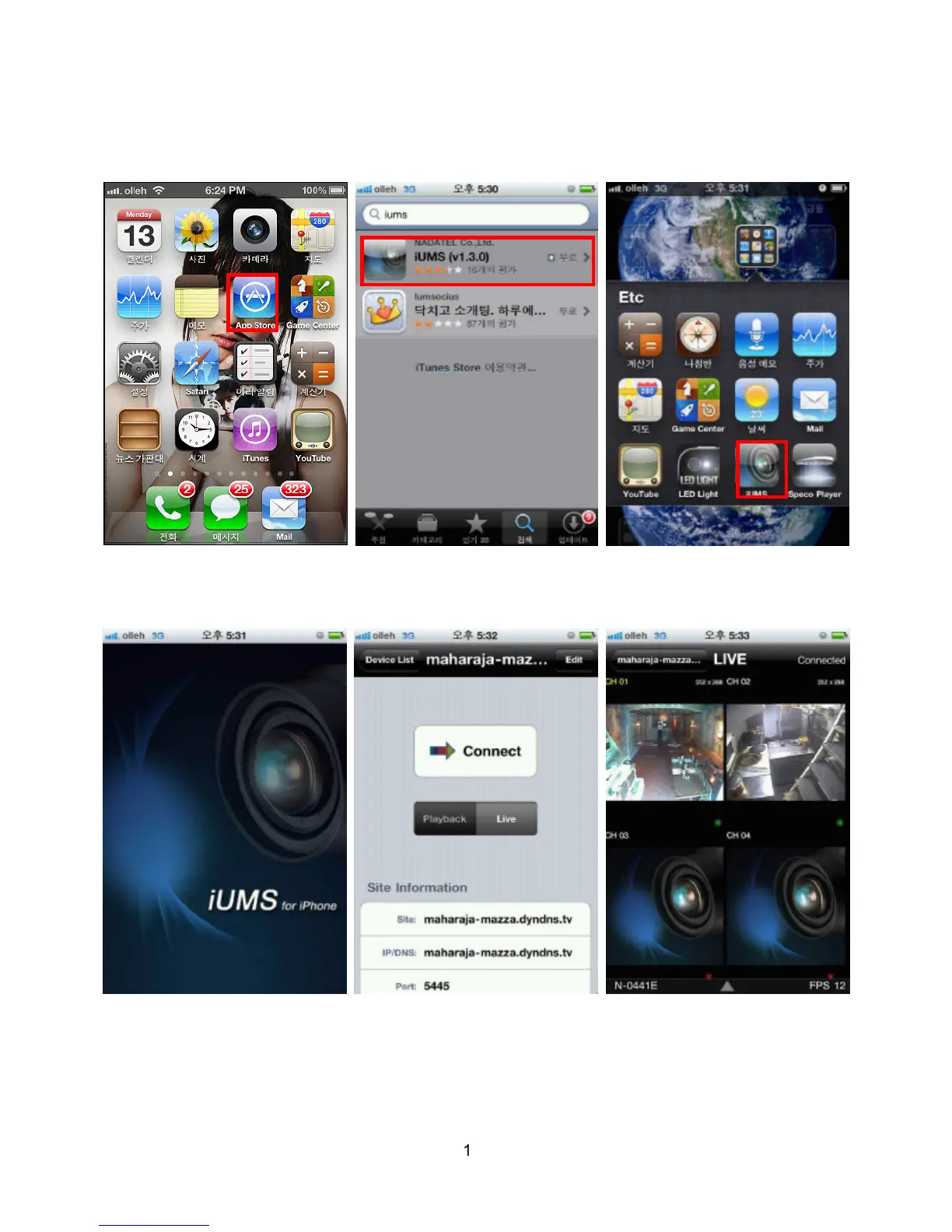
C. How to access DVR with iPhone?
1. Connect to App Store in iPhone and search “iUMS” to the search menu. Then, download the iUMS
application.
2. Register your DVR and input the IP address or domain name, ID and password. Then, press Live or
Playback mode. iUMS supports Live mode, Playback mode, PTZ camera control, Audio and Live Zoom
functions.



 To Next Page