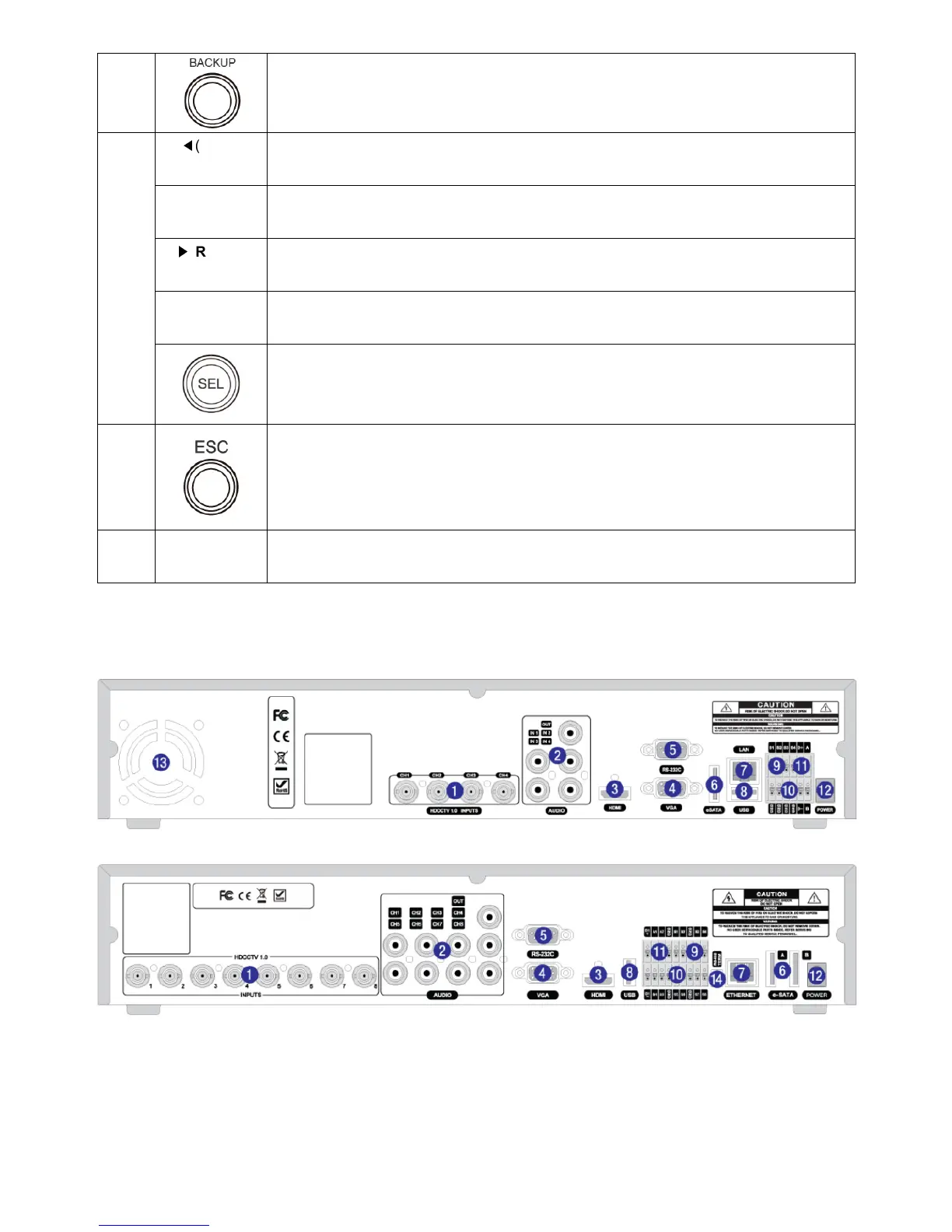
Press to capture video in jpeg format in live or playback mode.
13
◀
(LEFT) Press to move left or to change the values in Setup mode.
It is also used as the number 4 when entering password.
▲(UP)
Press to move up the menu in Setup mode.
It is also used as the number 1 when entering password.
▶
(RIGHT) Press to move right or to change the values in Setup mode.
It is also used as the number 2 when entering password.
▼(DOWN)
Press to move down the menu in Setup mode.
It is also used as the number 3 when entering password.
Press to select desired menu item or to store the setup value.
14
Press for temporary storage of the changed value or to return to the previous menu
screen.
15
USB Port
To archive still-image or video into a USB memory or upgrade firmware with USB
memory stick, connect a USB memory to the USB terminal on the front panel.
1-2. Rear Panel



 To Next Page