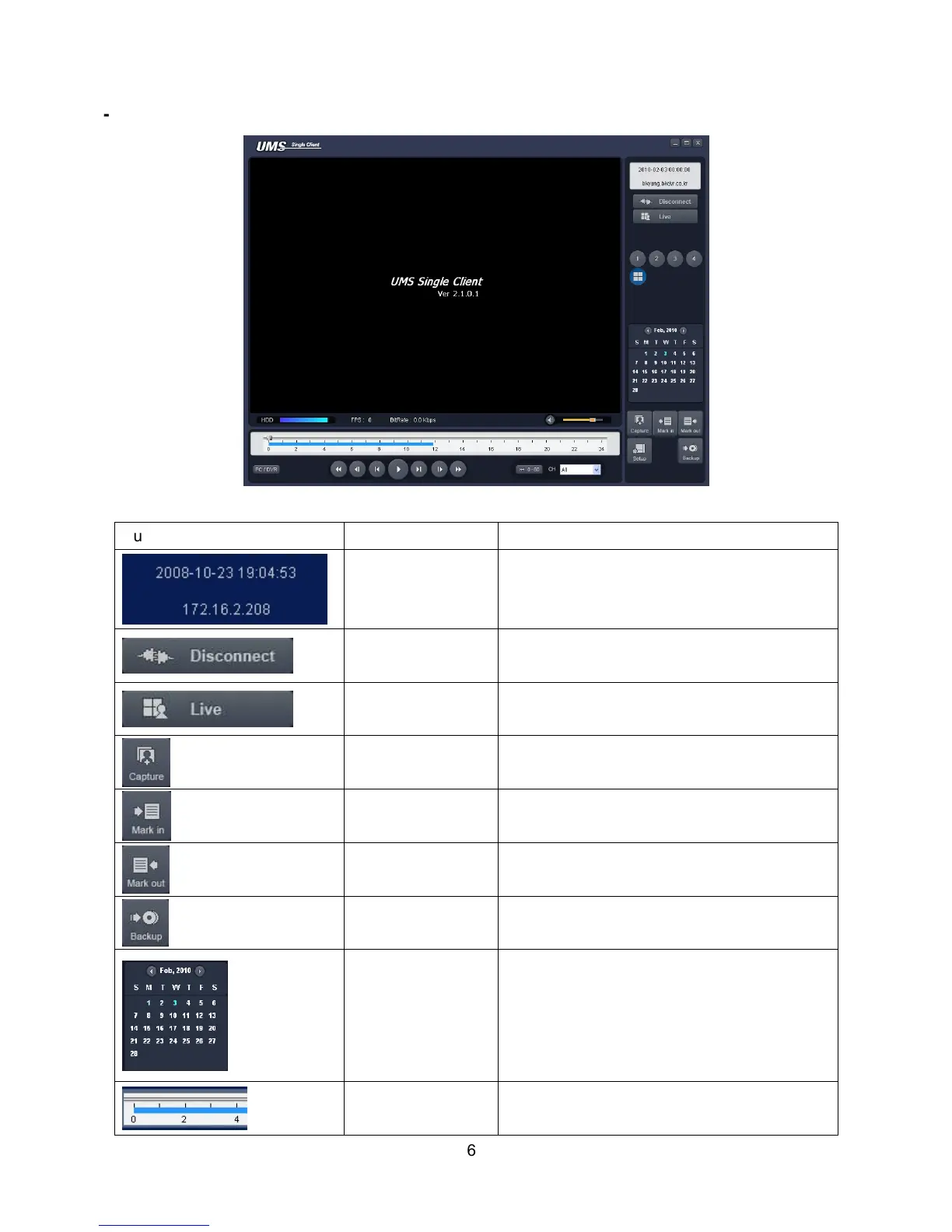
8-5. Remote search mode and functions
Button Function Description
DATE & TIME
Displays the recording time of the data
selected on the time bar at the bottom of the
main user interface.
DISCONNECT
Disconnect network connection..
LIVE
Switches the search mode to live mode.
CAPTURE
Capture a still image from live screen.
MARK IN
Set the start time for video backup.
MARK OUT
Set the ending time for video backup.
BACKUP
Backup the selected recorded video as AVI
format.
SEARCH
CALENDAR
The calendar shows dates with recorded
video in a light blue and the selected date in
dark blue.
TIMELINE BAR
The timeline shows recorded data in dark
blue on the bar.



 To Next Page