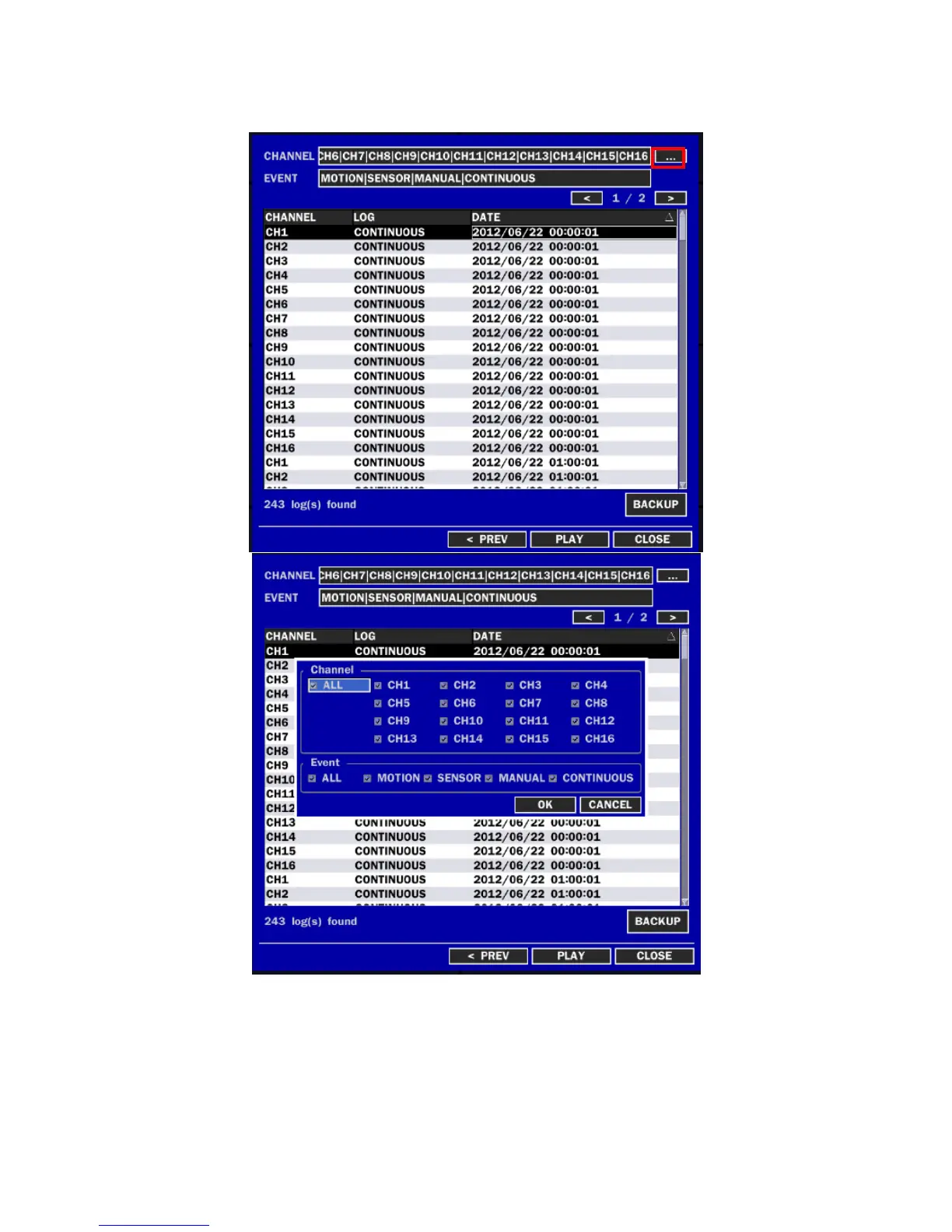
4-2-2. Event Search
The Event Search window is used to find stored video.
Figure 4.2.2. Event Search screen
When it clicks an Event menu, user can see a calendar which has recording data. Select a specific date
and then user can see all data. Press a PLAY button to playback the data or a SAVE button to save the
data at once after selecting a specific data. User can find a data of the specific channel and event using a
button in the above red box. Press the PREV to return to the SEARCH window.



 To Next Page