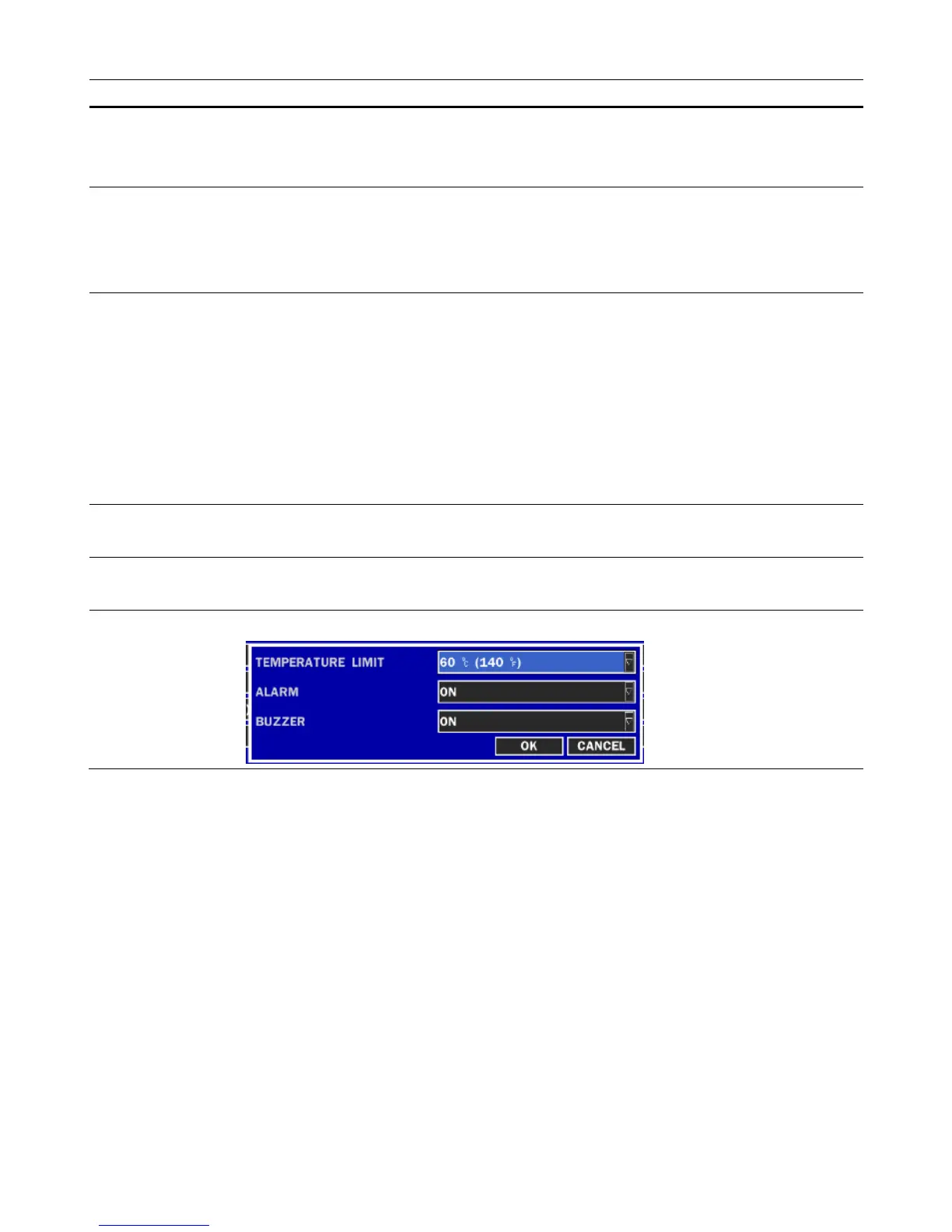
Table 2.5.1. Menu items in STORAGE Setup screen
Item Description
OVERWRITE
When enabled, the DVR will continue recording and overwrite the oldest existing
recorded data once the hard drive is full. When disabled, recording will stop once the
hard drive is full.
DISK FORMAT
You will have an option YES or NO for the hard drive format.
Caution:
We recommend that you archive any data that you may need in the future before you
format the hard drive.
DISK INFO
Hard drive information
• HDD SIZE
• HDD START/LAST TIME
• MODEL NAME
• TEMPERATURE
• POWER ON TIME
• HEAL (GOOD/NORMAL/BAD)
To check the sector information, press DETAIL button.
RECORDING
LIMIT
Enable/disable recording limit.
RECORDING
LIMIT DAYS
Set the recording limit days.(1- 90 days)
The data will remove by the hour.
S.M.A.R.T.
Set the alarm and buzzer by setting HDD temperature limit.
2-6. Setup – System Mode
Press the SETUP button and enter the password. The setup menu is displayed as picture below. Select
SYSTEM icon and press SEL button to enter the menu item. Navigate through the menu items using the
control button (
◀ ▲ ▶ ▼
) and change the value of the menu item using the control button (
◀ ▲ ▶ ▼
).
To return to setup menu screen, press the ESC button.



 To Next Page