9-6-4. OSD ................................................................................................................. 81
9-6-5. Language ......................................................................................................... 82
9-6-6. About ................................................................................................................ 82
9-7. Remote Setup .............................................................................................................................. 83
9-8. Operation ..................................................................................................................................... 87
9-8-1. Addition, Delete, and modify of DVR sites ........................................................ 87
9-8-2. Connect and Disconnect .................................................................................. 89
9-8-3. Still-image capture during Live ......................................................................... 91
9-8-4. Recording video on local PC during Live .......................................................... 92
9-8-5. Local Playback and Remote Playback ............................................................. 93
9-8-6. AVI Backup during playback ............................................................................. 95
10. Network – By an web-browser viewer ................................................................................. 97
APPENDIX: How to connect network ...................................................................................... 100
A.
How to set IP address of the DVR and open TCP port of the router? .......................................... 100
B.
How to access DVR from Remote PC? ...................................................................................... 102
C. How to access DVR with iPhone? ................................................................................................. 105
D. How to access DVR with Android? ................................................................................................ 106
1. Name, Function and Connection
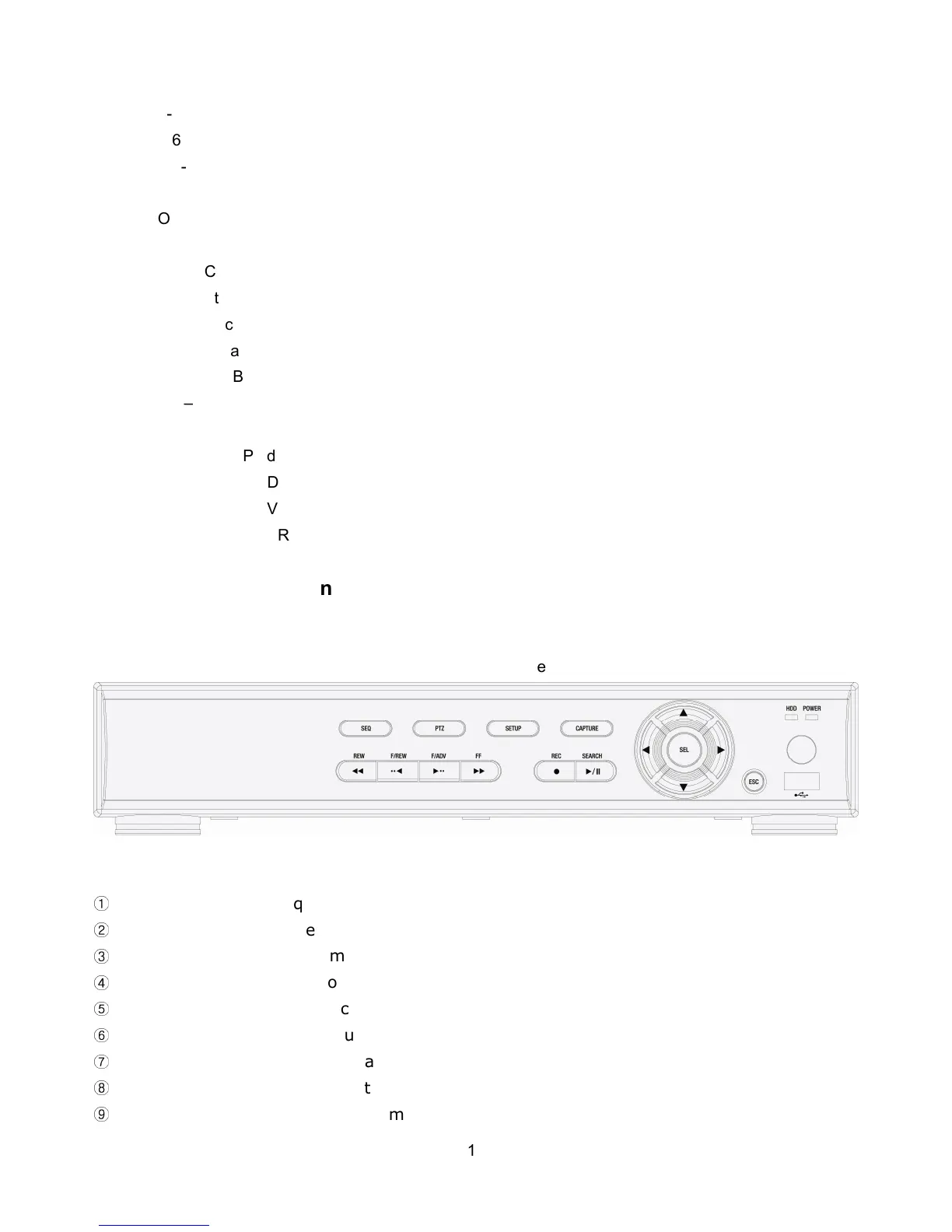
1-1. Front Panel
The following information will help you to
operate the front panel controls.
Figure 2.1.1. Front panel for 4ch
①
SEQ: To start auto sequencing of the screen in full screen mode. (Toggle)
②
PTZ: To control PTZ operation
③
SETUP: To launch SETUP menu.
④
BACKUP: To start operations of backup in live or playback mode.
⑤
SEARCH: To go to the search menu.
⑥
REC: To start and stop manual recording.
⑦
PLAY/PAUSE: To play or to pause the footage in playback mode.
⑧
REW: To rewind the footage at 1x, 2x, 4x, and more speed during playback.
⑨
F/REW : During playback - To move the playback position 60 seconds backward.



 To Next Page