DVR SITE SPLIT
To select the numbers of DVR/DVRs (1 DVR, 4 DVRs, 9 DVRs,
16 DVRs) on main display screen.
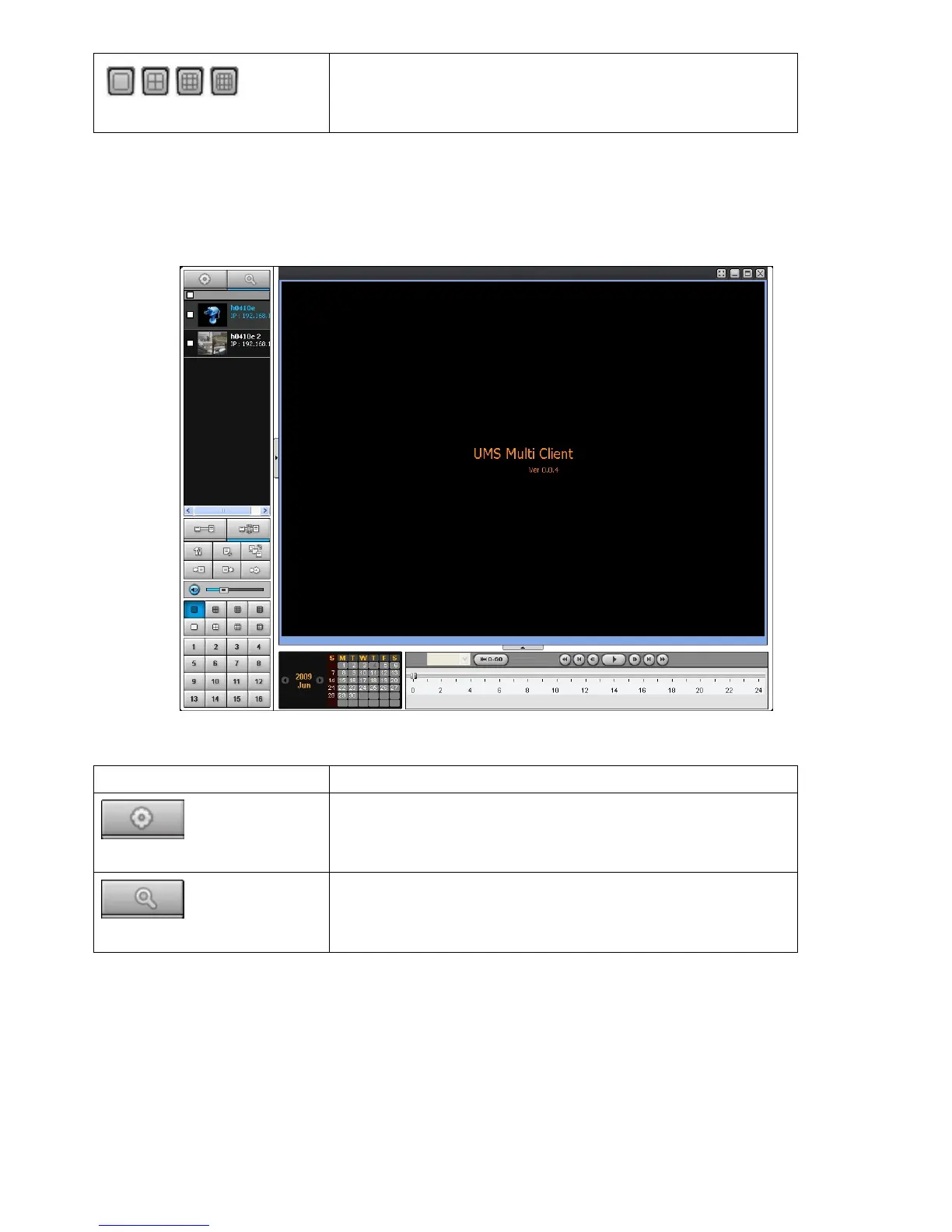
9-5. Search and Playback Window
9-5-1. Main user interface
You can access to search window by clicking the search icon (Local Playback / Remote Playback) on the
upper left of Live Window.
9-5-2. Main control panel
Button Description
LOCAL PLAYBACK
Click this icon to run a playback window to search and play
videos that are recorded in local PC.
REMOTE PLAYBACK
Click this icon to run a playback window to search and play
videos that are recorded in remote DVR.



 To Next Page