Super High Standard Economy
Hour(s) Hour(s) Hour(s) Hour(s)
250GB 23 Hours 1 Days 5 Hours 2 Days 10 Hours 4 Days 20 Hours
500GB 2 Days 2 Days 13 Hours 5 Days 1 Hours 10 Days 2 Hours
1TB 4 Days 3 Hours
Recording Condition: 4CH * 1280X720* 30fps * Continuous
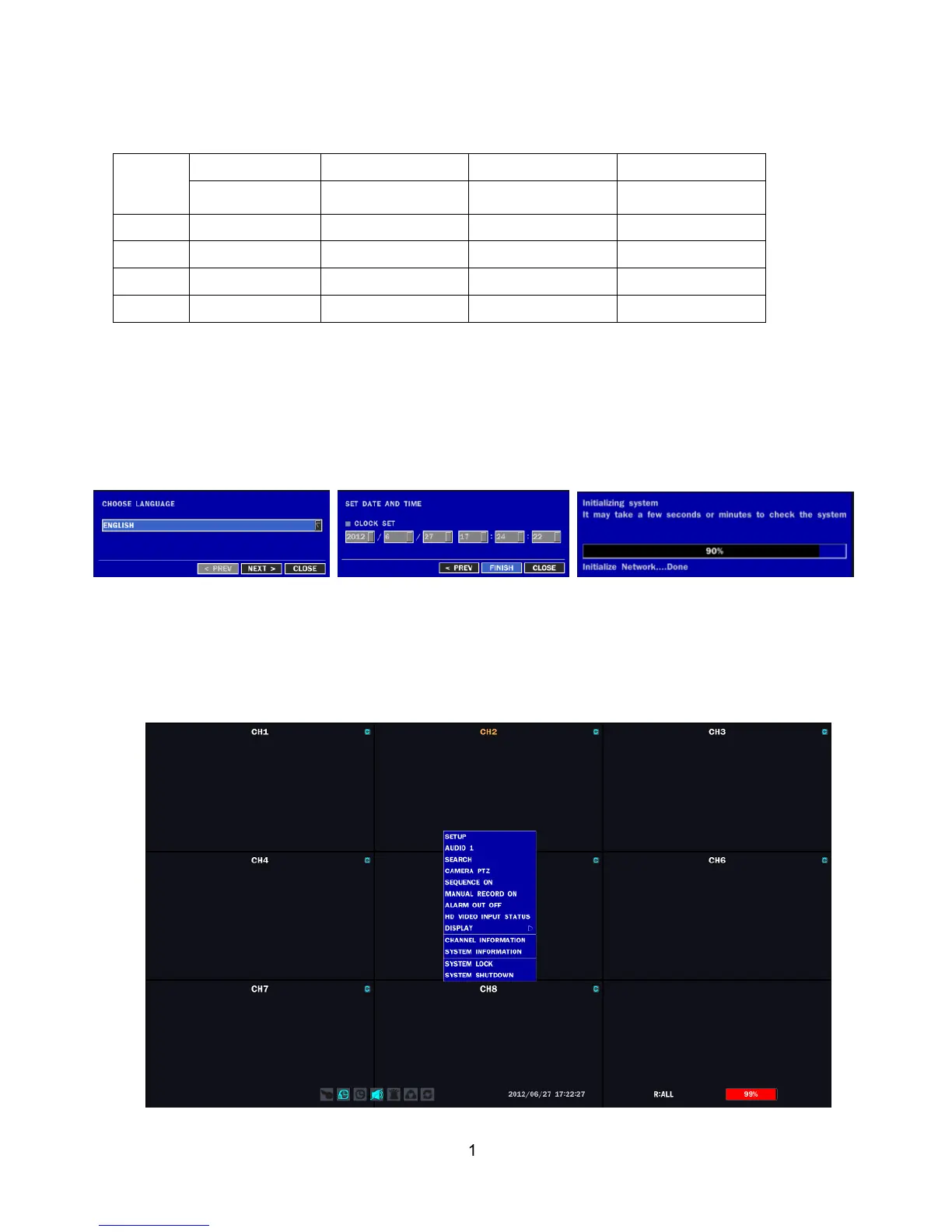
Booting the DVR and Basic Time Setting
1. During the first start up, the following message will be displayed.
Setting Daylight Saving Time
If the DVR is to be set Day Light Saving Time and be synchronized NTP (Network Time Protocol), Take next steps.
1. Enter the SETUP mode. The default Password is “1111”.



 To Next Page