106
D. How to access DVR with Android?
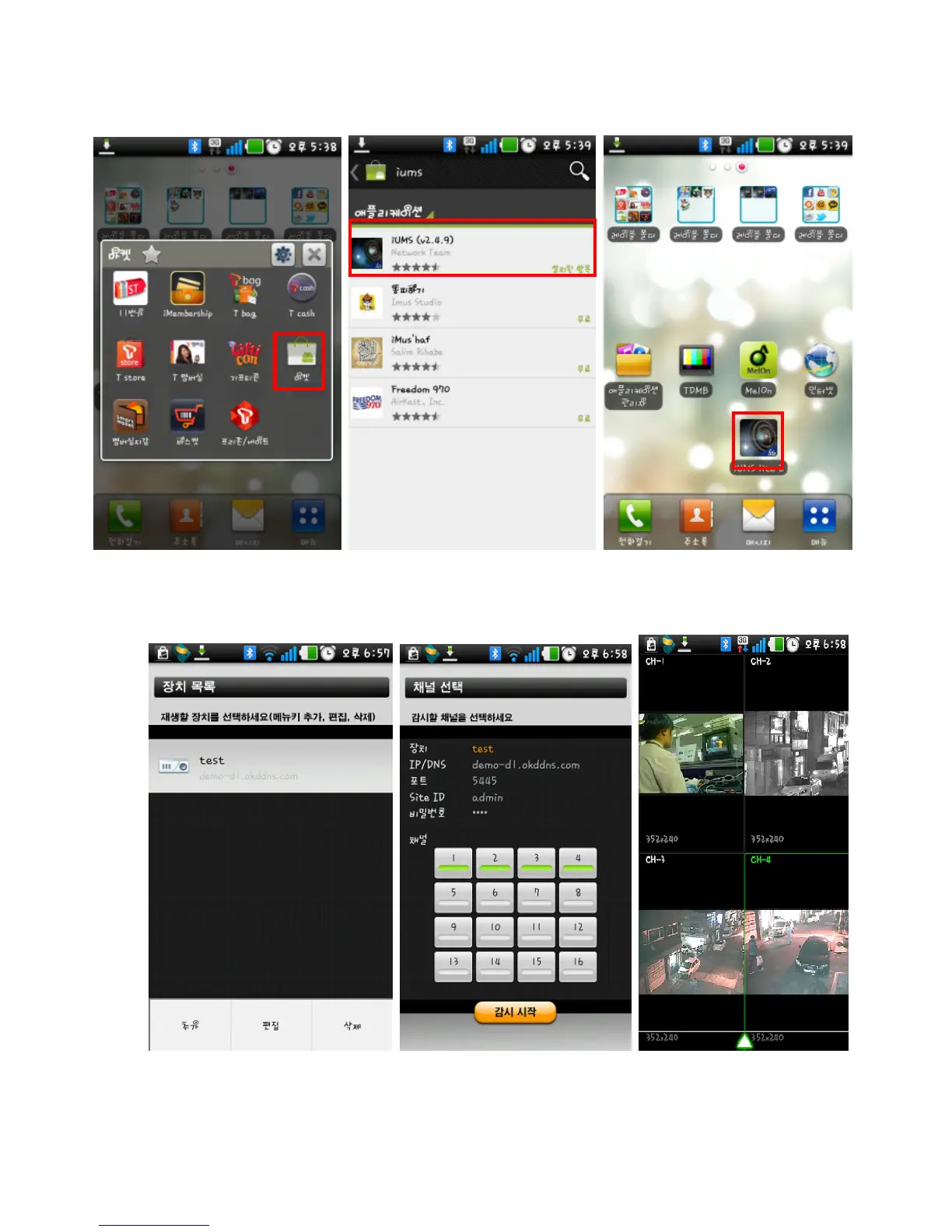
1. Connect to Market in Android and search “iUMS” to the search menu. Then, download the iUMS
application.
2. Register your DVR and input the IP address or domain name, ID and password. Then, press the
specific channel. More functions such as Playback and etc will be supported to the next version.



 To Next Page