2-8-2. Network Types
2-8-2-1. DHCP
An IP address is automatically assigned by the DHCP server, which automatically assigns IP address and
other parameters to new devices.
When ADSL or other network being used adopts variable IP method, not fixed IP. This option is used as a
way to automatically get IP address.
2-8-2-2.STATIC
1. For the use of fixed IP.
(See your network administrator if you do not have this information.)
2. When DVR is installed in IP sharer that is connected with ADSL, a user can assign fixed IP to DVR
from IP sharer itself using “DMZ” function out of such sharer.
Input IP set in DMZ on “IP” field and Gateway of ADSL modem on “Gateway” field. Similarly, for Subnet
Mask, DNS address, input relevant values in IP sharer.
Table 2.8.2. LAN
Item Description
IP
The fixed IP address of the DVR unit.
SUBNET MASK
The subnet mask for the LAN
GATEWAY
The IP address of the Gateway
DNS (PRIMARY)
The address for the DNS server
DNS (SECONDARY)
The address for the DNS server
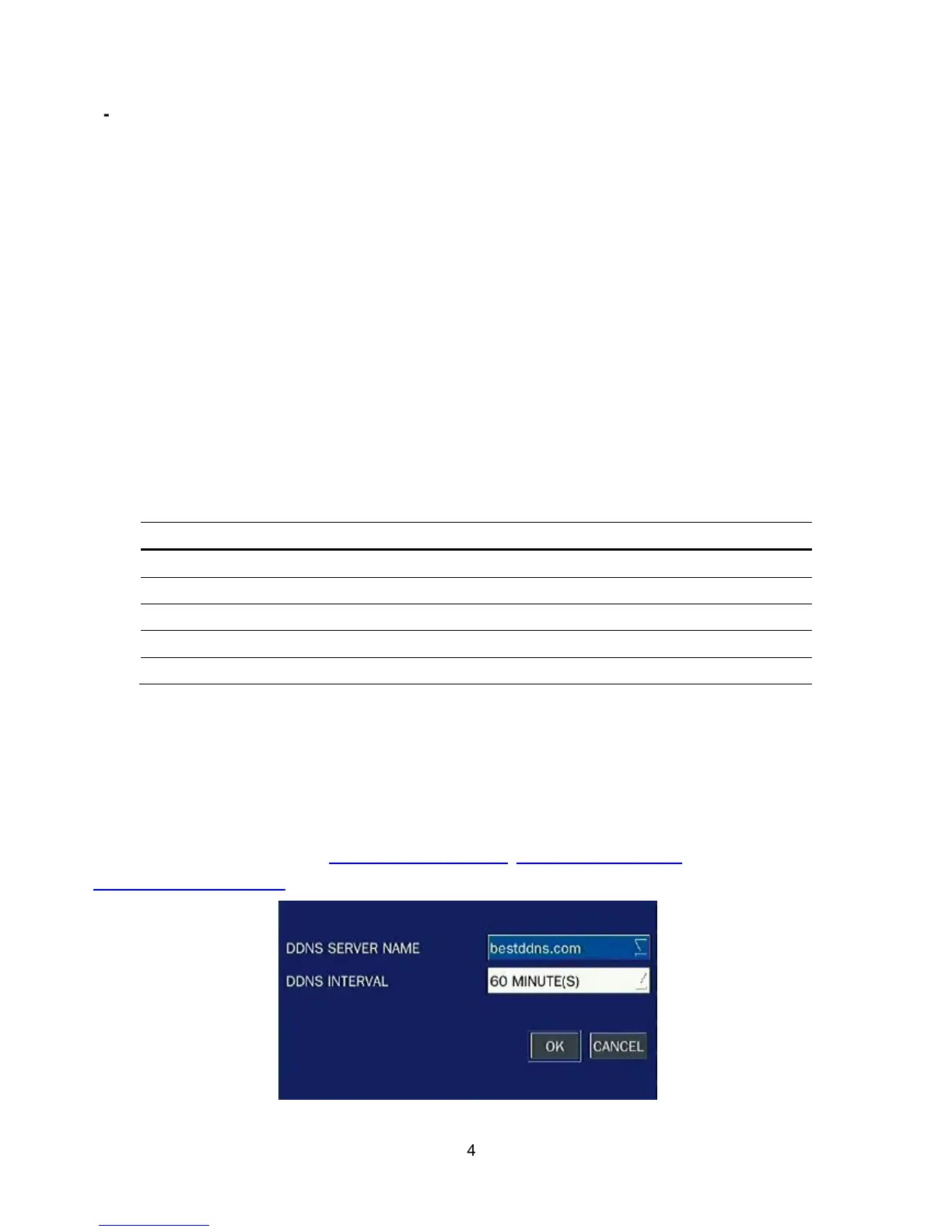
2-8-3. DDNS
User can use the function to connect to a network with a domain name. When it selects a Sever 1, user can
select one type among three DDNS Servers which be supporting for free. (okddns.com for Korea,
ddnscenter.com for USA and bestddns.com for other area including EU) The DDNS interval can be set from
5 to 60 minutes. To connect to a network with a domain name, user also has to register a MAC address and
create a unique domain name to http://www.bestddns.com, http://www.okddns.com or
http://www.ddnscenter.com. Please refer to page 90 for the detail of the registration.
Figure 2.8.2. Network setup screen – DDNS Server 1



 To Next Page