During pause - To move the playback position 1 frame backward.
⑩
F/ADV: During playback - To move the playback position 60 seconds forward.
During pause - To move the playback position moves 1 frame forward.
⑪
FF: To fast forward the footage at 1x, 2x, 4x and more speeds during playback.
⑫
USB PORT: To connect USB Thumb drive to backup data.
⑬
HDD LED: The indicator blinks during recording and playback.
⑭
POWER LED: The indicator blinks when the AC adaptor is connected.
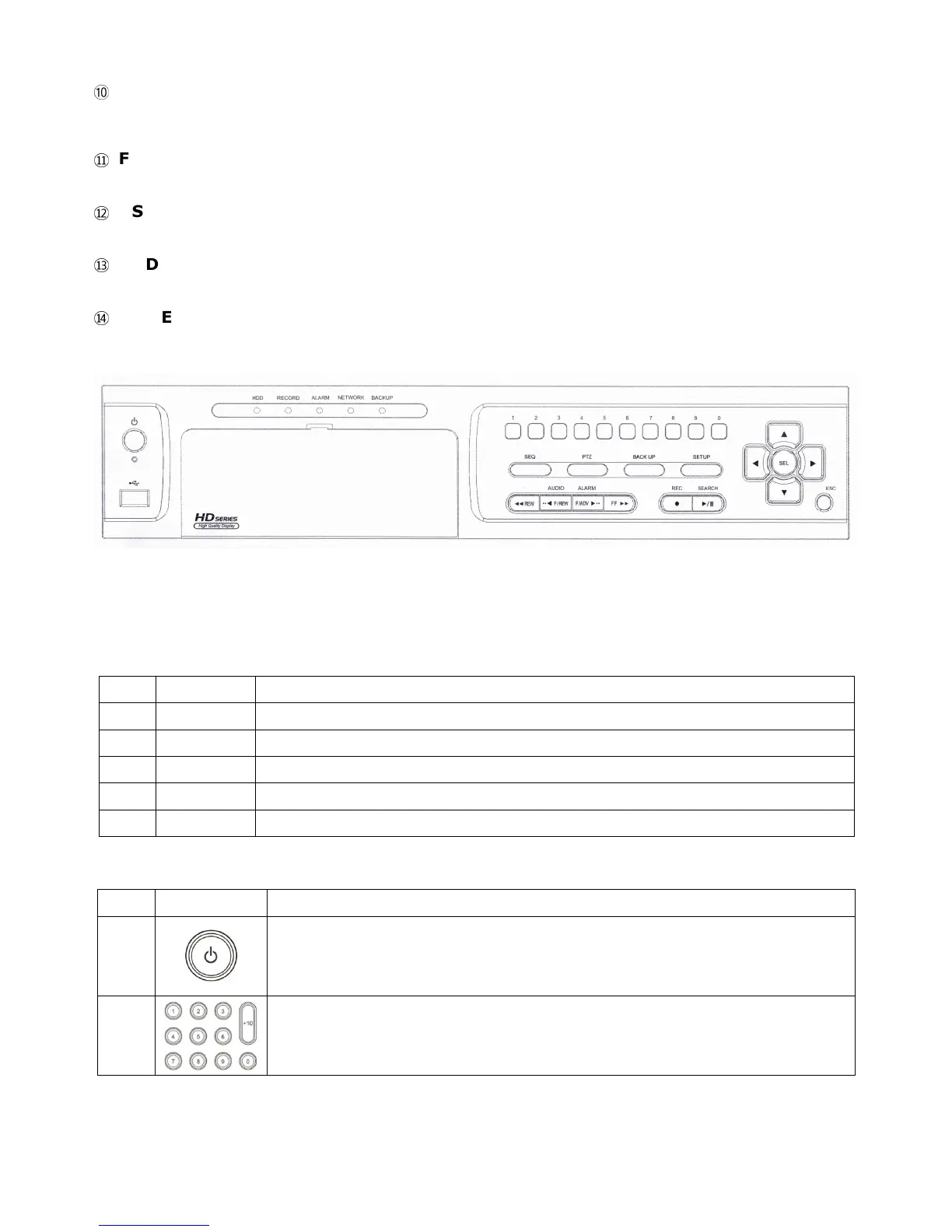
Figure 2.1.2. Front panel for 8 & 16ch
Indication Lights
NO. Name Description
A
HDD
Indicating that the system is accessing the hard disk.
B
RECORD
Indicating that the system is recording video data.
C
ALARM
Indicating that when sensor(s) is/are triggered or motion is detected.
D
NETWORK
Indicating that when Network client connects through the network.
E
BACKUP
Indicating that USB or DVD-RW storage device is stored images or video.
Table 2.1.3. Front panel buttons for 8 & 16ch
NO Name Description
1
POWER ON/ OFF
2



 To Next Page