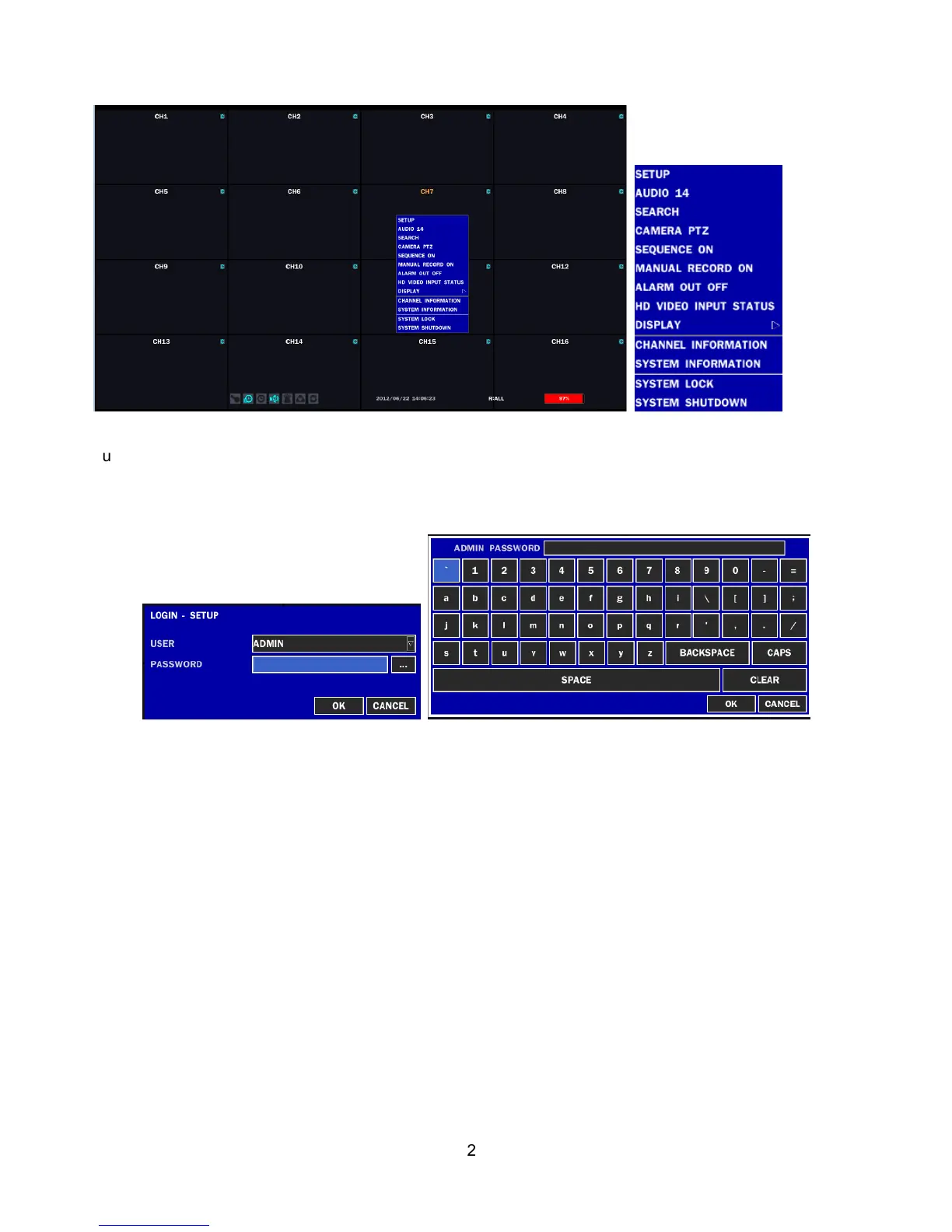
button on the front panel. Then select a user type. User can select one of user types (ADMIN, USER1,
USER2, USER3) using the control button (
◀ ▲ ▶ ▼
) on the front panel and press SEL button.
Input the password by front key panel, mouse or remote controller.
Use the Virtual Keyboard when you use front key and mouse. The factory default password is 1111.
It is highly recommended to assign a new password to protect the system. User can assign a new
password in SECURITY setup menu.
CONTROL BAR AUTO HIDE: Set to hide automatically or display continuously a control bar on the bottom
side in a Live mode.
CHANNEL INFORMATION: Display a channel number, channel name, resolution, frame rate, quality and
recording type of each channel.
SYSTEM INFORMATION: Display a software version, storage size, network type, IP address, MAC
address, DDNS status, DVR ID and remote controller ID of the system.
SYSTEM LOCK: To lock the system, user input a password. To unlock the system, please press ESC
button for 5 seconds on a front panel or a remote control. You can also unlock the system when pressing
LOCK icon on the screen using a mouse control. Then, the system will ask a password.



 To Next Page