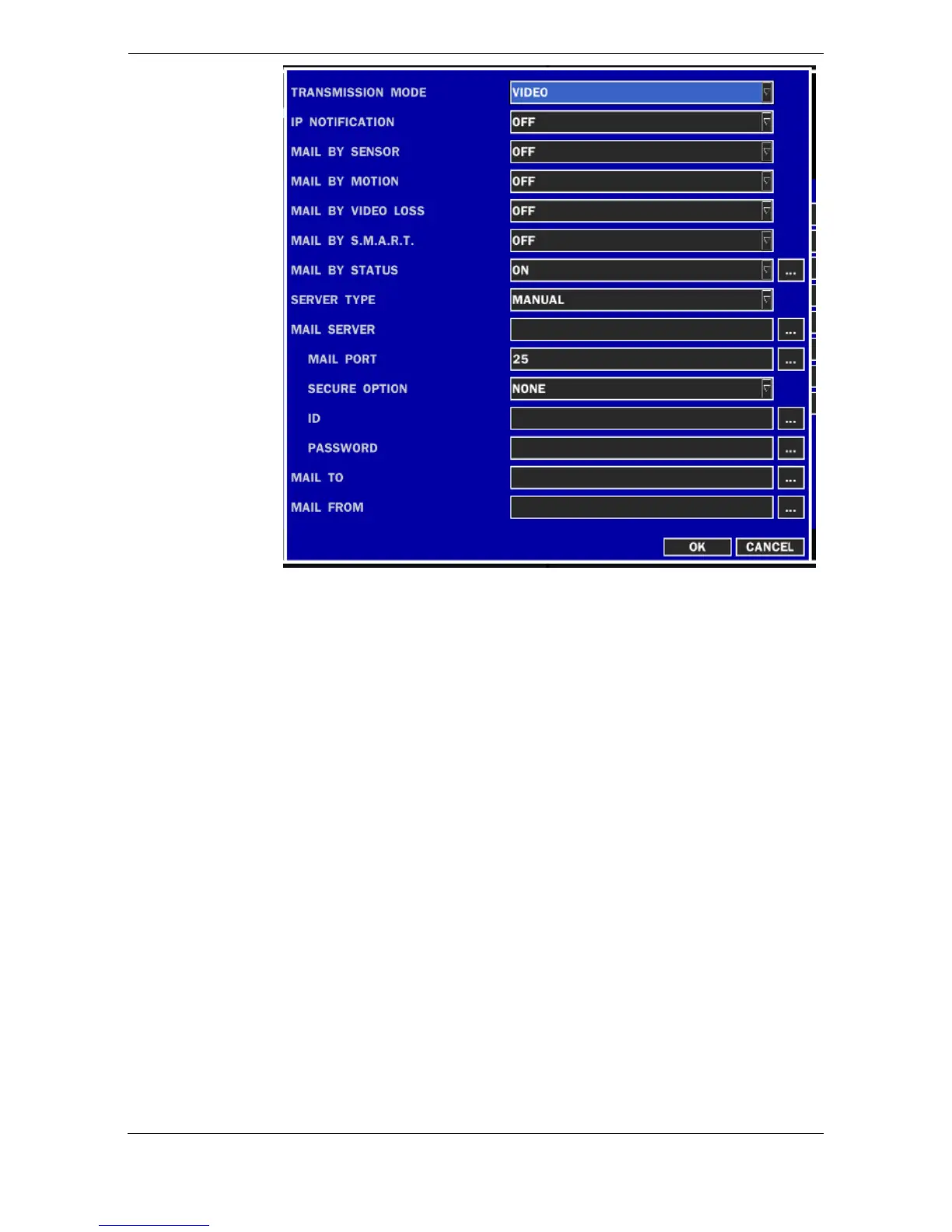
TRANSMISSION MODE: Select e-mail attachment format as an image or
a video clip of the channel that triggered the alarm when an alarm event is
triggered.
IP NOTIFICATION: Enable/disable sending e-mail when the IP address of
your DVR is changed.
MAIL BY SENSOR: Enable/disable sending e-mail reports on the channel
that triggered the alarm when a sensor is triggered.
MAIL BY MOTION: Enable/disable sending e-mail reports on the channel
that triggered the alarm when a motion is detected.
MAIL BY VIDEO LOSS: Enable/disable sending e-mail reports on the
channel that triggered the alarm when a video loss is detected.
MAIL BY S.M.A.R.T: Allows the user to set S.M.A.R.T NOTIFICATION ON
or OFF.
MAIL BY STATUS: Set up how many time the mail send. Daily,
Weekly, Monthly
SERVER TYPE: MANUAL, GMAIL, HOTMAIL, AOL, YAHOO
MAIL SERVER: Enter the appropriate mail server information to enable
sending daily e-mail reports using a virtual keyboard.
MAIL PORT: Allows the user to set E-MAIL PORT
SECURE OPTION: – NONE, SSL, TLS (Allows the user to select E-MAIL
SECURE OPTION)



 To Next Page