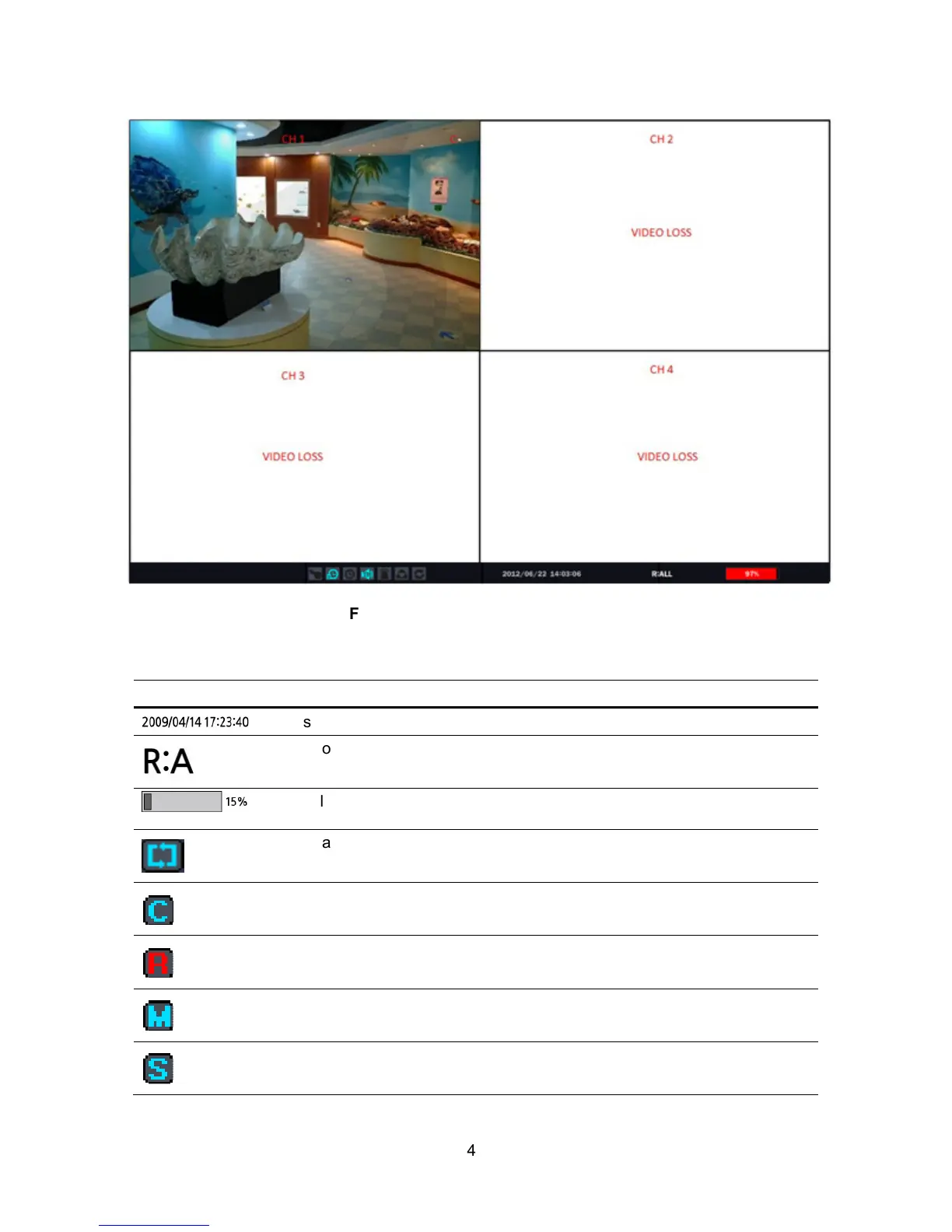
Figure 4.1.1. Live Viewing Screen
Table 4.1.1. Status Indicator Icons in Live Viewing Screen
Icon Description
Displays the current date and time
Remote control ID display. If no remote ID is set the message “ALL” is
displayed.
Displays the amount of recording on the hard disk from 0-100%.
Indicates that HDD is recycled.
Continuous recording in progress.
Manual recording in progress. To set the Manual recording mode, press
the Record button on the front panel.
Motion alarm recording in progress.
Sensor recording in progress.



 To Next Page