XR Series Installation Instructions 47
11.1 XR 4500, XR 4500TL, and XR 6500 Utility Programs
Control Commands
Control commands are single ASCII characters (preceded by @ and followed by
<CR>) that are transmitted to the XR to control additional features such as the built-in
traffic light (XR 4500 TL).
Sample Command Mode Data Strings:
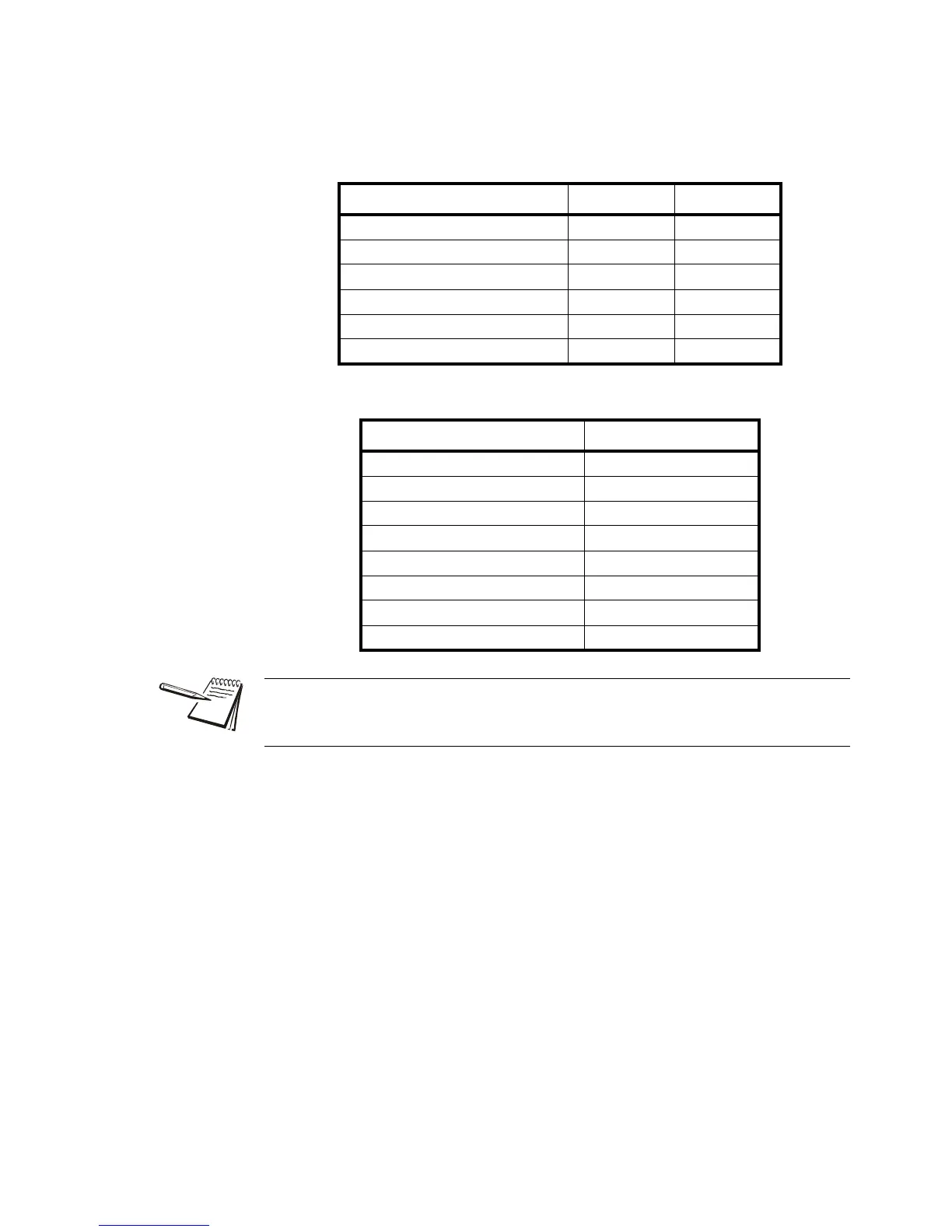
CONTROL COMMAND CHARACTER ASCII
RED light – XR 4500 TL only & 38
GREEN light – XR 4500 TL only * 42
Light OFF - XR 4500 TL only % 37
Turn ON flashing display ( 40
Turn OFF flashing display ) 41
FLASH weight display 3 times ! 33
DATA STRING DISPLAY
0 <CR> “0” gross
1000 <CR> “1000” gross
LN 1234 <CR> “1234” lb net
1234 GK <CR> “1234” kg gross
1234 L g <CR> “1234” lb gross
@hello<CR> - XR 4500 TL only “hELLo”
@*<CR> - XR 4500 TL only GREEN light
@stop &<CR> - XR 4500 TL only “StoP”, RED light
IMPORTANT: Do not transmit Control Commands within a WEIGHT data string.
Control Commands must be transmitted alone or in conjunction with an Alphanumeric
message data string.


 To Next Page
 Loading...