MAIN MENU
45
457
10) Mount / Unmount HDD
HDD hot-swapping is supported for this device. There’s no need to power off the device first to install or
remove a hard disk.
When a hard disk is installed, you’ll need to click to manually mount the hard disk for it to work properly.
When you need to remove a hard disk, click to unmount the hard disk and you’ll be able to remove it.
Note: It’s not allowed to remove a hard disk without clicking first.
6.7 ACCOUNT
Note: This function is available only for SUPERVISOR.
6.7.1 USER LIST
This function is used to create a new user account, or modify or delete an existing account for different access
privilege.
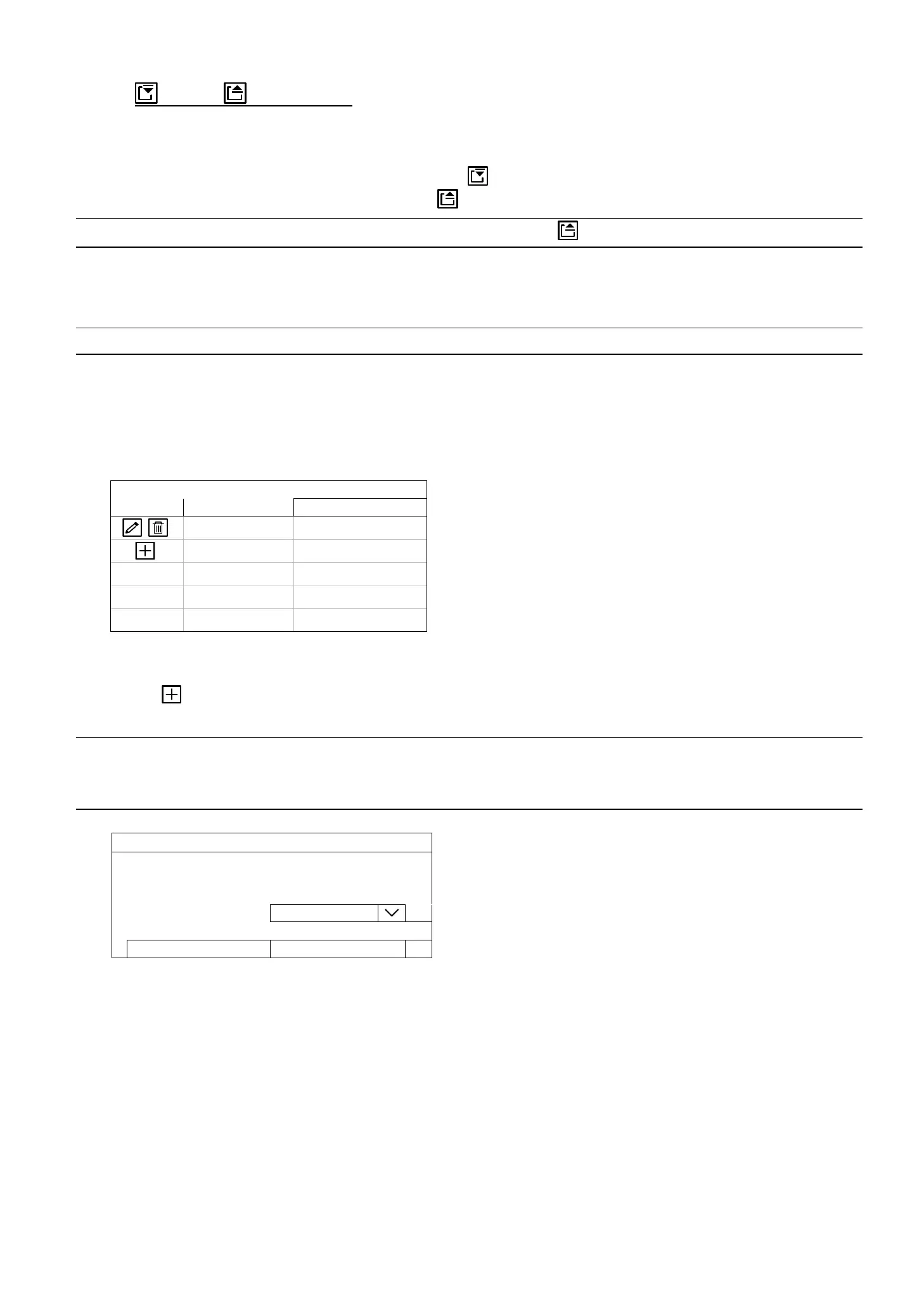
USER LIST
EDIT USER NAME GROUP
admin SUPERVISOR
How to create an account
Select , enter a user name and its password, and assign a user group in which includes the access rights you
wish to grand to this new account. Then, select SAVE to create and return to the user list page.
Note: Four user levels are pre-defined in the system for you to quickly choose: SUPERVISOR, POWER
USER, USER & GUEST. For details about available operations of each level, please refer to “6.7
ACCOUNT” at page 45.
ADD
USER NAME TEST1
PASSWORD
CONFIRM PASSWORD
GROUP POWER USER
SAVE CANCEL


 To Next Page
 Loading...
