13
PROGRAMMEDPLAYBACK
x Upto32trackscanbeprogrammedinadesiredorder.
x InsertadiscandselectCDbeforebeginningprogramming.
x Shuffleplaybackdoesnotworkduringprogrammedplayback.
x Programmedplaybackworkswithfinalizeddiscsonly.
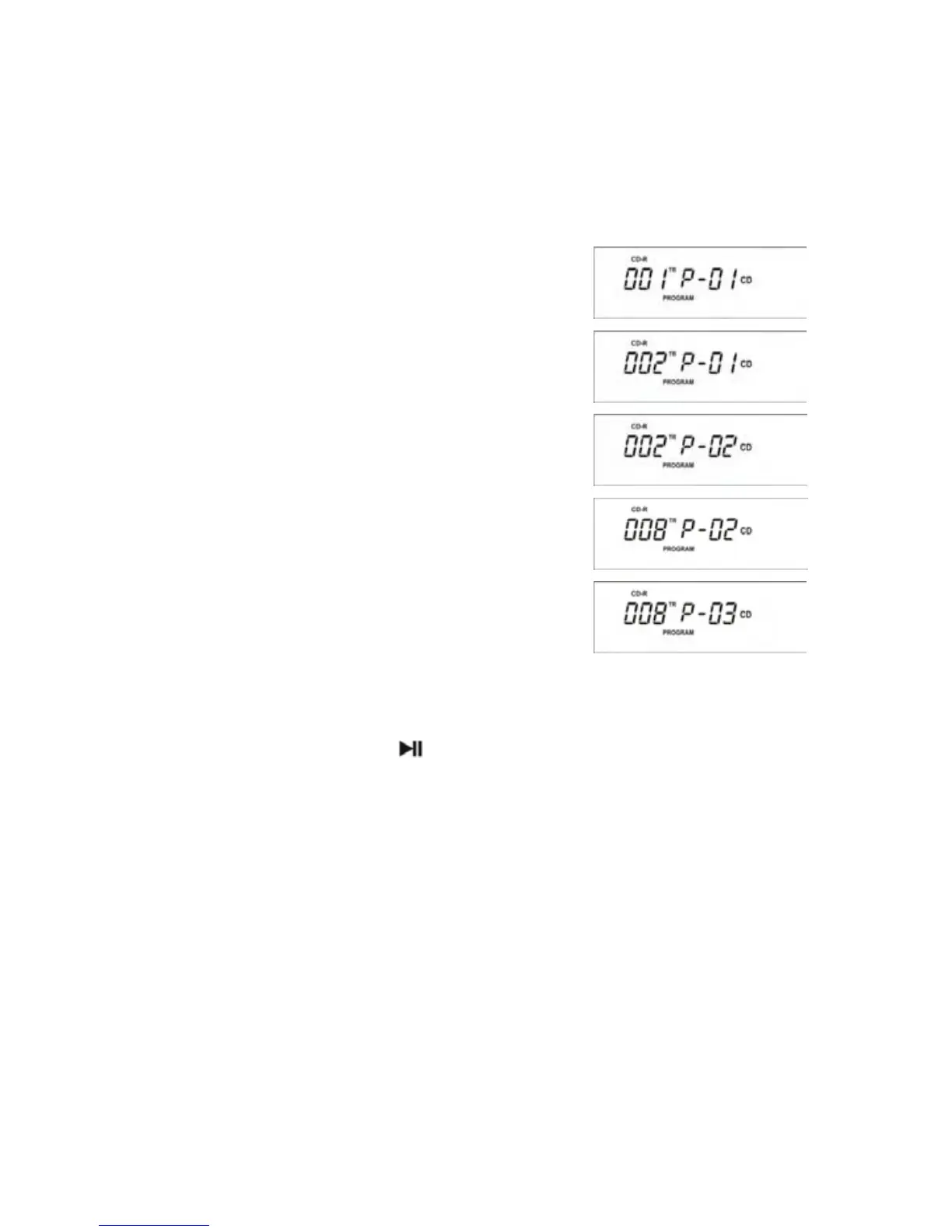
1.PressthePROGRAMbuttonwhenCDstops.
Indicator “PROGRAM” and
“P01” appe
ar on the
display.
2.Presstheorbuttontoselectatrack.
3PressthePROGRAMbutton.
Thetrackisprogrammed,and‘P02’showsonthe
display.
4.Presstheorbuttontoselectatrack.
5.PressthePROGRAMbutton.
Thetrackisprogrammed,and‘P03’showsonthe
display.
6.Repeatstep2and5toprogrammoretracks. You
canprogramupto32tracks.
TOSTARTAPROGRAMPLAY
PressthePLAY/PAUSEbutton(
).
TOPAUSEORSTOPPLAYING
PressthePLAY/PAUSEbuttonorSTOPbutton.
TORESTRATTHEPLAY
PressthePLAY/PAUSEbuttonagain.
TOCHECKTHEPROGRAMMEDORDER
Stopthe
programmedplaying,thenpresstheorbuttonrepeatedly.
TOADDATRACKTOTHEENDOFTHE
PROGRAM
St
optheprogrammedplaying,thenthePROGRAMbutton.
PresstheorbuttontoselectatrackthenpressthePROGRAMbutton.
Thetrackisaddedtotheendoftheprogram.
TODELETETHELASTTRACKFROMTHEPROGRAM
Stoptheprogrammedplaying,presstheCLEARbutton.
Thelas
ttrackfromthe
programhasbeendeleted.



 To Next Page