49
AUDACITYFORMACUSERS
1.Pleaseinsertthesoftwarediskthatcomeswithyourunit.Clickthesoftware
diskonthedesktop.
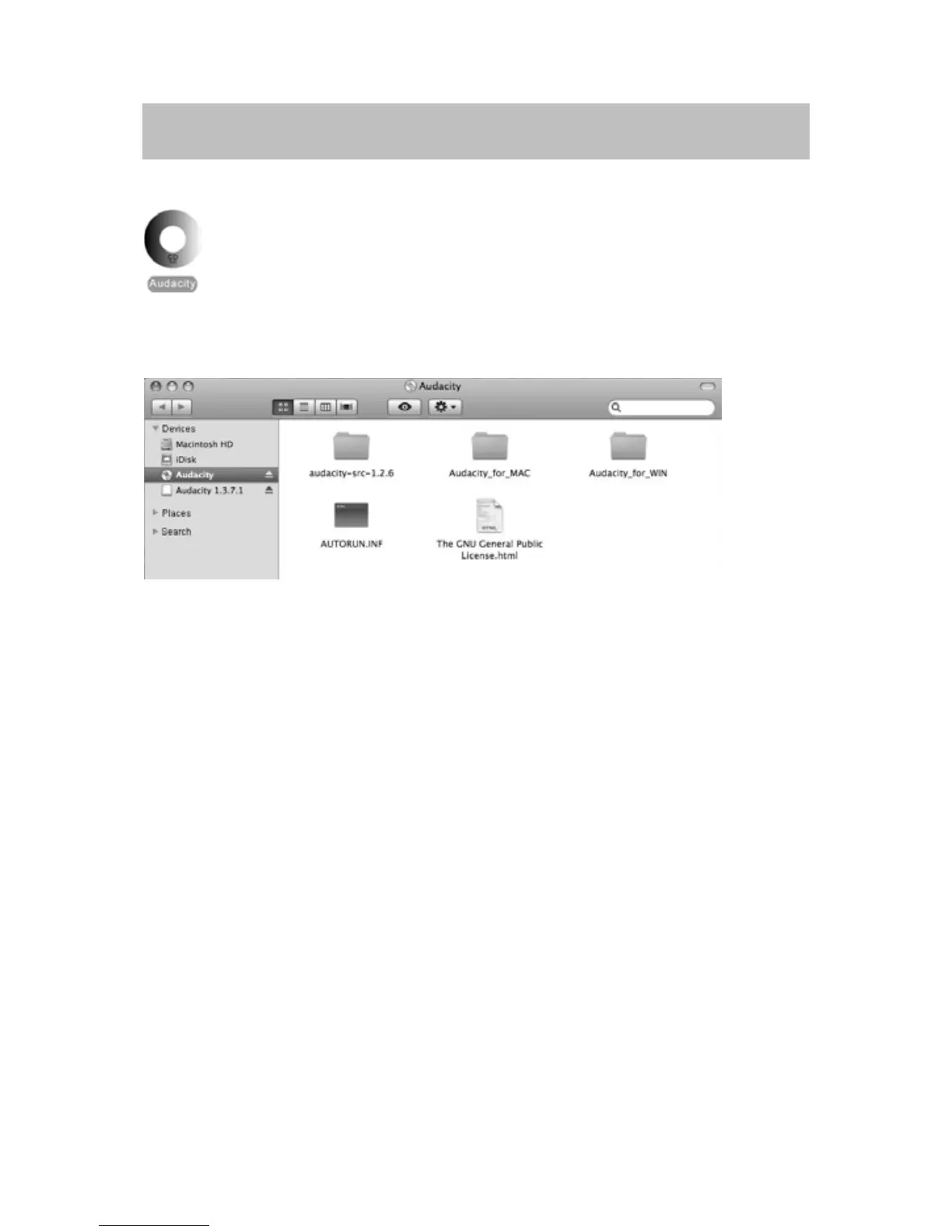
2. Double click Audacity
disk. There are five files in the Audacity disk. Select
Audacity_for_MAC for Macintosh system, and select Audacity_for_WIN for
Windowssystem.
y If your computer is Mac OS X system (Intel CPU), please enter the Intel
foldertoinstalltheaudacitysoftware;
y IfyourcomputerisMacOS9system,pleaseentertheMacOS9folderto
installtheaudacitysoftware;
NOTE:Audacitydoesnotsupportthelatestupgraded
MACOS
9.
y IfyourcomputerisMacOSXsystem(PowerPCCPU),pleaseenterthePPC
foldertoinstalltheaudacitysoftware.
3. Double click on the setup file according to your system supported, for
instance, “audacity.dmg” icon the software files will now open in a folder.
Select all
the fi
lesin the folder and dragthem intoa suitablelocation onthe
harddrive(Applications,etc.).
4.DoubleclickontheAudacityicontostartthesoftwarerunning,alternatively,
dragthe“orangeballwearingheadphones”icondownontothedesktoptoolbar.
ClickonthisicontorunAudacity.



 To Next Page