43
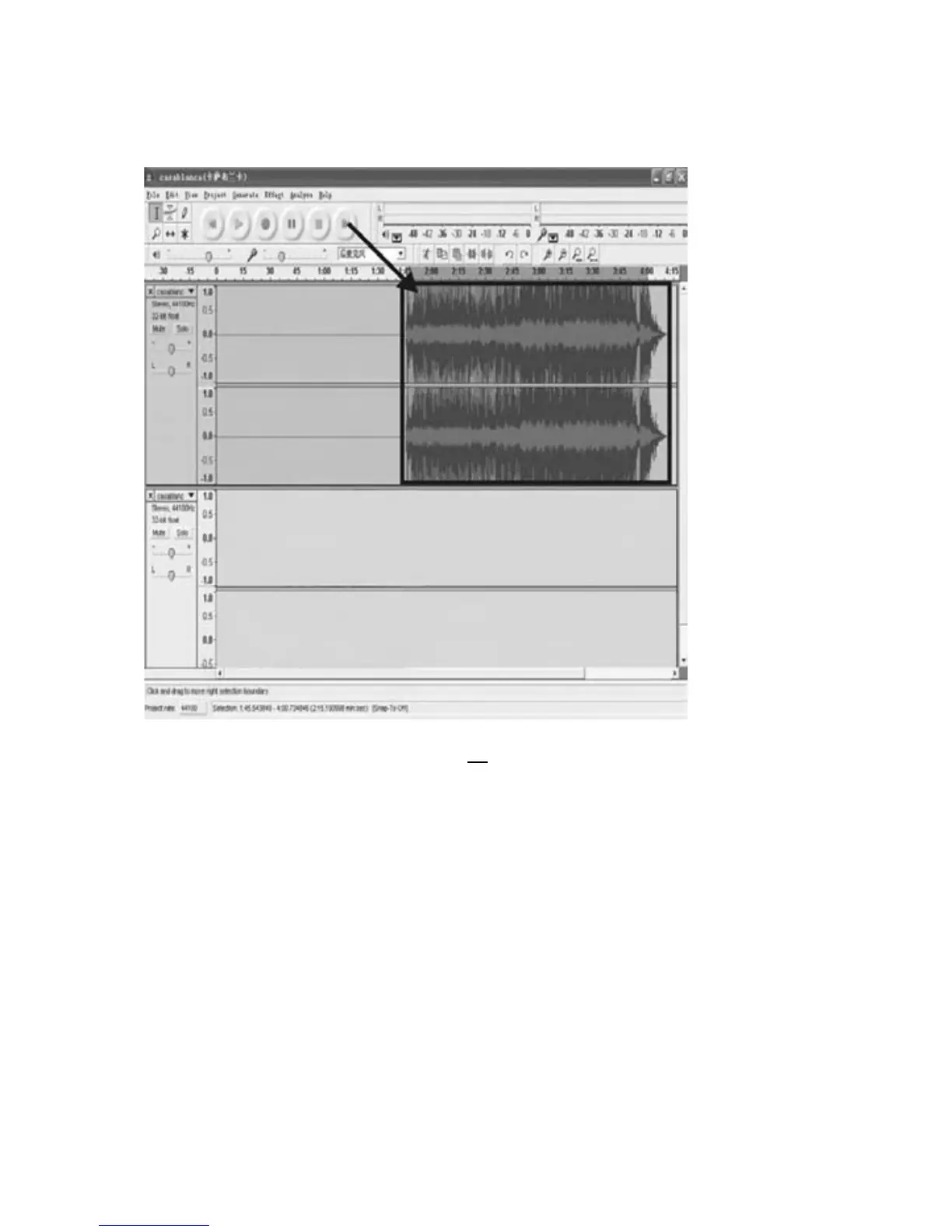
Secondsongtobedividedandsaved:
1.Movecursortothewavegraphicarea at 1:45(beginningof2ndsong).Left
clickmouseandholdthendragfromlefttorightuntilyoureach4:00(endof
2ndsong).Youcanseetheareafrom1:45to4:00highlighted.
2.Click"File"tabthenselect"EXPORTSELECTIONASMP3".
3.FollowSteps2,3,4and5onpage40
toexport,saveanddividethesongs,
onebyone.
TOCHANGETHETITLES(FORMP3FORMATONLY)
DURING EXPORT SELECTION AS MP3: the softwareonly provides one time to
titlethe songbeingsaved.Allsubsequentsongsbeingdividedfromthe same
trackarewiththesametitle.
Tochangethetitles,followthestepsbelow:
1.RightclickontheMusicfilewhichwillshowallitsco
ntents.
2.Select“Properties”,thenclickon“Summary”.
3.Clickon“Title”,andthenchangeittoyourdesiredtitle.
4.Select“OK”.
5.Doallthesestepsuntilyoutitleeachsong.



 To Next Page