87
TROUBLESHOOTINGGUIDE
FORUSBPCRECORDING
Incaseoftroublewiththeunit,pleaselookthroughproblemsbelowandseeif
youcansolvethemyourselfbeforecallingyourdealer.
NOSOUND:
•Ifyouarenotgettinganysoundintothesoftwareapplication,gobacktothe
preferencesasshownonpreviouspagesandmakesure
yo
uhaveselectedthe
USBinputfortherecordingdevice.
•PowerCycle:CloseAudacity,turnofftheplayer,unplugtheUSBCable.Then
plugintheUSBCable,turnontheplayer,andreopenAudacity.
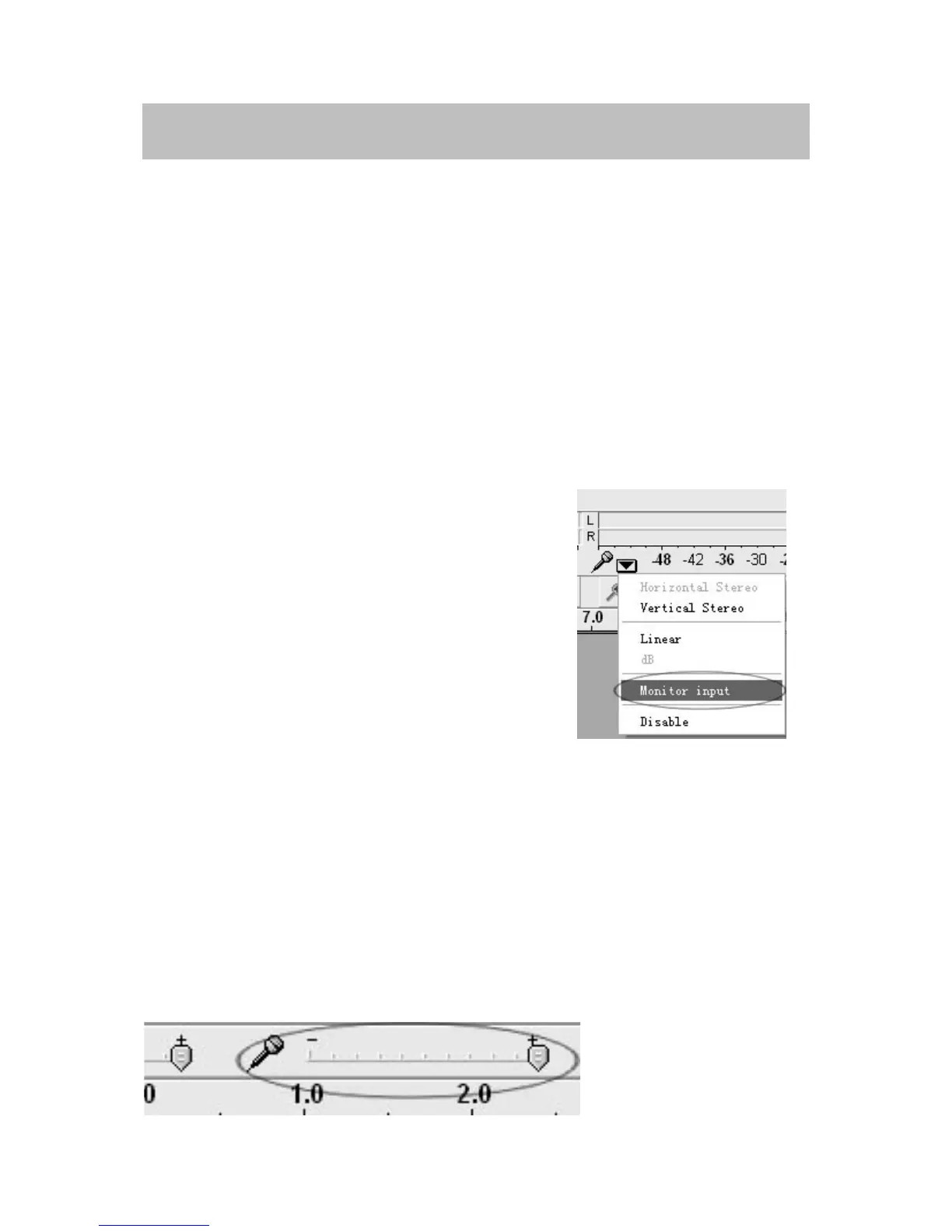
•Ifyouarenotabletohearanyaudioasyouplay
there
cord,pleaseclickonthemicrophone
dropdownarrowandselectMonitorInput. This
willenableyoutoheartheaudiofromthe
turntable,evenifyouhavenotrecordenabled
theAudacityapplication.
•Ifyouarenotseeingthemicrophoneslider,pleasegotothePreferences
menuinAudacity,clickontheInterfacetabandmakesurethattheEnable
MixerToolbarandEnableMeterToolbaroptionsarechecked.Iftheyarenot,
pleasecheckthemandthenpressOK.
•Check
themicr
ophoneslidertomakesurethatitisatfullvolume,alltheway
totherightasshowninbelow.Ifyoufindtherecordingsoundslowordistorted,
adjustthemicrophoneslider.Ifyouarenotseeingthemicrophoneslider,
pleasegotothePreferencesmenuinAudacity,
clickontheInterfacetaband
makesurethattheEnableMixerToolbarandEnableMeterToolbaroptionsare
checked. Iftheyarenot,pleasecheckthemandthenpressOK.



 To Next Page