35
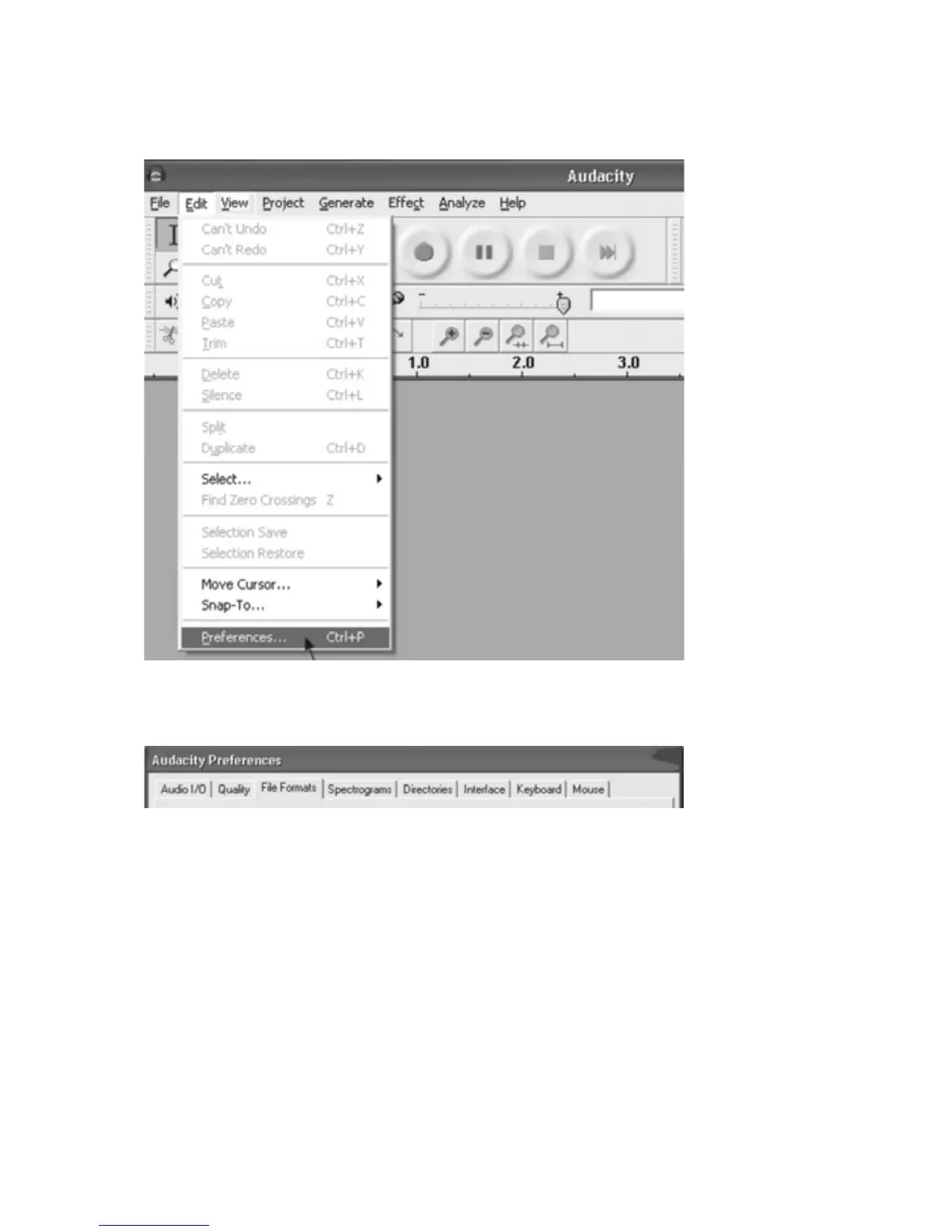
AUDACITYPREFERENCES
1.Clickthe“Edit”ontheAudacityinterface,select“Preferences”.
x ThescreenwillopenupAudacityPreferences.YoucanseetheAudioI/O,
Quality,FileFormats,Spectrograms,Directories,Interface,Keyboardand
MouseintheAudacitypreferenceinterface.
2.Selecttherecordingdevice:microphone(USBAudioController)
x Clickthe“AudioI/O”attheAudacityPreferencesinterface.
x Click the Recording “Device” arrow and select “microphone (USB Audio
Controller)”.
x Clickthe“Channels”arrowandselect2(stereo).
x Click“OK”.
NOTE: If you couldn't find the "microphone (USB Audio Controller)" from the
RecordingDevicelist,closetheAudacitySoftwareandreopenthentryagain.



 To Next Page