80
GENERALPROBLEMSFORALLWINDOWSVERSIONS
1.If you do not havethe fluctuantwaveon theinterface duringrecording,or
therecordingsoundsunsatisfied,adjusttherecordingvolumeasfollows:
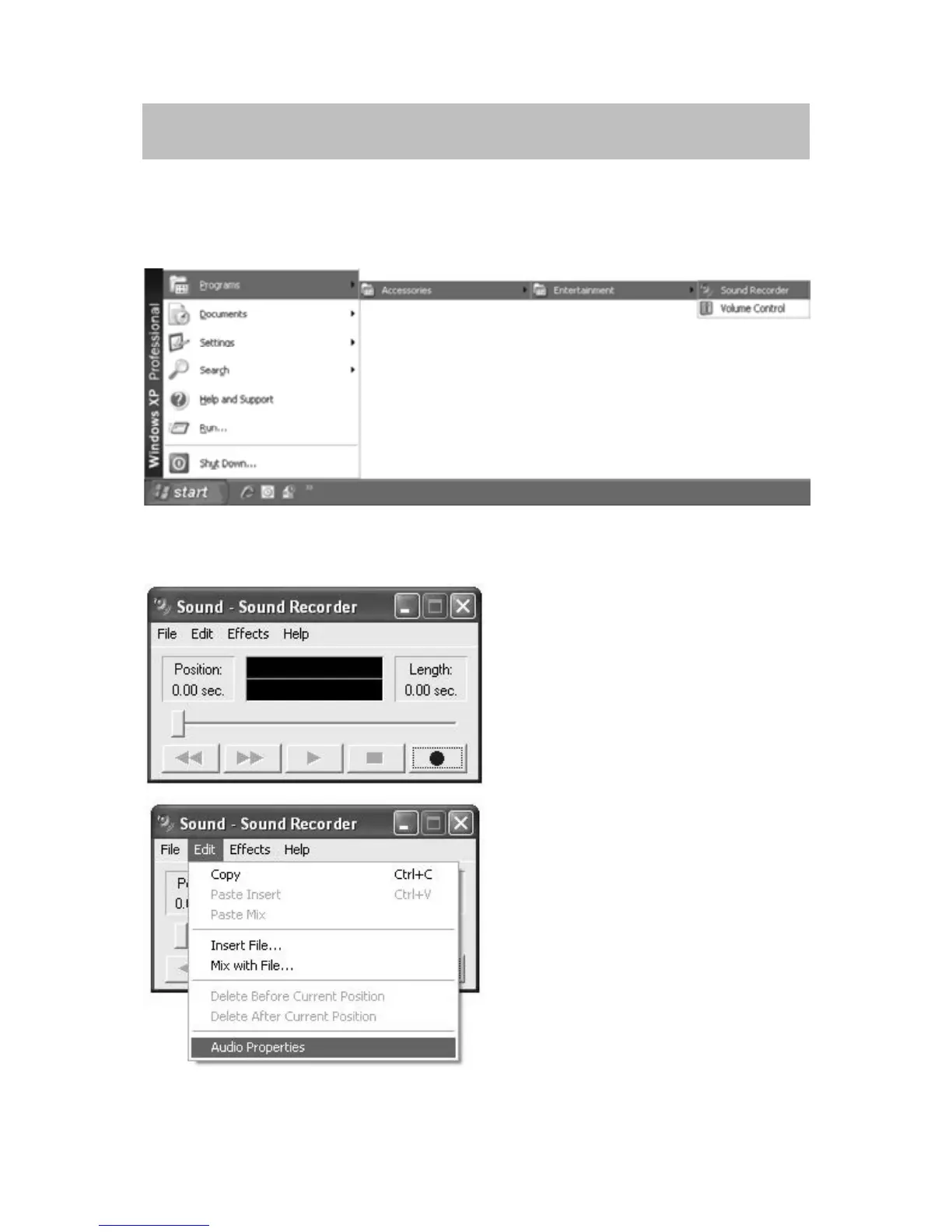
x Click the START in the left corner of the computer, select Programs,
Accessories,Entertainment,SoundRecordertoenterSoundRecorderinterface.
x InSOUNDRECORDERinterface
SelectEditandclickAudioPropertiesinthebottomofthemenutoenterAudio
Propertiesinterface.
x InAUDIOPROPERTIESinterface
Select sound recording default device and click ‘Microphone USB Audio
Controller’,thenclickVOLUMEtoenterWAVEINinterface.



 To Next Page