20
PLAYINGANEXTERNALAUDIOSOURCE
Anexternal(auxiliary)audiosource(i.e.,personalCDplayerorMP3player)can
beconnectedtothisunitandrecordtotheCD.
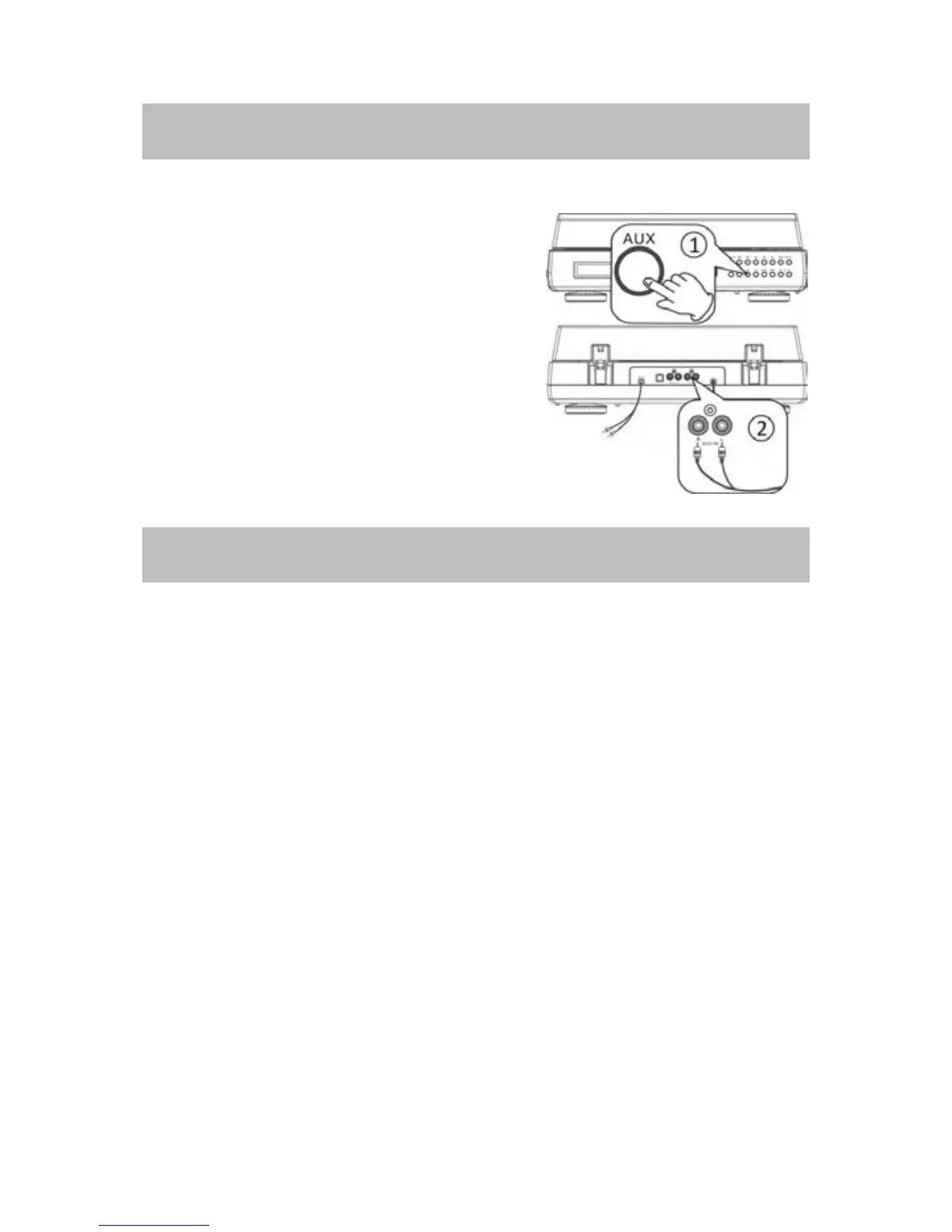
1. Press the AUX button to select the AUX
function.
2.PlugoneendoftheAUXINcable(included)
intotheAUXINsocketatrearof
theunit.
3. Plug the other en
dofthecableintothe
headphoneorLineOutsocketoftheexternal
source.
4.Turntheaudiosourceonandadjustvolume
level.
LISTENINGTOYOURIPOD/IPHONE
BeforeyoustarttoenjoyyourmusicfromiPod/iPhone,pleasemakesureyour
model(s)is/areinthecompatiblelist.
Madefor
iPodtouch(2
n
generation) iPhone4
iPodclassic iPhone3GS
iPodwithvideo iPhone3G
iPodnano(2nd,3rd,4thand5th generation) iPhone
iPodmini
iPod
ThroughtheuseofinterchangeableinsertscalledDockAdaptors,youcandock
youriPod/iPhoneonthisappliance.
BeforedockingyouriPod/iPhoneyoumustfirstcheckyouriPod/iPhonehasa
dock co
nnector. The docking connector is located on the base of the
iPod/iPhone.
Also you must first fit the correct iPod/iPhone adaptor on the cradle. Each
iPod/iPhone adaptor matches the shape of a particular iPod/iPhone and is
necessarytoensurethatyouriPod/iPhoneisheldsecurelywhendocked.
NOTES:
x
Use the adaptor that supplied with the iPod/iPhone or a commercially
availableonetousetheothertypesofiPod/iPhone.
x
Donotdock aniPod/iPhonewithoutfittingthecorrect adaptorotherwise
youmaydamagetheiPod/iPhoneandyourunit.



 To Next Page