34
CONFIGURINGAUDACITYFORMICROSOFTWINDOWS
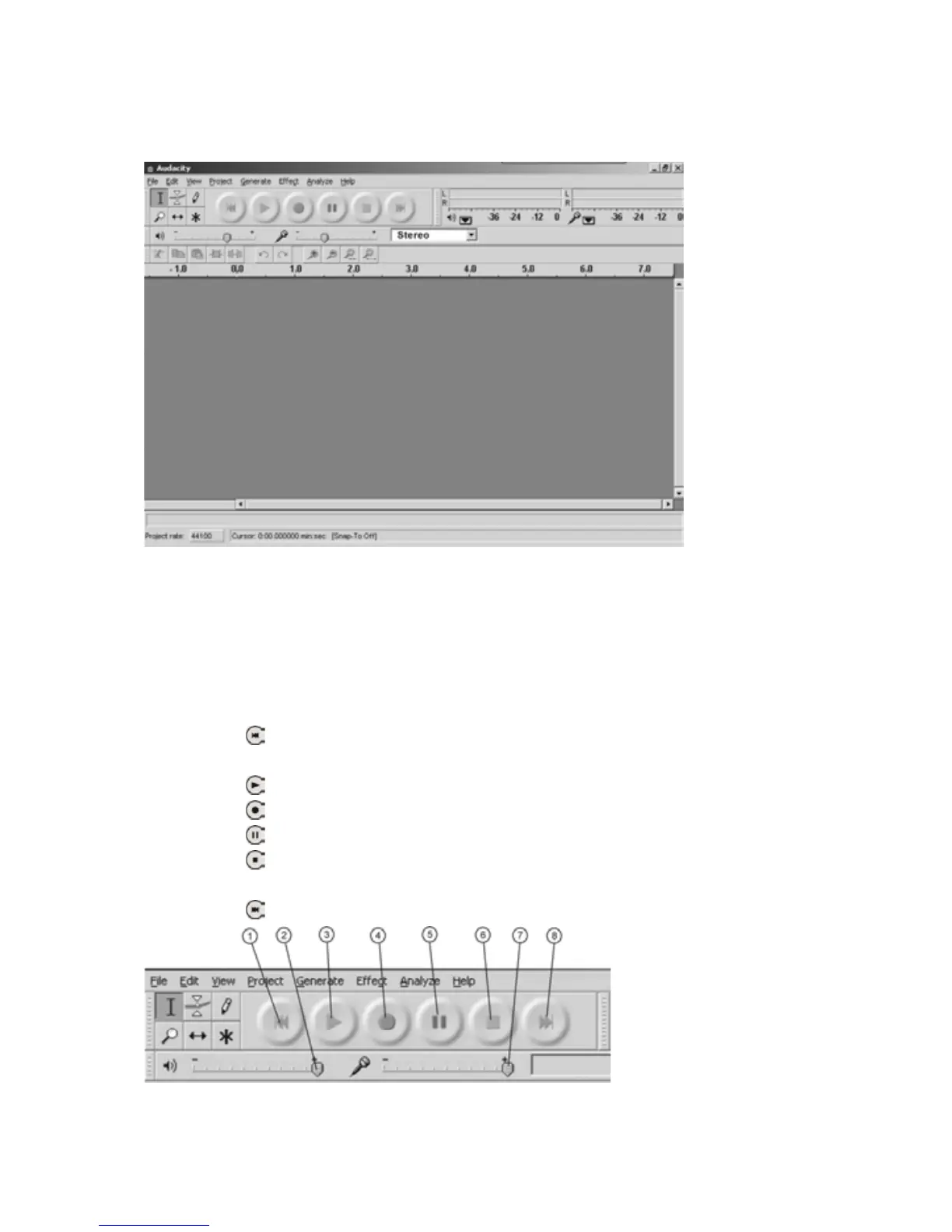
AUDACITYINTERFACE
AUDACITYCONTROLBUTTONS
Usetheattributecontrolbuttonsatthetopofthescreentogotobeginning,
Play,Record,Pause,StopandEnd.UsetheFile,Edit,View,Project,Generate,
EffectandAnalyzemenustoSave,Export,andeditthemusic.
1.Clickthe(
)buttontoskiptostart;
2.Adjusttheoutputvolume;
3.Clickthe(
)buttontoplay;
4.Clickthe(
)buttontorecord;
5.Clickthe(
)buttontopausetherecording;
6.Clickthe(
)buttontostoptherecording;
7.Adjusttheinputvolume;
8.Clickthe(
)buttontoskiptoend;



 To Next Page