54
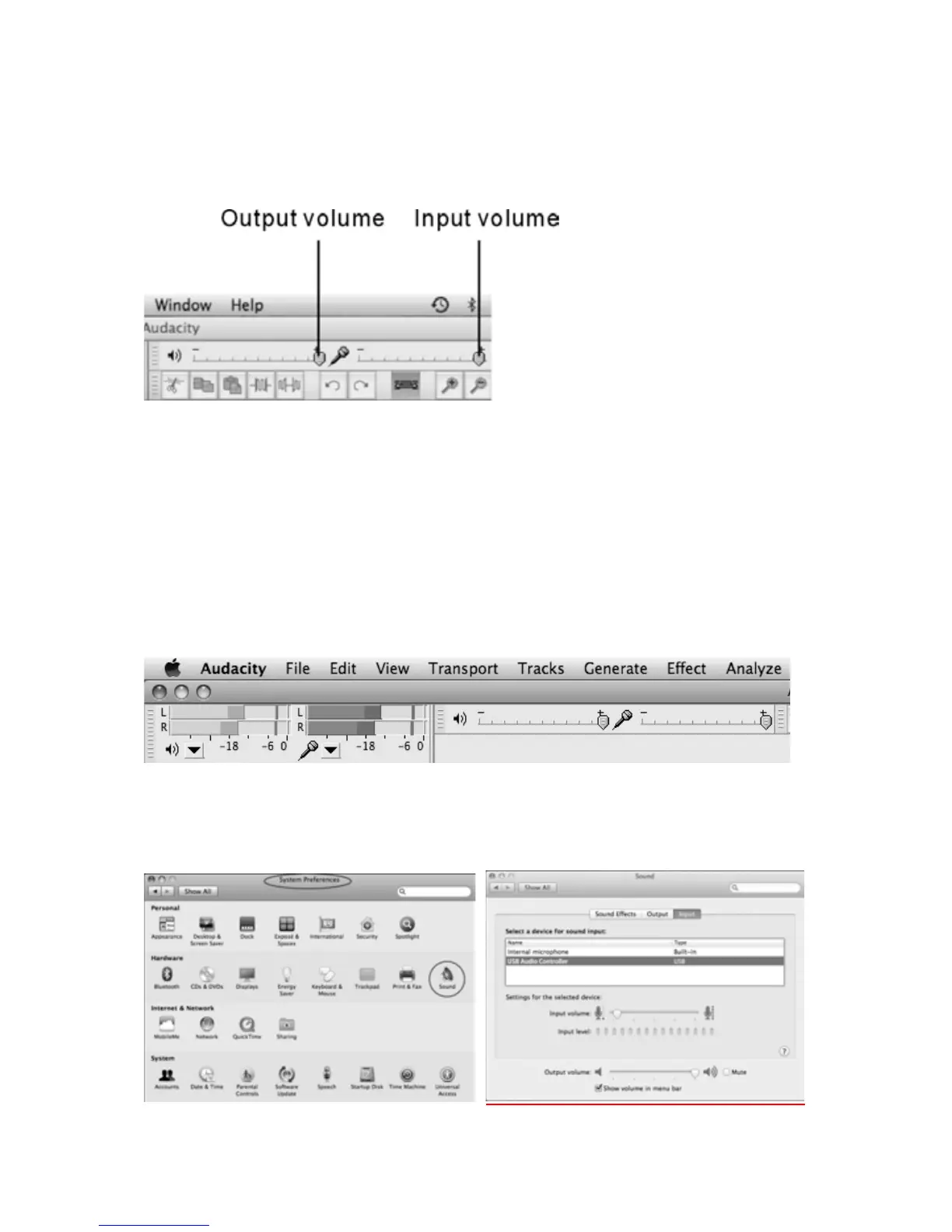
AtthetopofthemainAudacitywindow,totherightoftheinputandoutput
levelmeters(labeledLandR),youwillseetheinputandoutputvolume.The
leftoftheinputandoutputvolume,thereisavolumeicon.Adjusttheoutput
andinputvolumetomaximum.
NOTE:Becauseofthevariationofdifferentoperationsystems,theinputvolume
controlmaynotworkonsomeindividualWindowsversions.WindowsVistais
recommendedtoensuretheinputvolumecontrolworkingproperly.
IMPROVERECORDINGQUALITY
Ifyoufindtherecordingsoundsunsatisfied,youmayadjusttheInputVolume
meterinboththesystemandAudacitysoftware.
1.AdjusttheInputVolumemetertomaximum.
2. Click System Preferences and double click on “Sound” icon. In the Sound
window, click USB Audio Controller to highlight the device then slide the
InputVolumeto5%.



 To Next Page