52
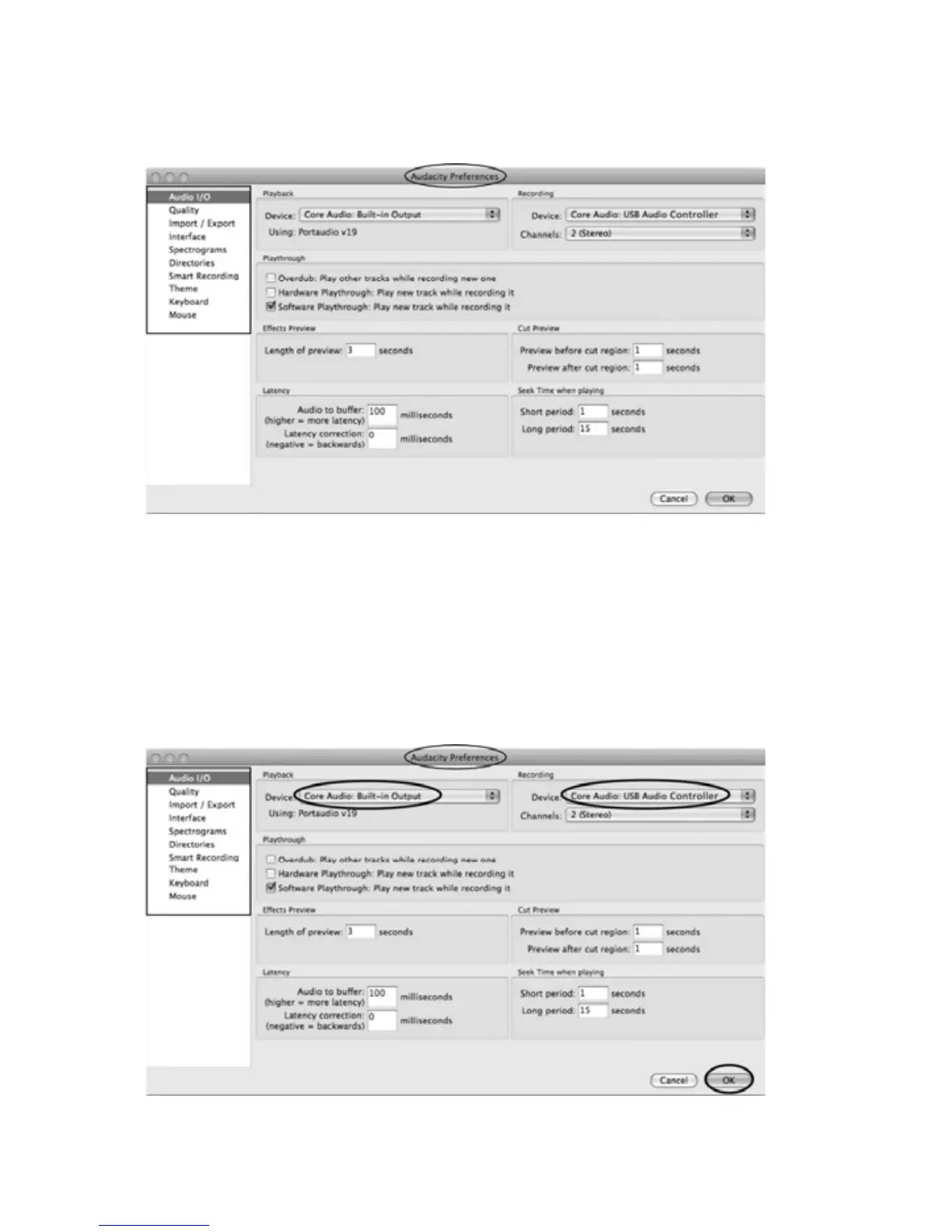
y ThescreenwillopenupAudacityPreferences.YoucanseetheAudioI/O,
Quality,Import/Export,Interface,Spectrograms,Directories,SmartRecording,
Theme,KeyboardandMouse.
2.Selecttherecordingdevice:CoreAudio(USBAudioController)
yClickthe“AudioI/O”attheAudacityPreferencesinterface.
yClicktheRecording“Device”andselect“CoreAudio(USBAudioController)”.
yClickthe“Channels”andselect2(stereo).
yClickthe“OK”.
NOTE:
Ifyouc
ouldn'tfindthe"CoreAudio(USBAudioController)"fromthe
Devicelist,closetheAudacitySoftwareandreopenthentryagainorinsurethe
turntableisconnecttothecomputer.



 To Next Page