85
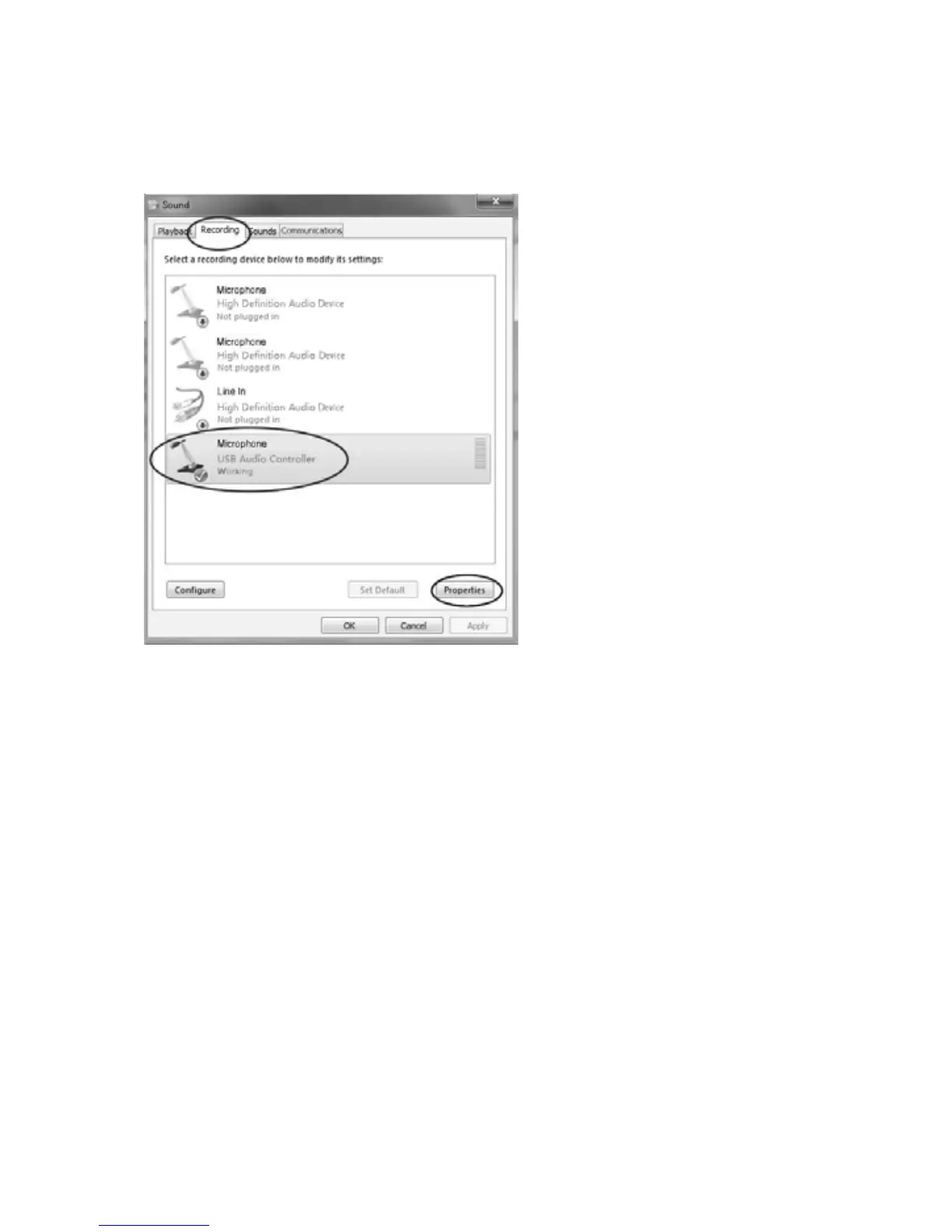
xSoundwindowwillopenthenselect“Recording”tab.
x Then, choose a recording device. (It is recommended that you select
Microphone of USB Audio Controllerwhich is highlightedin the picture,then
click“Properties”.)
x Select“Levels”andadjusttheVolumeReading.Thereadingisfrom0to100.
Normally it should be 5. However, you may refer to the Input Level Indicator
from the Audacity panel that doesn’t exceed 0. Then click “OK” on the
Microphonepropertiesinterfaceandsoundinterface.Closethe
ControlPanel.
(Pleasenotethatthereisno“Levels”tabin“Sound”panelinsomeoperating
systems,suchasWindows98,Windows2000.ForWindows7usersandVista
users,the“Levels”tabin“Sound”panelisavailable.)



 To Next Page