34 USER MANUAL
__________________________________________________________________________________________________________________
0.00g
thr
thr on
thr oFF
SEt-1
SEt-0
SEt-2
5
5 -
50
62.00g
MENU
MENU
T
T
T
T
T
T
OK
14.17 Treshold comparing function (thr)
This function allows comparing weighing result with two programmed reference
values: lower and upper threshold. Comparison result is signalled with indicators
(MIN, OK, MAX) and sound signal generated when threshold values are
exceeded.
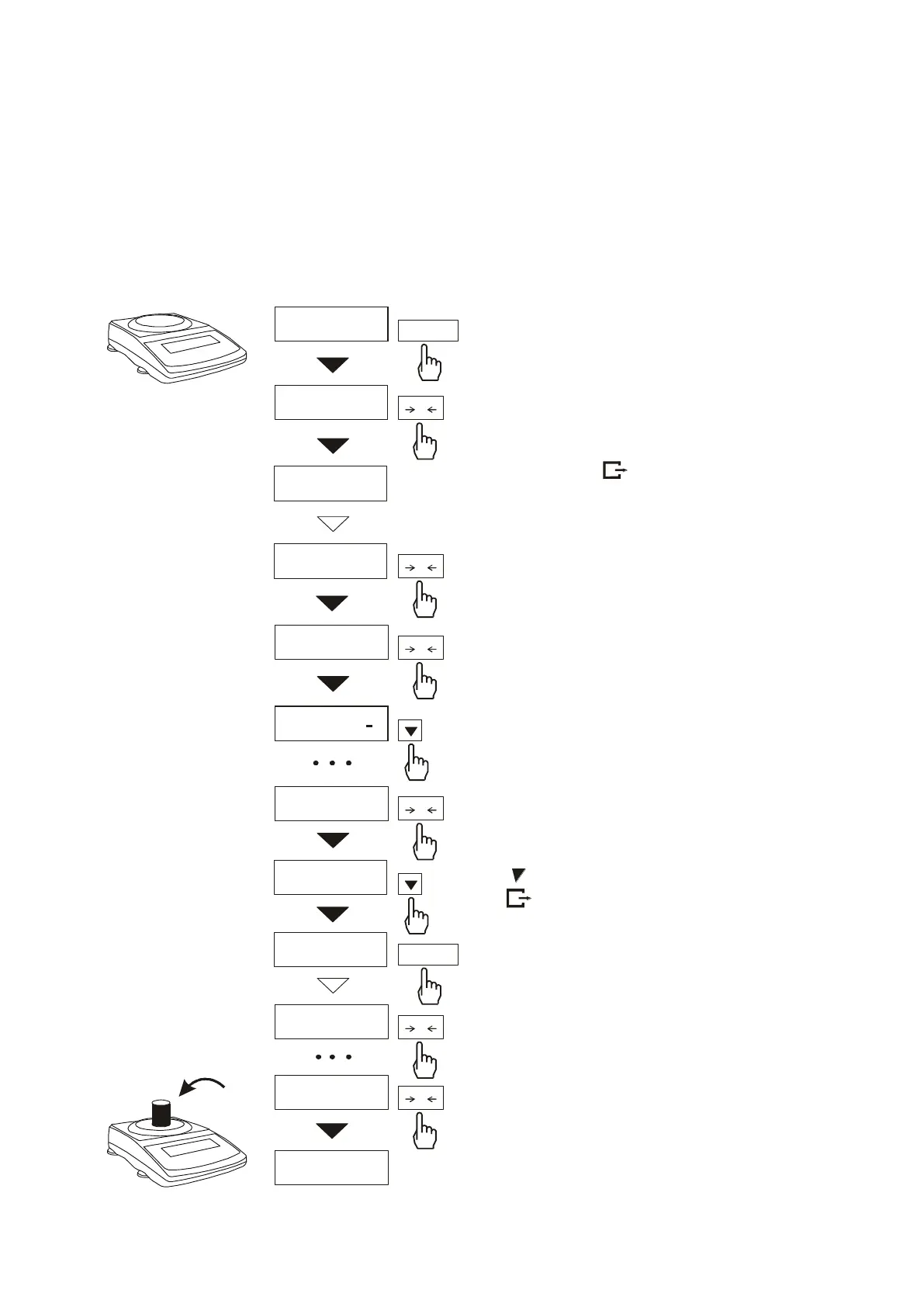
Operation sequence:
Press MENU key and choose thr
pressing
T
key.
The following options are displayed
successively:
- trESh oFF – deactivate the function,
- trESh on – activate the function,
- trESh Prn – check last threshold
values (press key several times),
- thr CFG – function configuration
(working mode, buzzer, flashing
setting).
Choose thr on option using
T
key. The following options for
entering thresholds are displayed:
- SEt-0 - go to weighing with
signalling threshold excess,
- SEt-1 - set lower threshold value,
- SEt-2 - set upper threshold value,
- SEt-3 - set zero signalisation
threshold.
Using
T
key select SEt-1 option.
Set lower threshold value using the
following keys:
- digit increase,
- decimal point,
T - move to next digit,
MENU - finish.
Then select SEt-2 option and enter
upper threshold value.
Choosing Set-3 option will cause
starting work with signalisation of
exceeding thresholds and zero.
To leave the function, press MENU
key and then choose thr and thr-0
options.



 To Next Page