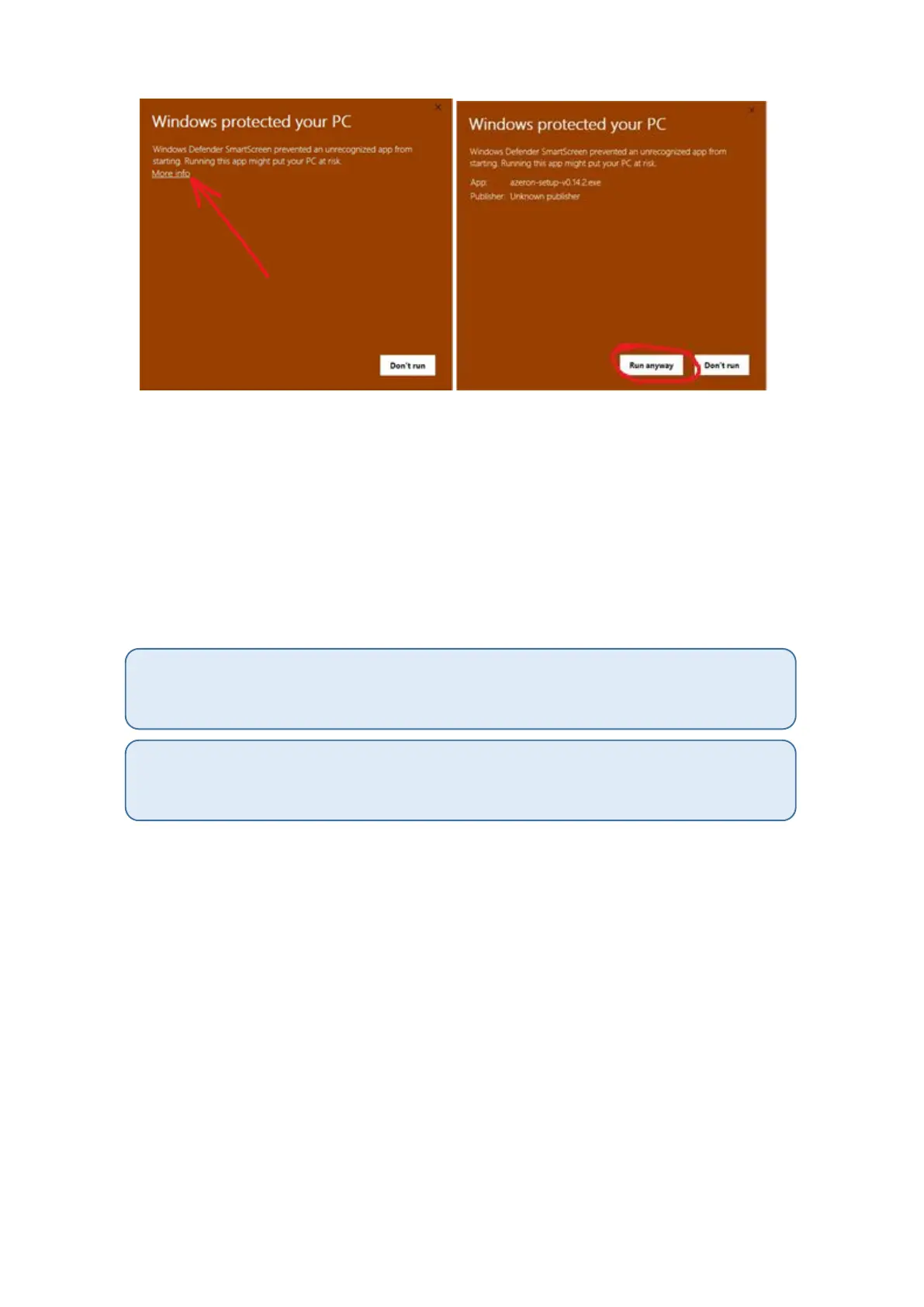
Just click on the “More info” and then on “Run anyway”.
After that, the software will start to install. When it’s done, there will be
a shortcut icon on Desktop and in the Start menu.
In case the software installation stops midway and doesn’t progress,
make sure to pause your antivirus and try to install again.
After the installation is done, plug in the USB cable of the keypad in PC
and then launch the Azeron software.
If you are not sure if your PC has the USB3.0 motherboard drivers installed, then we
would suggest to use USB 2.0 port to avoid unpredictable behavior of the keypad
recognition.
Also if you are using USB hub, the keypad may have power shortage. So make sure to
use USB hub that can provide enough power or plug in the keypad directly in PC
motherboard.



 To Next Page