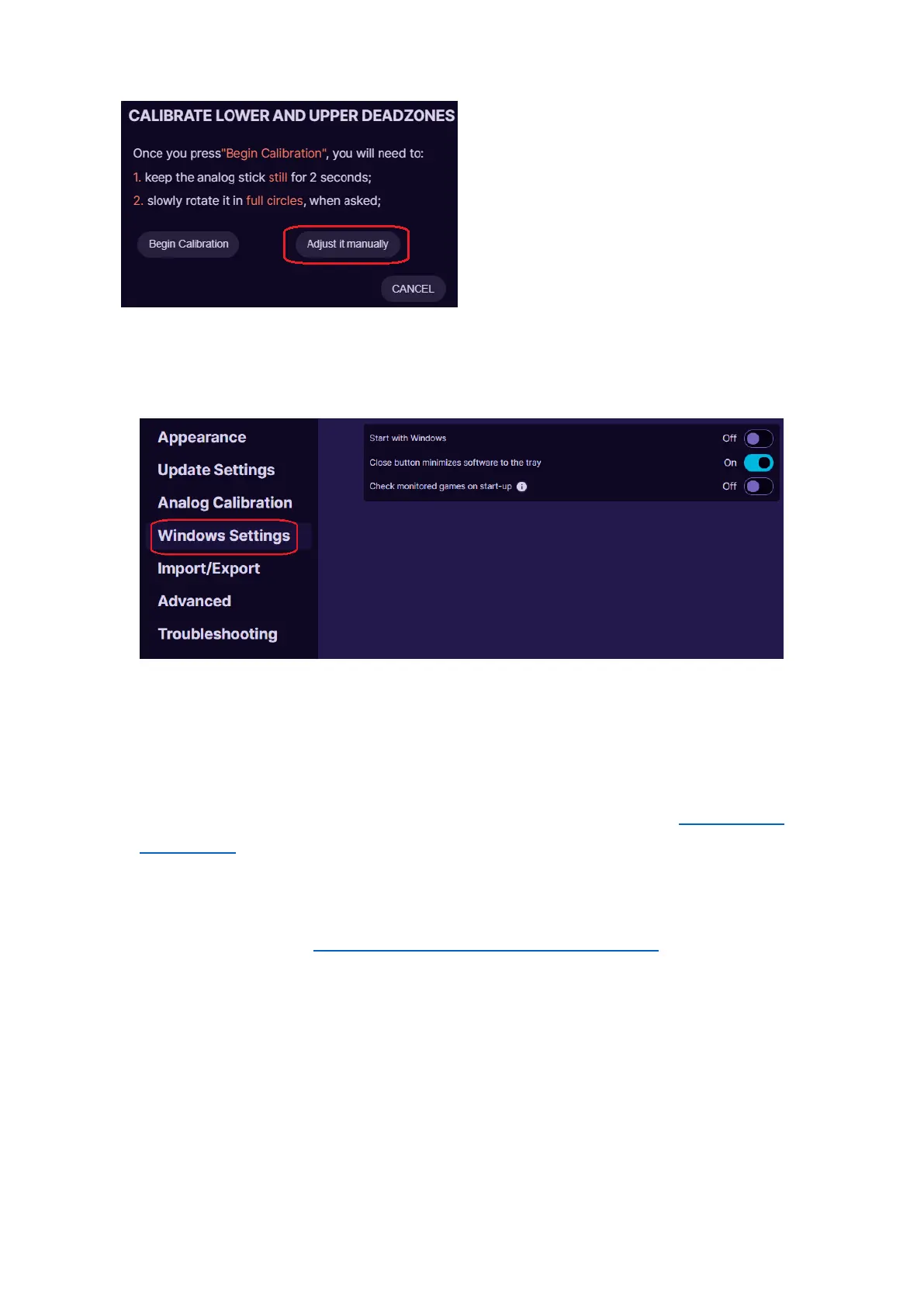
If you wish to manually adjust your
own offset and deadzone values for
all profiles at the same time, click
on Calibrate and then on Adjust it
manually.
WINDOWS SETTINGS
If you enable Start with Windows, then whenever you turn on your PC,
the Azeron software will open automatically at the startup.
It is possible to minimize the Azeron software to Windows system tray (at
the bottom near the clock) by enabling option Close button minimizes
software to the tray. You can read more information here 5.7 SYSTEM
TRAY ICON
If Check monitored games on start-up is enabled, then when launching
Azeron software, it will check what software/games are already opened.
See more info here 5.6.2 AUTOMATIC PROFILE SWITCHING



 To Next Page