12
Instructions For Use
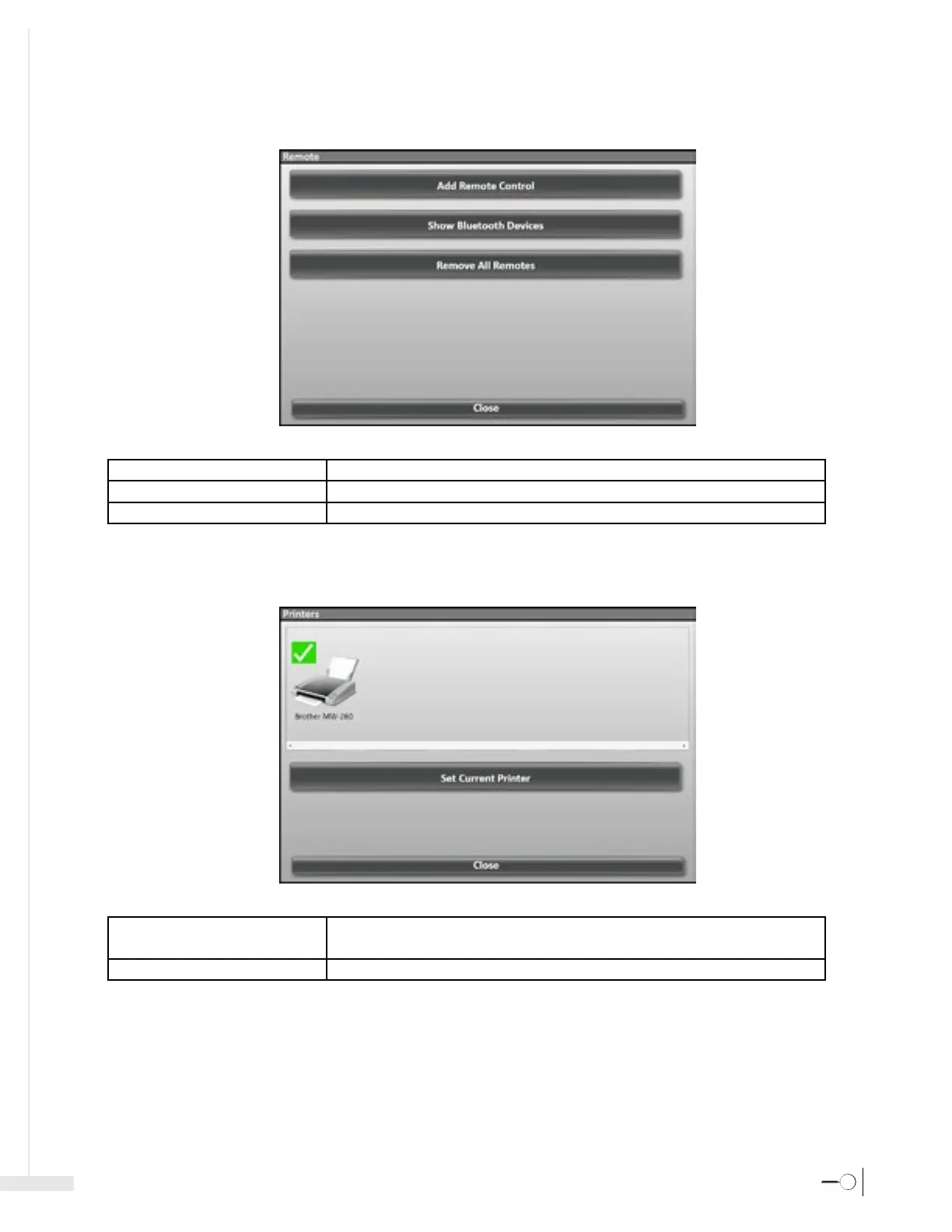
3.3.2 Settings – Remote
Add Remote Control Initiates process to detect and add the remote control for use with the system interface.
Show Bluetooth™ Devices Launches the Bluetooth™ Devices window.
Close Closes the Remote window and Settings menu.
3.3.3 Settings – Printers
Set Current Printer Sets the selected printer as current.
Note – Sherlock 3CG™ TCS Application will print to the current printer.
Close Closes the Printer window and Settings menu.



 To Next Page