28
Instructions For Use
8 Remote Control Installation
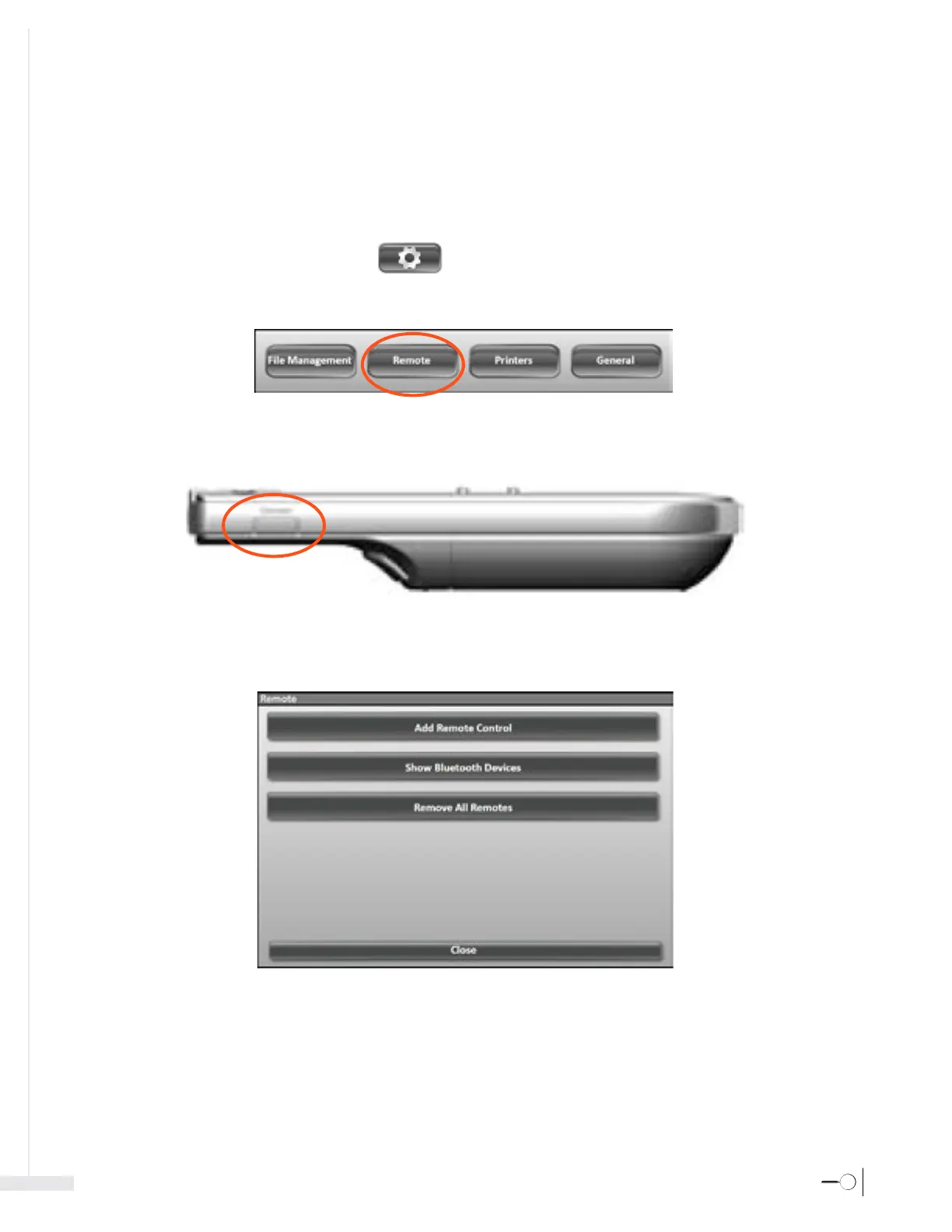
If the remote control uses a USB receiver, connect the USB receiver to an available USB port. If the remote control does not use a USB receiver, please proceed
to the following steps.
1. Turn on the Sherlock 3CG™ TCS Display and the Remote Control.
2. Click the Settings icon in the Application Toolbar.
3. Click the Remote button in the system settings menu that appears.
4. Position the remote control within two feet of the Sherlock 3CG™ TCS Display. On the left side of the remote control, press and hold the connect button
until the blue LED on the remote control starts blinking rapidly.
5. From the Remote window, click the Add Remote Control button.








 To Next Page