Sampling
21
MAK 3003 Measuring system TIGER / LYNX Operating Instructions, Software version 2.35, BA 190130 (11.07.2022)
8.1 Single sample
If you work with the ULTRASAMPLER
®
sampling system, you must enter or
confirm a preset quantity in addition to the supplier number. From the preset
quantity and the configured pump capacity, the controller calculates the flow
rate of the ULTRASAMPLER
®
pump (to guarantee the configured sample
volume for different intake quantities).
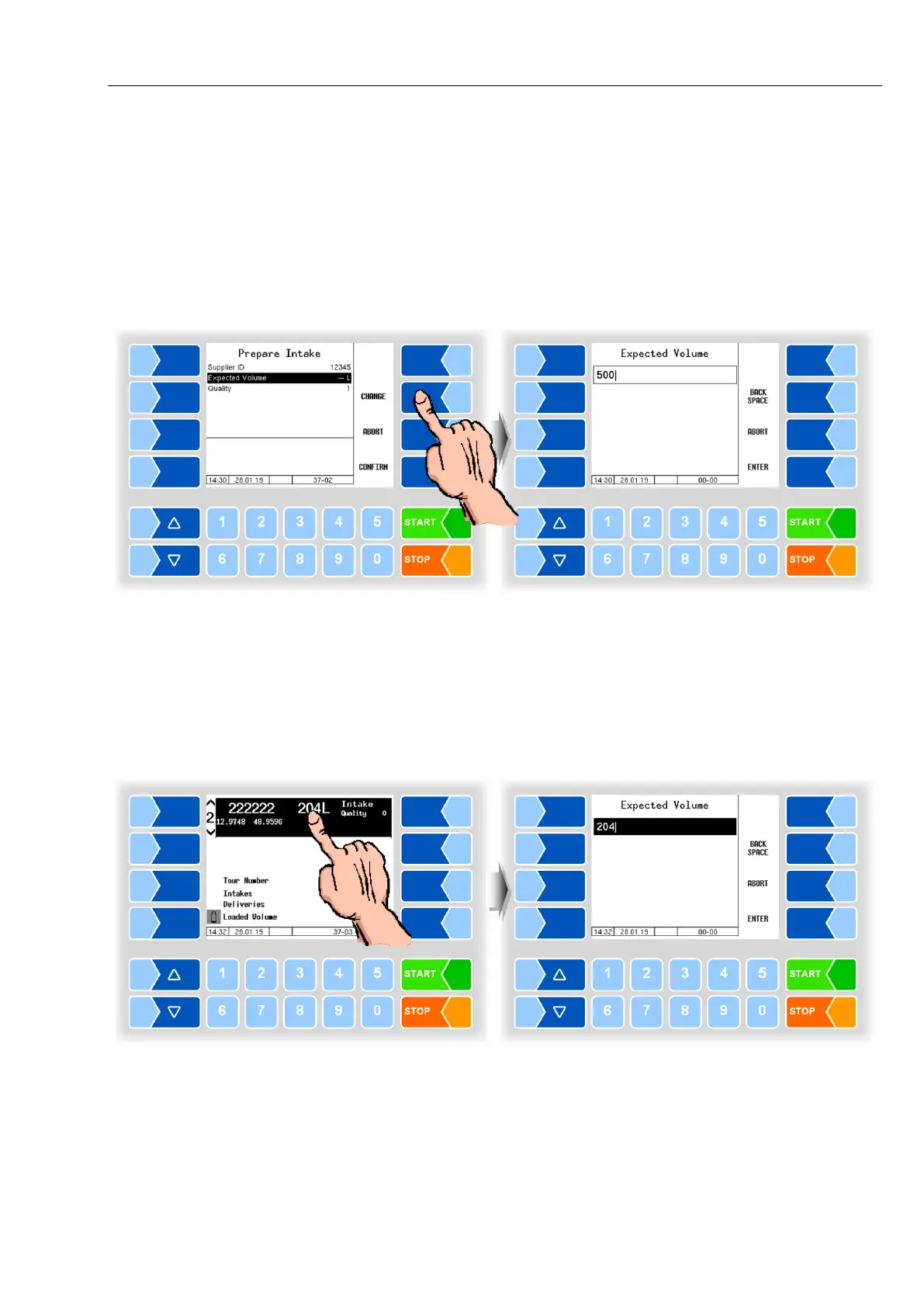
● Enter the expected intake quantity as the preset quantity for the first intake,
which takes place under the entered supplier number.
For all subsequent intakes, the preset quantity is formed and displayed from
the previous preset quantity and the intake quantity of the previous intake,
taking into account the configured learning factor. You can change this quan-
tity at any time.
Changing the preset quantity
● Touch the displayed preset quantity.



 To Next Page