Tour menu
53
MAK 3003 Measuring system TIGER / LYNX Operating Instructions, Software version 2.35, BA 190130 (11.07.2022)
12.3 Pump over segment
The contents of a tank segment can be pumped over if necessary.
Logic output 16 must be configured for this.
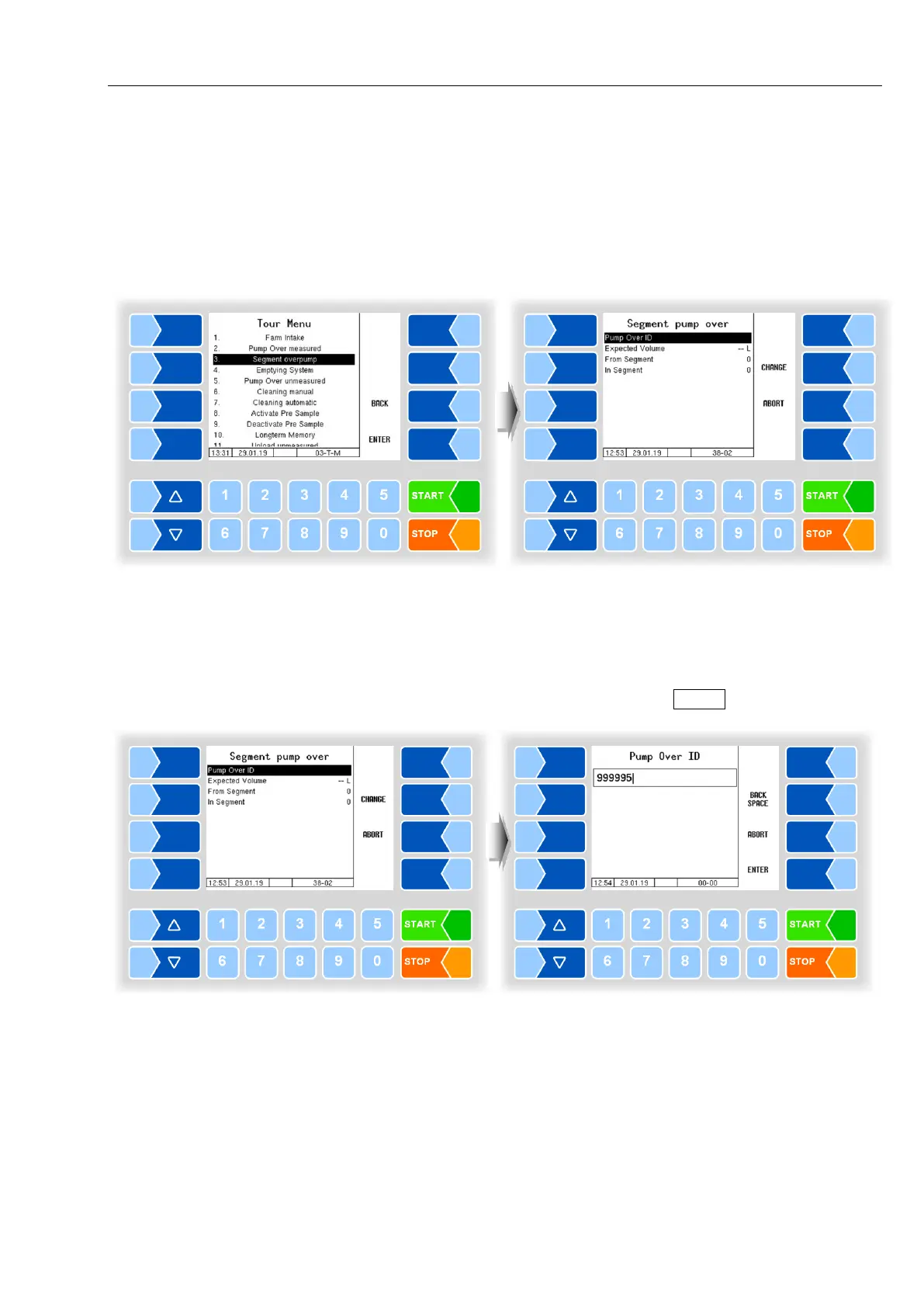
The menu item "Segment overpump" is displayed in the tour menu.
● Select the menu item "Segment overpump".
Pump Over ID
● Select the menu item "Pump Over ID" and touch the soft key "CHANGE" if
you want to enter a Pump Over ID (depending on configuration, see section
12.2).
● Enter the Pump Over ID and confirm it with ENTER .



 To Next Page