Sampling
22
MAK 3003 Measuring system TIGER / LYNX Operating Instructions, Software version 2.35, BA 190130 (11.07.2022)
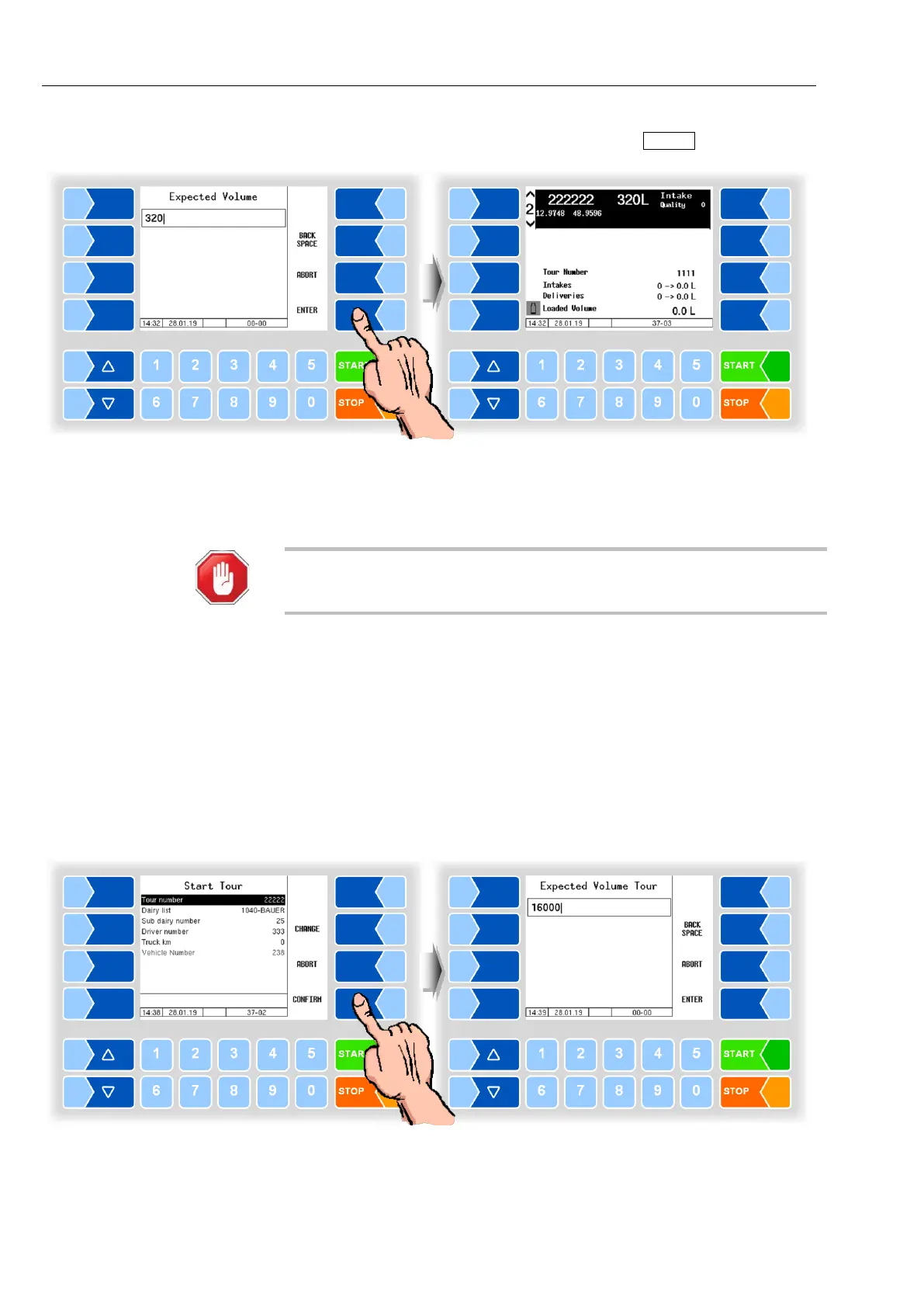
● Enter the new preset quantity and confirm it with ENTER .
The sample bottles are automatically brought into the filling position and the
sample bottle number is read.
If a fault is displayed even though the bottle is in the filling position, clean the
reading window of the barcode reader.
Risk of accident!
Before cleaning the reading window, interrupt the power supply and/or the
compressed air supply for sampling and bottle supply!
8.2 Tour sample
If tour sampling is configured, a sample is filled over the entire tour. The sym-
bol for the tour sample is shown on the display.
The preset quantity for the tour is queried at tour start or after activating the
tour sample.
The last value is displayed here as a recommendation. If necessary, correct
this quantity to the total intake quantity actually expected for the tour (e.g.,
including the trailer volume).



 To Next Page