10.2 Initial Setup
At delivery, the handheld is not preconfigured for an existing WLAN. In the course of the
initial setup your iPad will first connect to the OccluSense
®
handheld. Subsequently, it
is possible to integrate the handheld into your existing WLAN.
Check if your iPad is connected to your WLAN network. Have your WLAN password ready.
10.2.1 Switch on the handheld
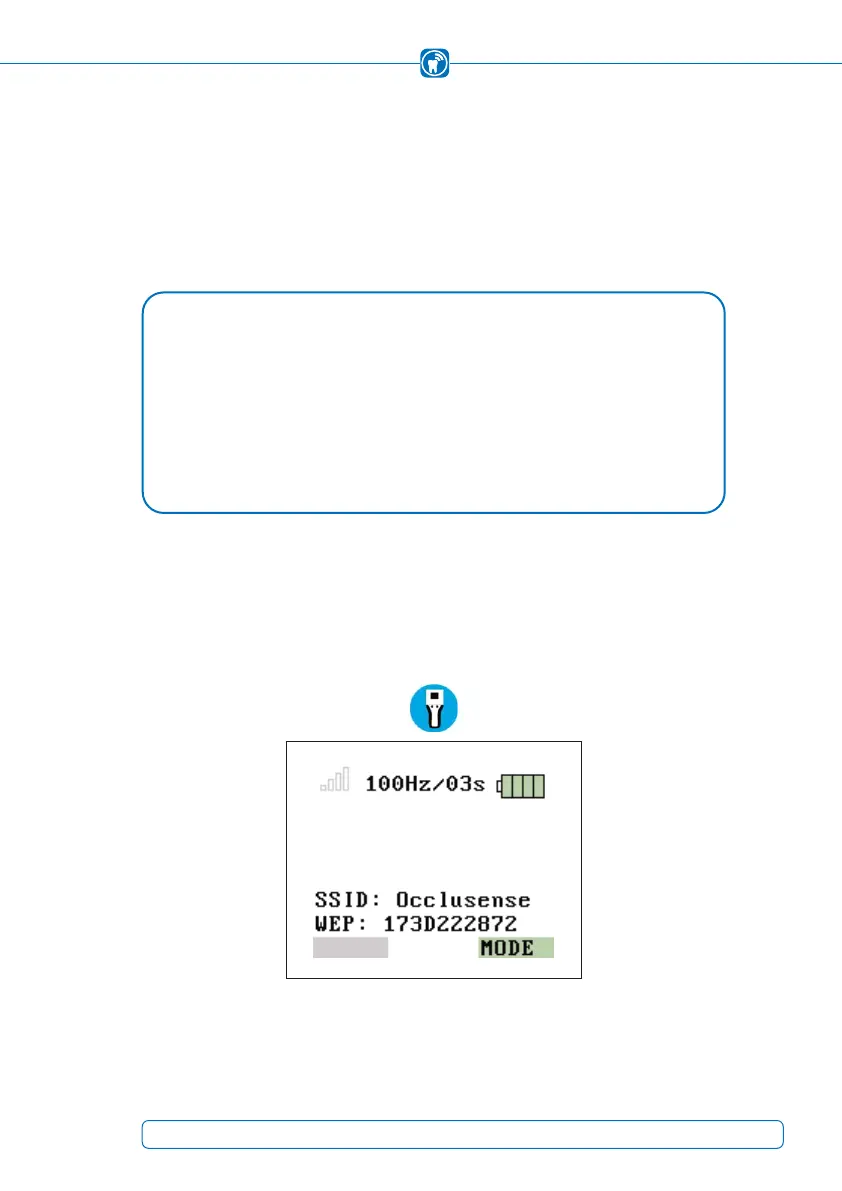
To switch on the handheld, press button 1 (pink button, see chapter 4.1). The WLAN net-
work name and password (WEP) are shown on the handheld display (Figure 9).
Figure 9: WLAN-SSID and password (WEP) provided
NOTE
TECHNICAL REQUIREMENTS FOR THE WIRELESS LOCAL AREA NETWORK (WLAN) •
• 2.4 GHz WLAN-Standard IEEE802.11 b/g/n (5 GHz is NOT supported)
• No MAC filter activated (MAC = Medium Access Control)
• DHCP server with two free IP addresses available
OccluSense
®
is a network device - If you have any problems connecting the •
OccluSense
®
to your network, please ask your system administrator.
25



 To Next Page